Read with Claude
 Read with ChatGPT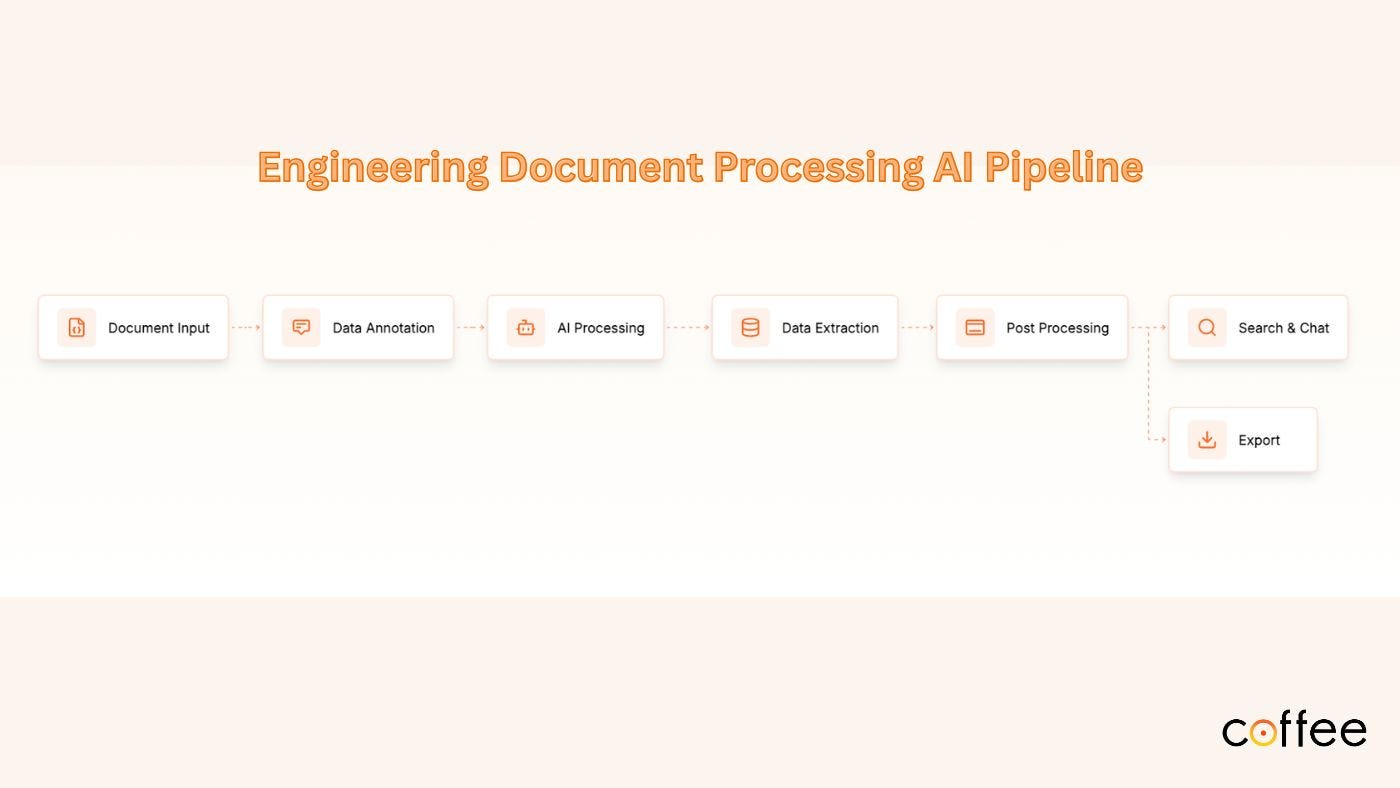
Featured
Engineering teams deal with a lot of technical documents such as scanned PDFs, CAD drawings and BOM tables etc. Those pages contain critical information needed for decisions across design, procurement, and manufacturing.
Consider this scenario: You need a list of parts from a 30-page technical drawing, and you do not have the option of searching it. You have to manually go through each page to find the right list and cross-verify it. It takes on avg. about 10–15 minutes. Multiply that by 1,000 documents and you start to see the real problem.
Thanks to recent advances in Document AI, especially multimodal models, it’s now possible to convert engineering documents into structured, queryable data.
Engineering Document Processing AI Pipeline
This article walks through a pipeline for processing engineering drawings: from document upload and management to intelligent querying.
Why This Matters
According to research, companies can cut document processing time from 3–6 months to a few weeks, reducing costs by 60–80%. But the bigger gain is knowledge accessibility.
You are not just digitizing documents, you are unlocking physical engineering knowledge and enabling:
- Cross-team collaboration
- Better procurement insights
- Faster compliance reviews
The Engineering Document Processing Pipeline
The engineering document processing pipeline understands the structure of engineering files, from messy scanned PDFs to clean digital A3 sheets, and processes data for extraction. Each stage builds on the previous one to ensure the output is accurate, usable, and ready for downstream systems like ERP, PLM, or custom dashboards.
Here’s how it works, step by step:
1. Document Management System (DMS)
Engineering projects involve hundreds sometimes thousands of PDFs, scanned drawings, and manuals. Without a system in place, teams waste time searching through folders and email to find the right file.
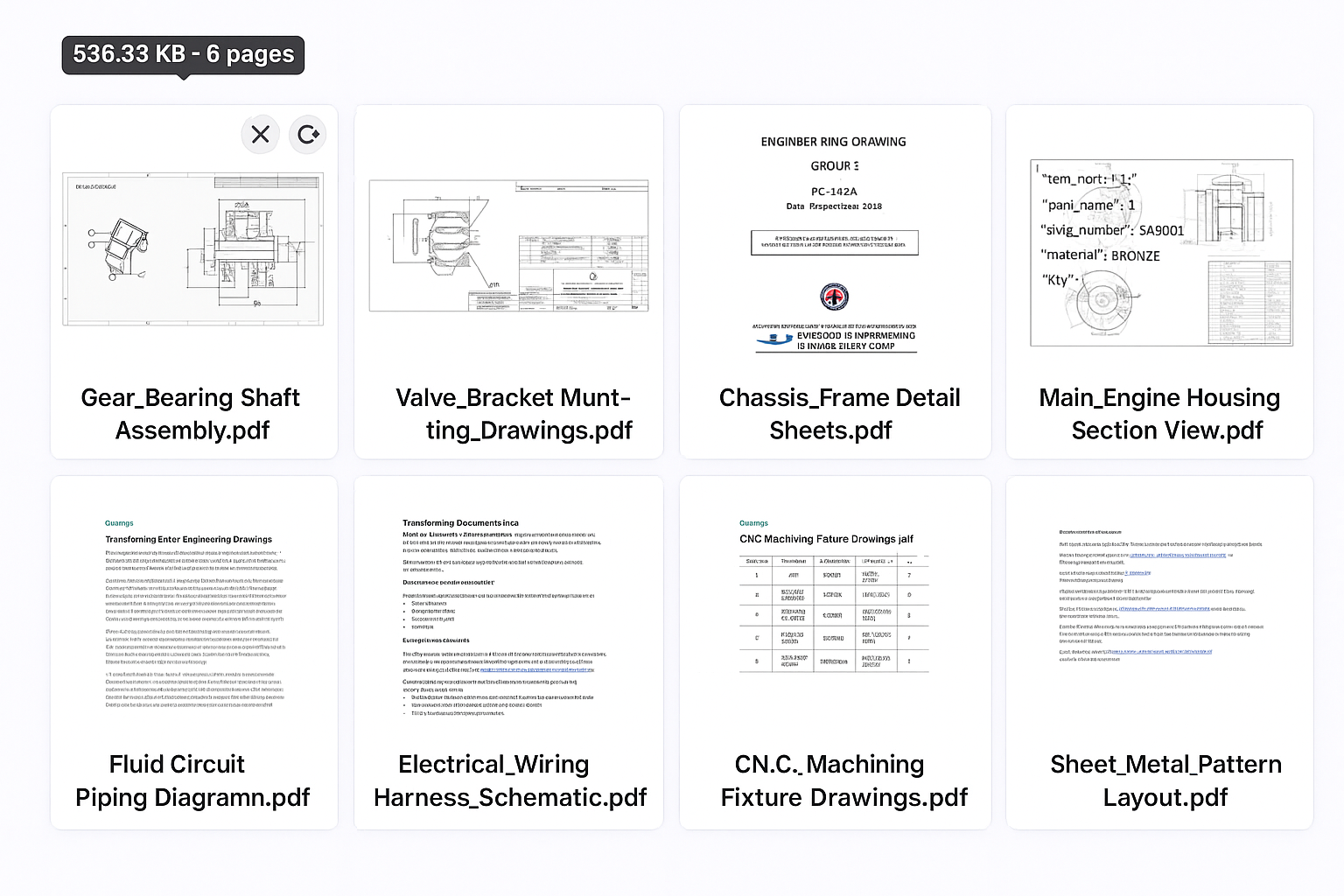 What a DMS does:
- Tracks files with meta data such as page count, status, and timestamp
- DMS should also support batch uploads and processing queues
- File history
A unified DMS ensure everyone works from a single verified source. Whether you are uploading, editing, or exporting it is all tracked, organized, and accessible in one place.
2. Document classification
Automatically identifying the type and format of a document is an essential step in any AI-powered processing workflow. This classification is useful in defining extraction logic further down the pipeline.
Engineering files come in all forms: scanned manuals, digitally-generated CAD drawings, A3 or A4 layouts, multi-sheet blueprints, and more.
A domain-aware classifier helps sort these variations upfront: by content type (e.g., schematic vs. BOM) and by format (e.g., scanned vs. digital). This ensures the right processing path, improves extraction accuracy, and reduces manual sorting effort.
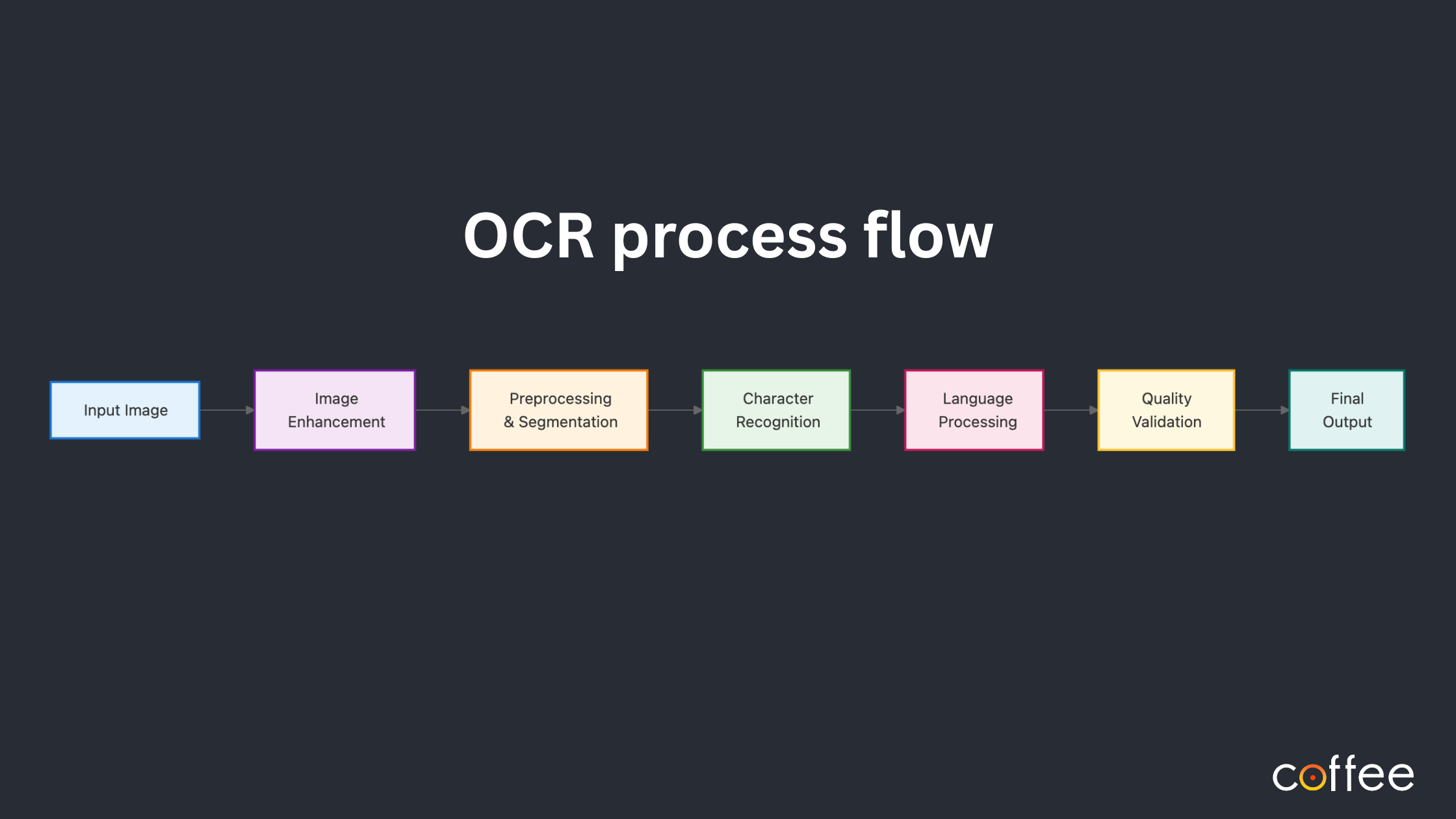
3. Page Pre-processing
Most engineering drawings contain skewed scans, blurred prints and opacity- less details.
OCR engines read the input image as-is. With rotated tables or inconsistent contrast, they misread or skip critical information.
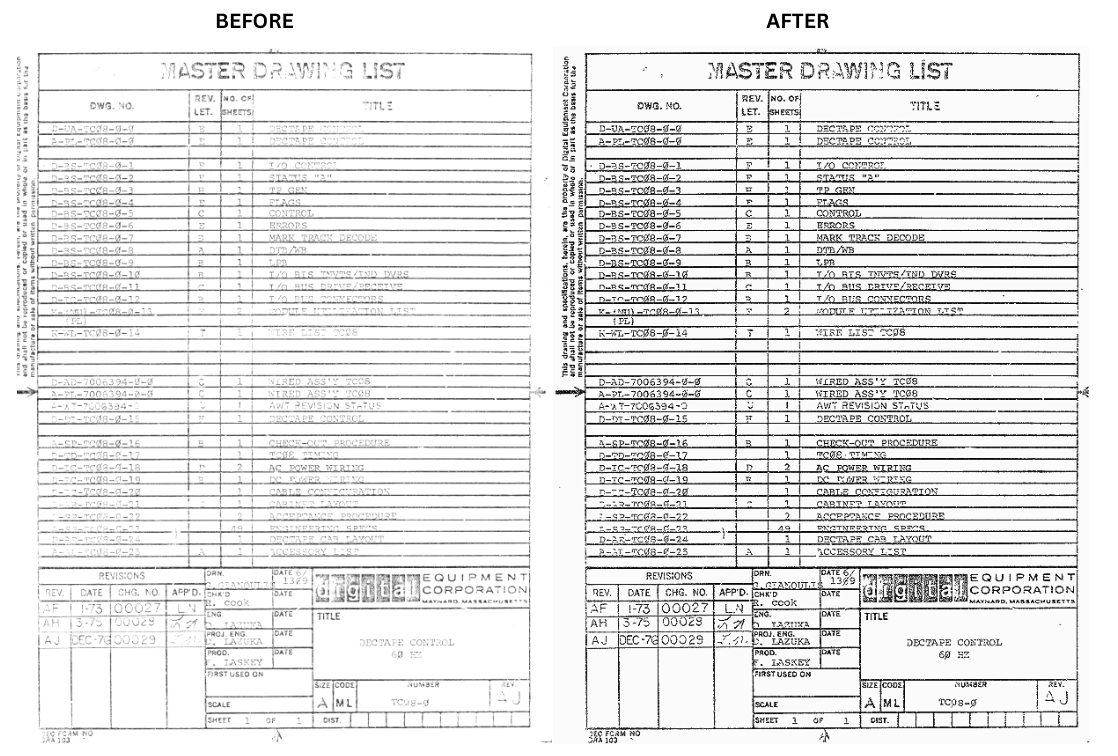
Pre-processing step, for example, corrects page orientation or rotation and enhances image quality based on the anomalies found. You can read more about some of the common anomalies found when parsing engineering documents in the article below:
Beyond OCR: Anomalies in Data Extraction from Engineering Drawings
By the time the page hits the extraction process, it is much more consistent, therefore maximizing accuracy and also ensuring no data is missed.
4. Layout Detection
Engineering drawings do not follow a fixed layout format. The title blocks appear in different corners, BOM tables are broken or scattered. Layouts vary across sheet sizes such as A2, A3 and A4.
Standard OCR tools expect a simple, left-to-right or single column layout. Layout detection helps finds and classifies each section in the page such as table and text etc.
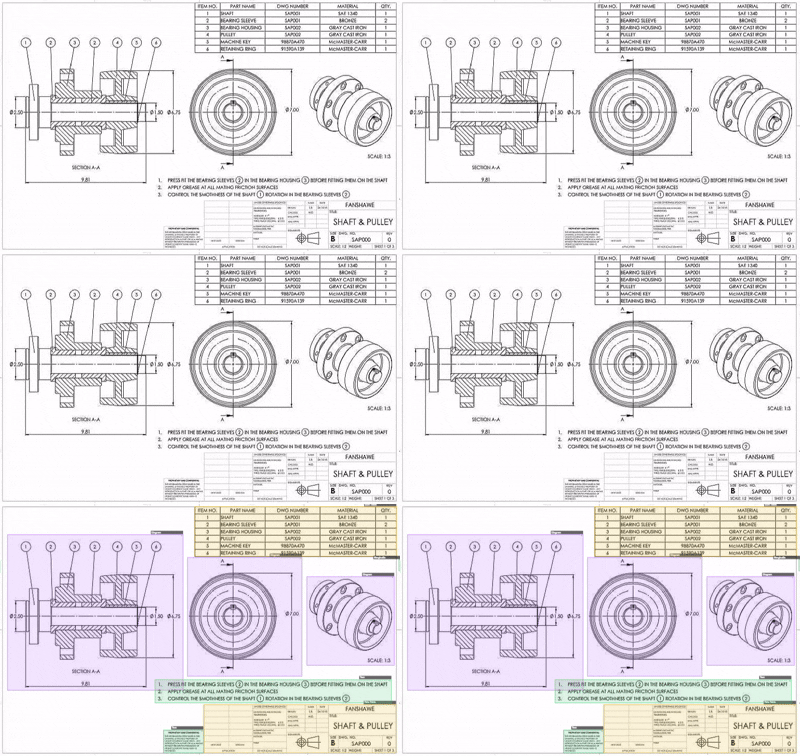 With each section labelled, we can now locate and extract information more accurately.
5. Data Extraction
Engineering drawings include text, tables like BOMs and title blocks, and detailed diagrams with GD&T symbols. This content is often dense and with unstructured layouts.
We combine OCR with custom-trained detectors to extract:
- Structured tables (BOMs, title blocks)
- Notations (⌀25 ±0.1 as diameter + tolerance)
- Domain-specific symbols (GD&T, P&ID shapes)
We tried out a few OCRs and identified ones that can be customized for engineering use-cases. You can read more about it here:
Choosing the Right OCR for Parsing Engineering Documents
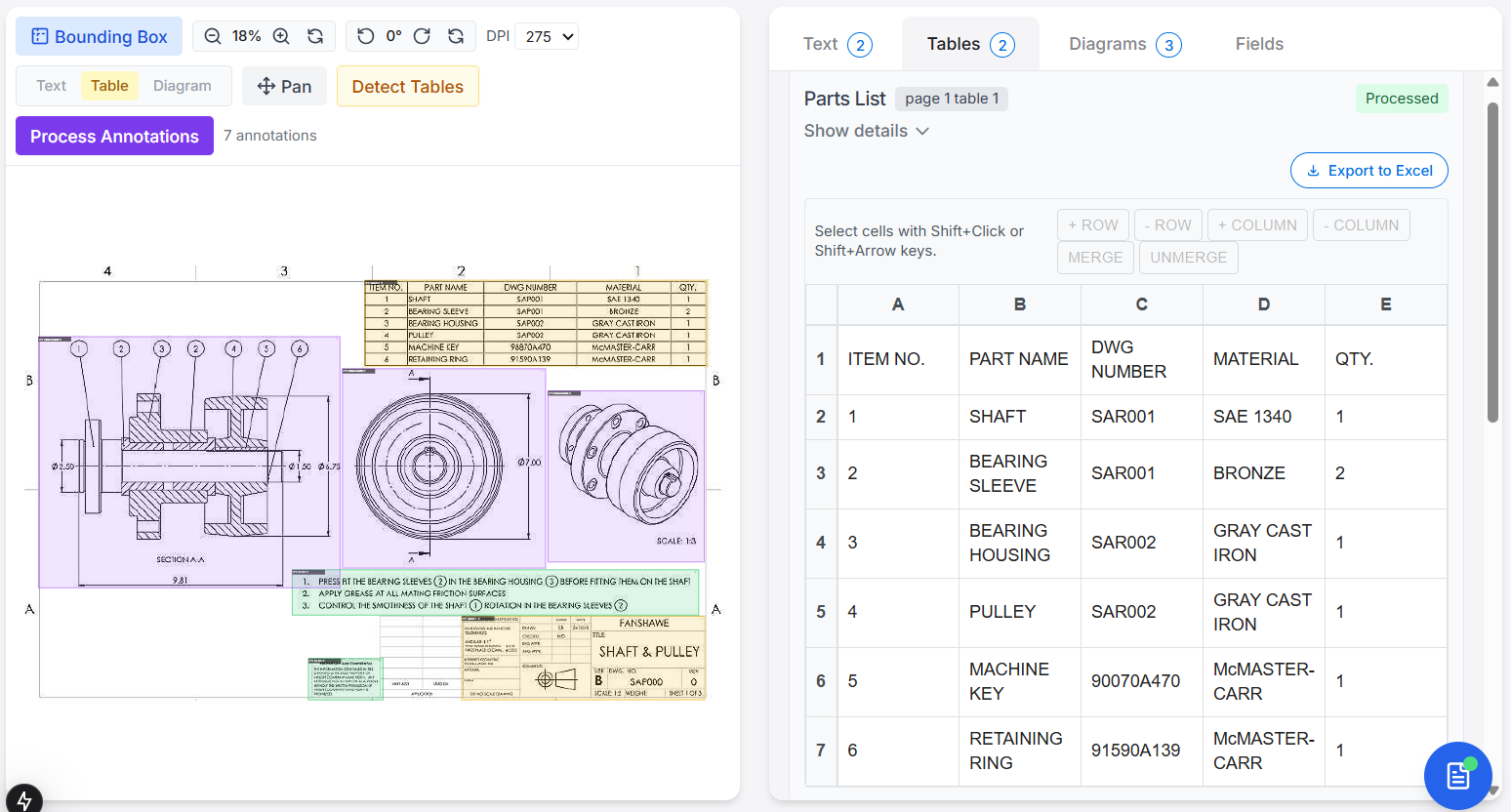
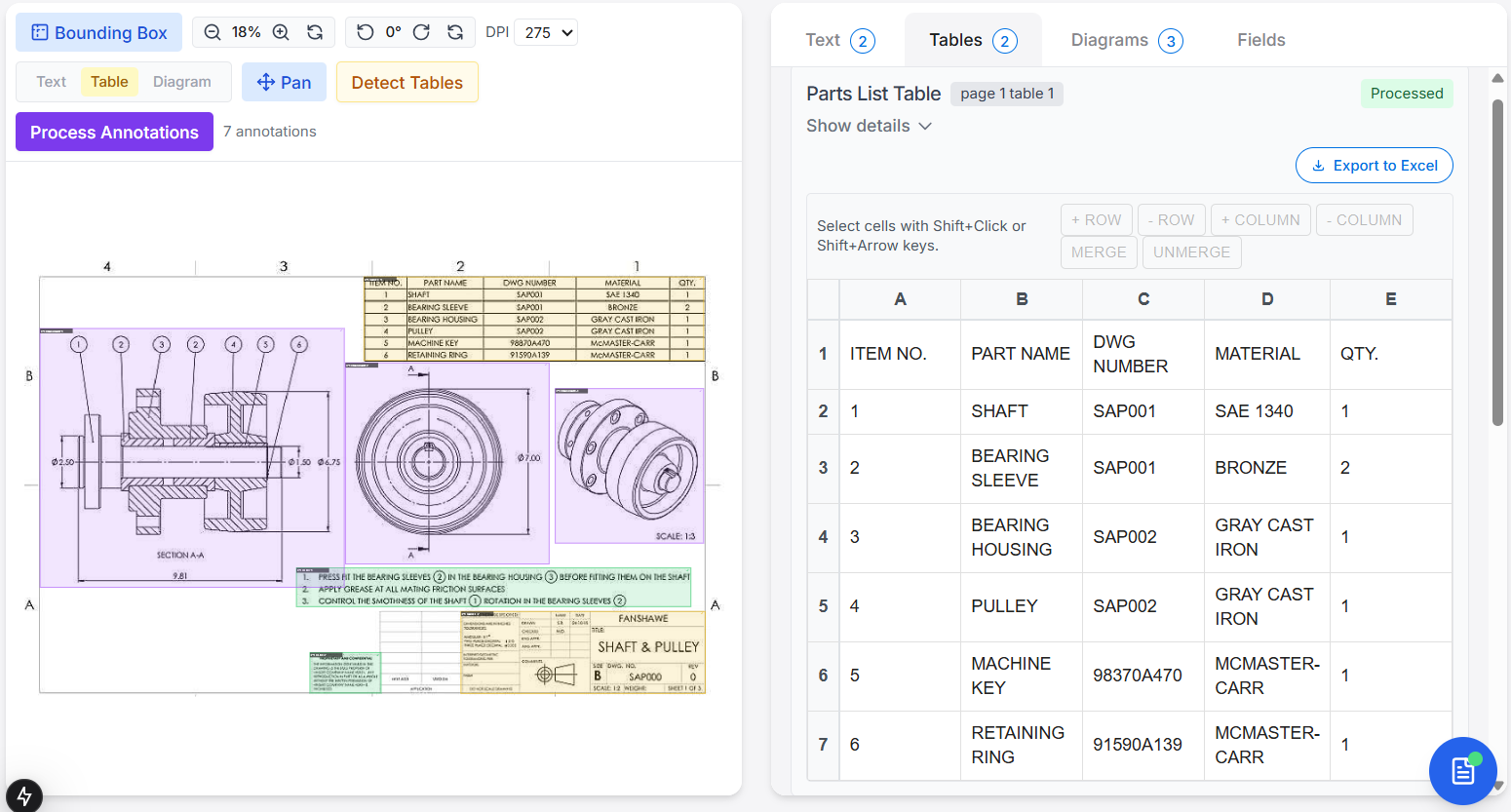
6. Data Validation & Human-in-the-Loop QA
No AI model is perfect. Especially with technical documents, a few values may be misread or need human confirmation. Most pipelines stop at raw extraction. There is no way to inspect or correct the output before exporting to a CSV or API. That is why we need to add a validation layer:
- Every extracted field has a confidence score
- Users can review and fix data in a web interface
- Supports manual edits, row/column insertions
This approach ensures quality before data flows to downstream systems.
Each extracted block with a confidence score, indicates how accurate the data is. Users can now review and adjust the data easily before it is exported ensuring accuracy.
7. Templatization & Export
Once validated, extracted data is:
- Mapped to structured templates (JSON, XML, Excel)
- Standardized for ERP or other external system integration
- Stored in a normalized schema for easy querying
For example, material specs can be exported in a format ready for BOM reconciliation or inventory checks.
8. Interactive Search & Chat Interface
Even after digitization, reviewing through massive PDFs to find specific details like a drawing number or material spec, it is useful to have a natural language chat interface on top of the extracted data.
Engineers can ask questions like:
“What’s the material for part 021?”
“What’s the drawing number on page 12?”
and get instant answers.
This transforms engineering documents into interactive, chat system saving hours and speeding up decision-making.
Conclusion
The future of engineering doesn’t lie in paper. It lies in AI systems that can “read” and “understand” technical documents like a domain expert would.
By transforming complex, unstructured engineering documents into structured, searchable, and actionable data, engineering teams can automate document workflows, improve data accuracy, and make faster decisions.
This isn’t just digitization. It is a shift towards faster, smarter engineering.
At Coffee, we are working on Adeos, a data extraction tool that can be used to extract key information from engineering drawings with this exact pipeline in place. If you are interested to learn more, reach out to us.