Read with Claude
 Read with ChatGPT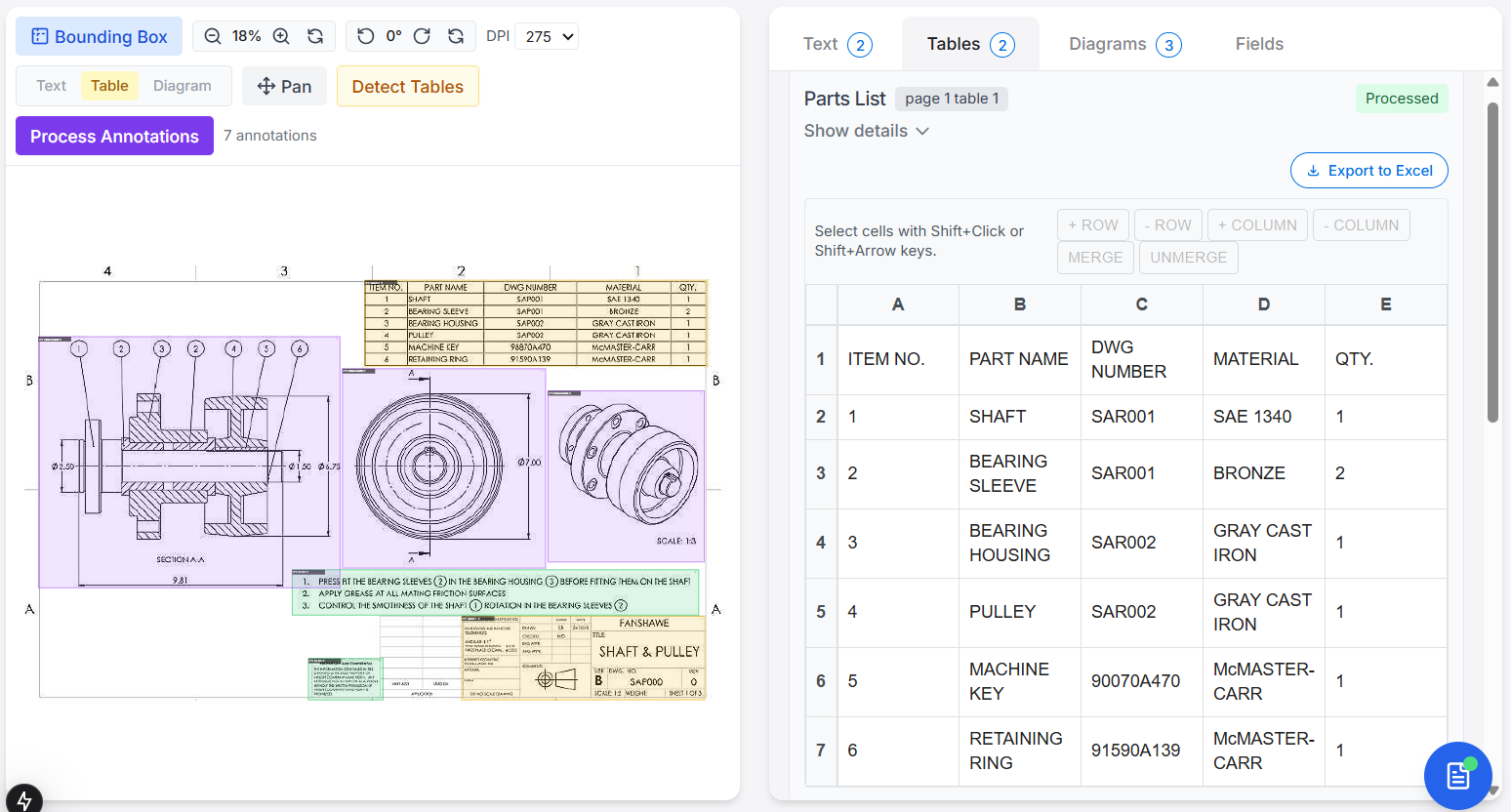
Adeos for data extraction
While Optical Character Recognition (OCR) and Vision-Large Language Models (VLLMs) have improved the automation of data extraction, their effectiveness is often tested when applied to engineering documents. These documents often combine text, structured tables, and diagrams to convey specifications, dimensions, and material details.
Unlike clean digital files, scanned drawings come with a lot of noise with its non-standard layouts. This is especially true for tables, which are used to represent structured information like metadata, parts lists, and revision histories, and rarely follow a uniform template.
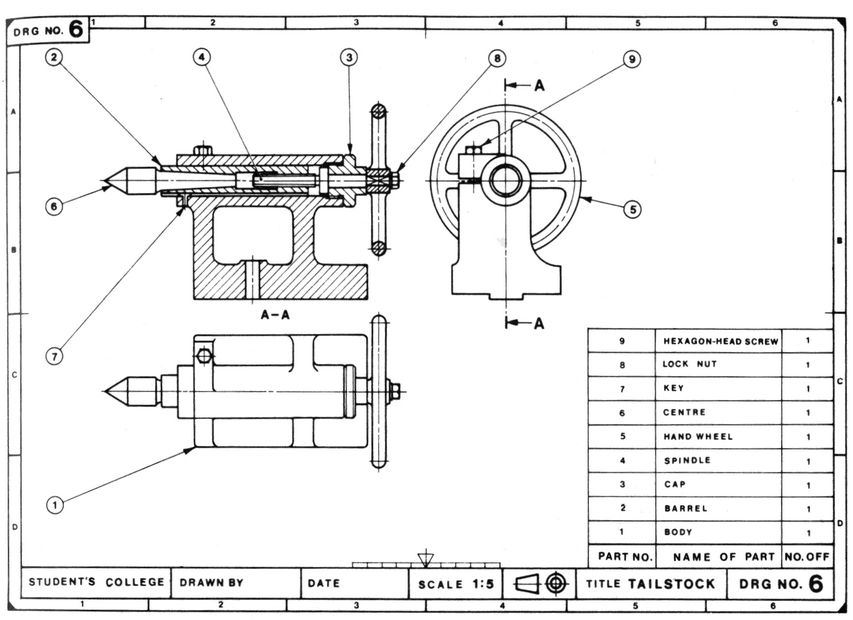
Automating extraction from tables reliably require more than a generalized AI model. We need to setup both pre and post-processing to adapt to diverse layouts as well as provide context and rules on a case-by-case basis.
This article explores many of the anomalies that you are likely to come across when extracting tabular data from engineering drawings.
Diving into the Anomalies
The following are few of the anomalies to consider and handle before diving into extraction process:
1. Blurred text
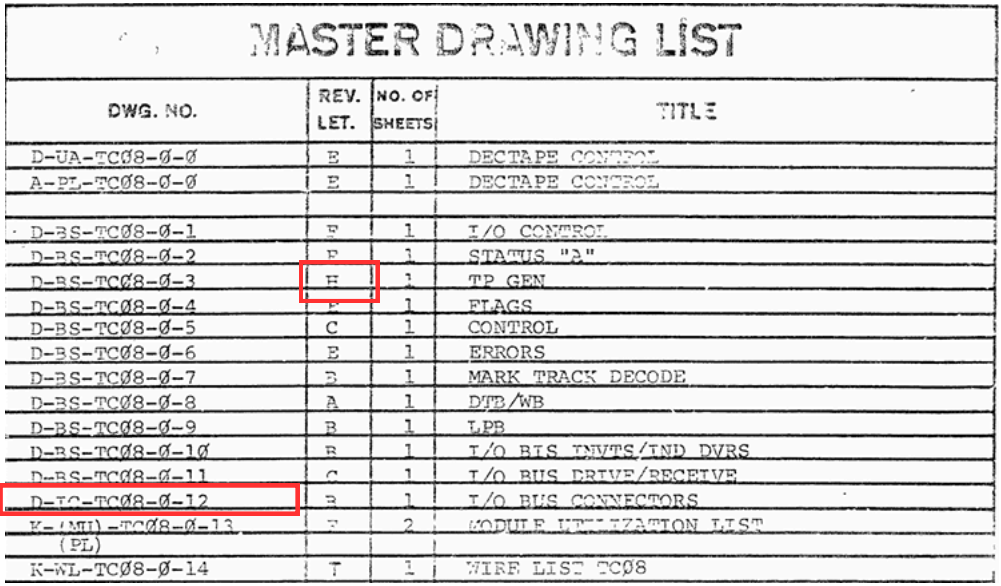
Blurred text are unclear and distorted text caused due to poor image quality or low resolution and other scanning issues. For example, refer to the image below in this case drawing number (DWG No.)
Since DWG No are important data points in engineering documents and with blurry text, causes issues such as
- Hallucination or produce incorrect values such as C becomes 0
- Data miss where the B is omitted and the drawing number is extracted as D-T-TC
This issue in scanned images might be visible to human eye but in some cases it wouldn’t be easy to interpret as E or F, here we can refer to the alphabet highlighted in REV.LET. column.
2. Handwritten & font variations
The handwritten fonts are human written text were there are variations like spacing, alphabet or number formation, slant styles and stroke thickness making recognition difficult.
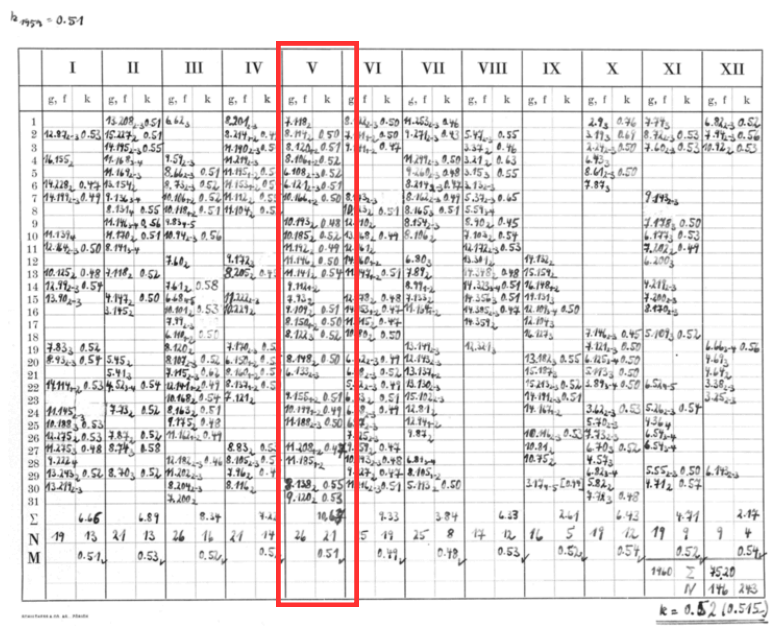
For example, the numbers are difficult interpret by the OCR or VLMs since they are cluttered and the values are overlapping to the subsequent column as well this can causes the following issue:
- The OCR hallucinates or misclassifies handwritten characters
- The spacing or clutteredness can cause alignment level issues specifically like column merge
3. Other Languages
Engineering field often involve international vendors or clients also teams so in that case the documents mostly contain multilingual text. But we if we have to extract the English language only we would then filter out the other languages.
If you have a look at this image below we wouldn’t know if the Japanese language is tied to the 850 value so if we filter out the foreign language we would expect 850 in our extracted data but since the header is in foreign language and the value under the header also gets filtered out
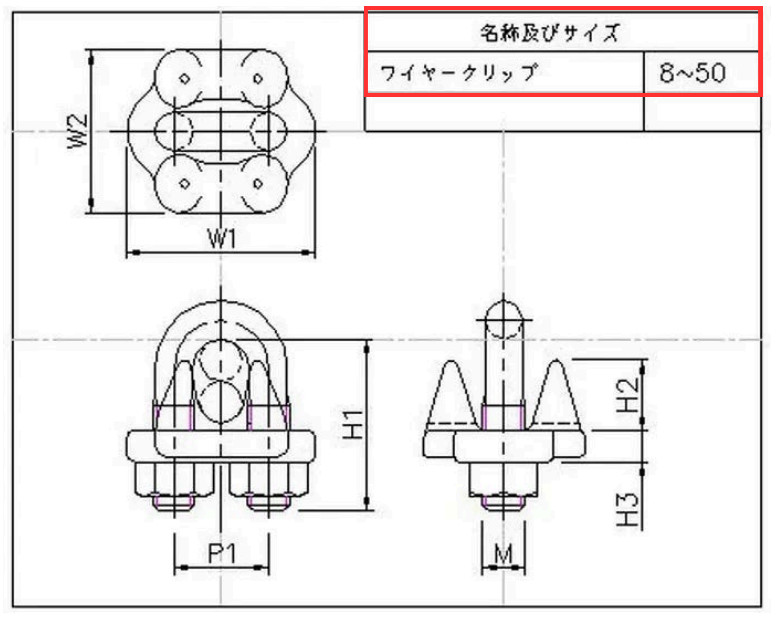
These type of document often include multilingual headers, table data everywhere and filtering out those might cause:
- Character level data miss or word might get missed
- Breaks the table structure, where one column might get missed
Also in cases where there are mixed language in one cell the data loss probability is high.
4. Cluttered table/text
Usually we might also find dense table structure where identifying rows, columns and cell boundaries is confusing for the OCR or VLMs to process these kind of structures.
The resultant extracted data will have the following issues:
- Merged rows or columns
- Split row or column to new row or column
In some cases the row or column lines are inconsistent or not visible this causes broken or misalignment data structures. We can spot this in opacity less tables in most of the cases.
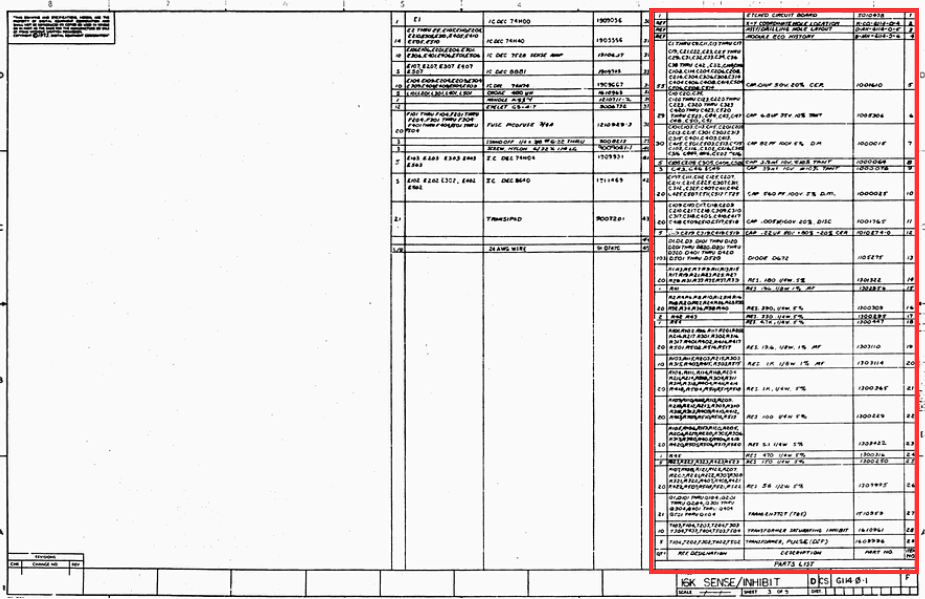
There are also few other sub points to look into
a. Small cell with high text density
As you can see in the above image the cells are packed with data with smaller fonts this leads to data miss in some case and mostly the characters are skipped as in the Ref designation column values T102,T103 becomes T102T103 and in description column values RES 56 1/2W 5%, with spacing, becomes RES561/2W5%
b. Overlapping text
The text in one cell may have its continuation to the next cell and we often find watermarks, stamps and arrows on top of the text. The overlapping text gets extracted with the extracted data causing confusion.
5. Vertical text
The vertical text appear in the various page layout for example
- A4 Layout : The space to add the data is limited in that case the text or number is added in a vertical fashion
- A3 Layout: Due to certain conventions or standards the drawing number or part number are provided as vertically.
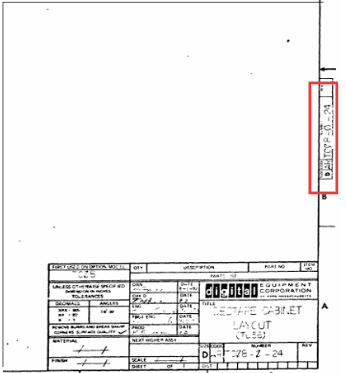
a. Vertical text outside table or page borders
Vertical text outside table structures or boundary can be handled by rotating the cropped vertical text image
b. Vertical text within table
In cases when the vertical text are inside table structures the column cant be cropped and rotated then added to the final extracted data since that might disrupt the table structure. Also the issue with vertical text is if it should be extracted from top to bottom or bottom to top fashion.
6. Dis-oriented tables/Skewed tables
The dis-oriented or skewed tables are slightly titled pages due to scanning issues where detecting the ROI and cropping out the tables causes data loss.
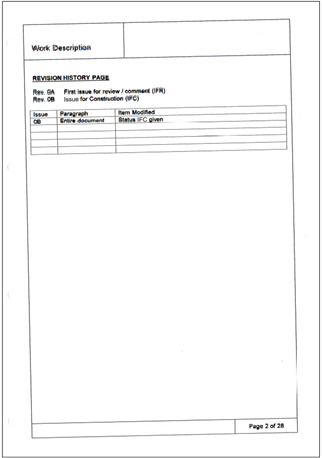
7. Less opacity
The less opacity text are usually found in old documents and are also caused due to scanning and printing issues or due to transparency settings in the PDF document rare cases so the contrast between text and background is insufficient to recognize the text by the OCR model
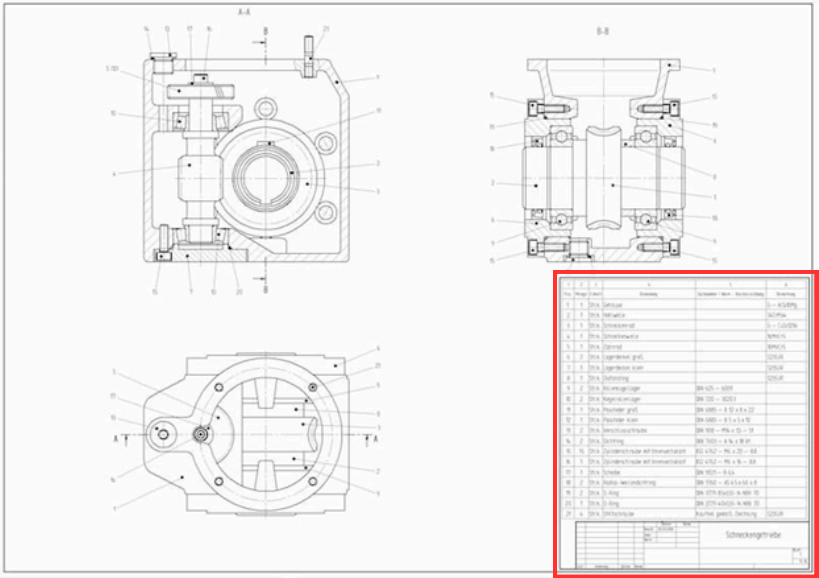
In this case the following issues occur:
- Data miss completely( No bounding boxes detection) or partial recognition
- Hallucination such as 8 seen as B
- Column or row merge if the table borders are opaque.
Final Thoughts
Although OCR and VLLMs solve the problem of data extraction for our need, they miss out on considering and handling the anomalies listed above. These tools are effective for standard layouts, but real-world documents rarely match such expectations.
Reliable data extraction, especially when dealing with tables, requires a layered approach, combining AI with domain-specific rules, layout understanding, and post-processing. Further, understanding the structure and purpose of each table type, whether it is a title block, a BOM, or a supplementary table, is helpful to build systems that not just extract, but also interpret data.
The goal is having the ability to recognize and handle anomalies with accuracy and context-awareness when working with legacy documents and automating engineering workflows. And that is where the challenge lies.
At Coffee, we are working on Adeos, a data extraction tool that can be used to extract key information from engineering drawings. If you are interested to learn more, reach out to us.
P.S. Yes, in case you are wondering, we have solved for the above anomalies.