 Read with Claude
 Read with ChatGPT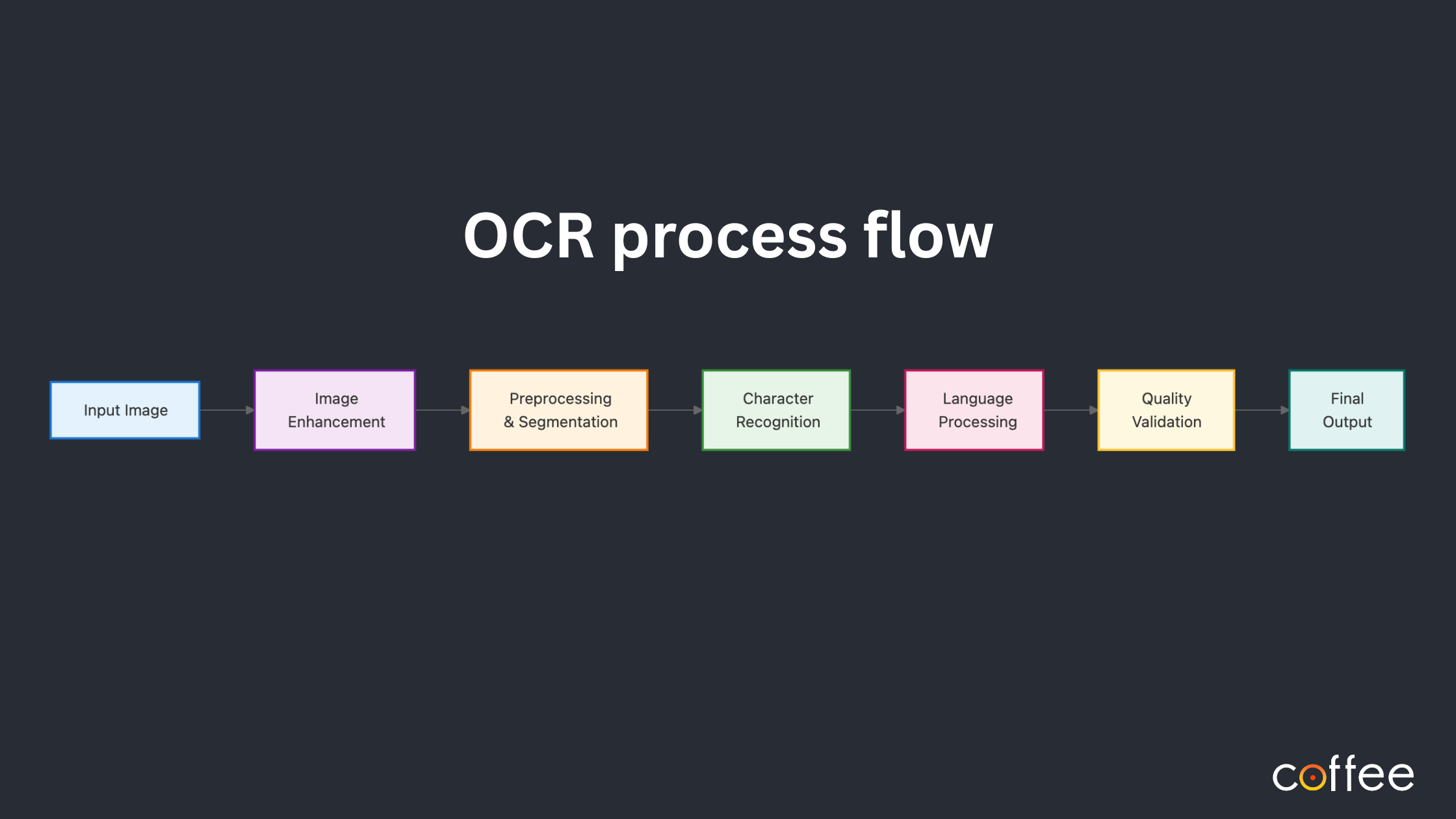
Optical Character Recognition (OCR) has long been established as a way to automate data entry and extract text from scanned documents. OCR works better than standard document parsing libraries, in the fact that, it can be used to read scanned and rasterized pages and extract data.
OCR process flow
Let us be clear: not all OCRs are built the same. While some perform quite well on invoices, forms, and receipts, they fail when dropped into the noisy, disordered world of engineering documents (not that the documents are disordered, it’s just the data is spread out across the layout).
What Makes Engineering Documents Hard for OCR
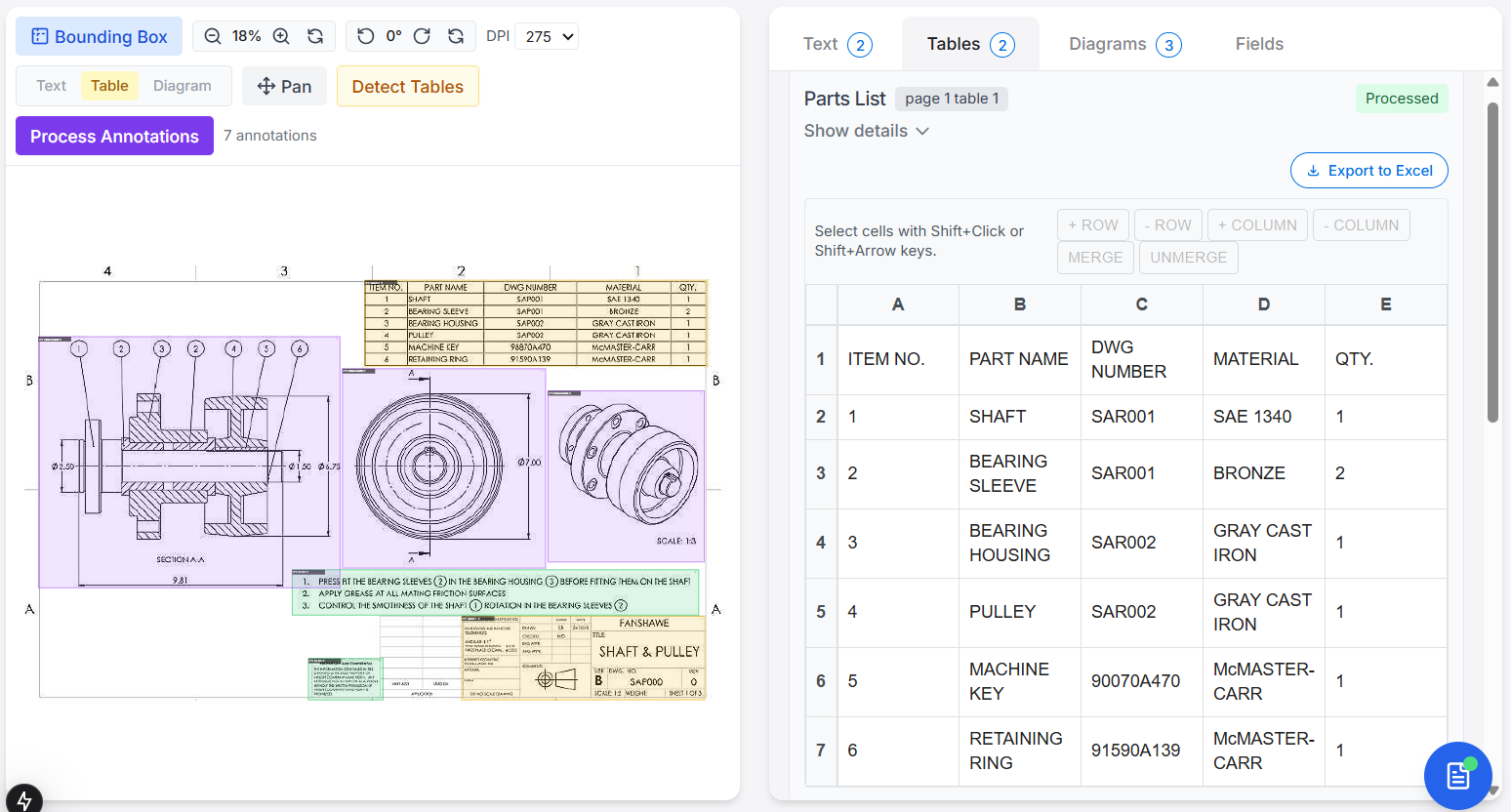
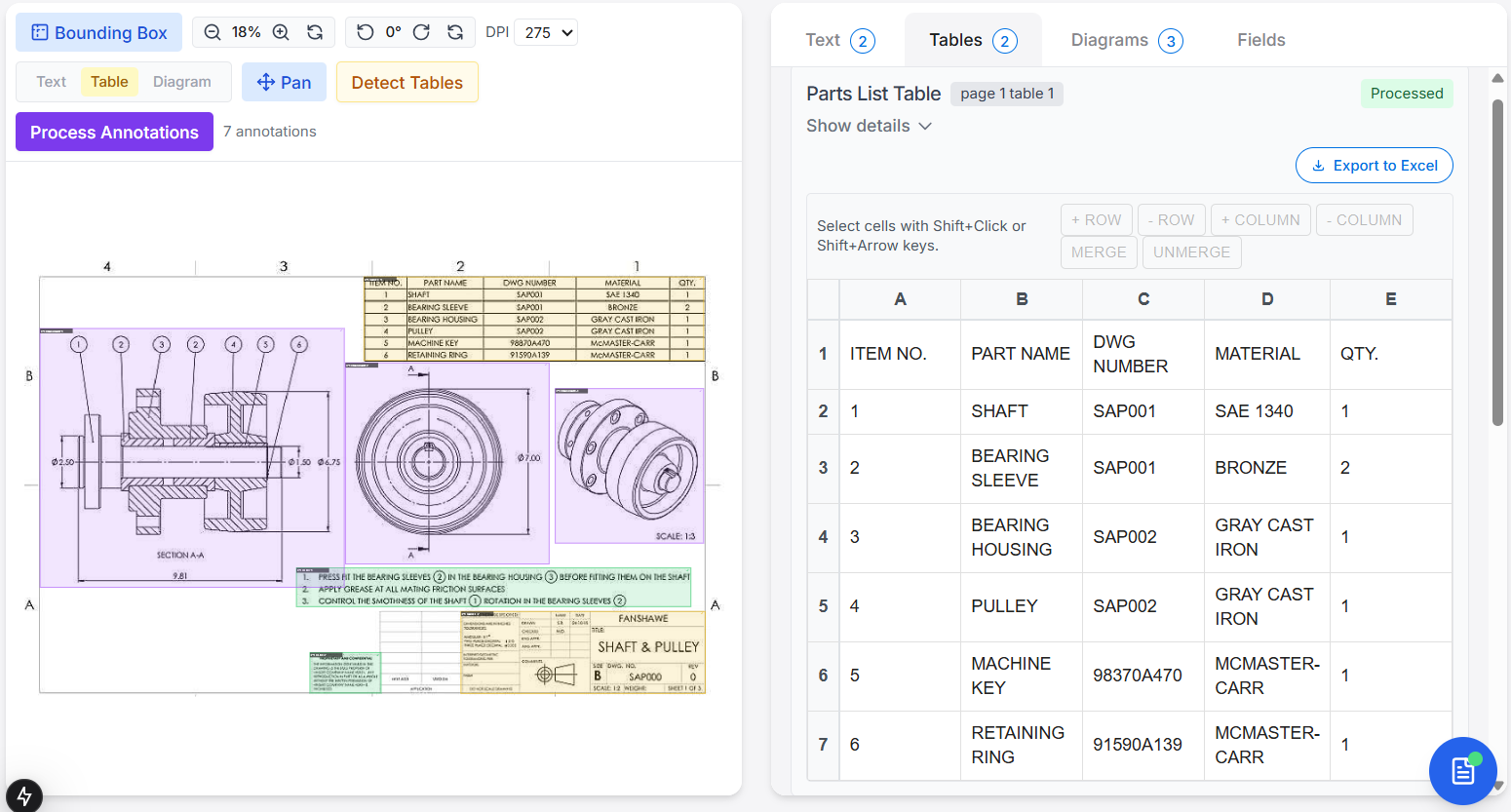
Engineering documents, be it P&IDs, fabrication drawings, or scanned CAD sheets, are structurally different from office paperwork. Text is often rotated, fragmented, hidden by lines, or annotated with symbols and notations that regular OCRs were never trained to understand. The very layout itself can confuse classic engines like Tesseract, especially when encountering title blocks, BOM tables, or nested viewports.
We have previously covered many of the anomalies that come up when working with engineering drawings. Even there
touched upon the point that traditional OCR doesn’t hold up well with engineering drawings.
Beyond OCR: Anomalies in Data Extraction from Engineering Drawings
In this article, we will look through the most widely-used open-source OCR tools, analyzing how they hold up with engineering documents.
1. Easy OCR
The first and foremost package that comes up for OCR is Easy OCR. It is simple, easy-to-setup python package, that is extracts text from images in three steps feature extraction, sequence labeling, and decoding.
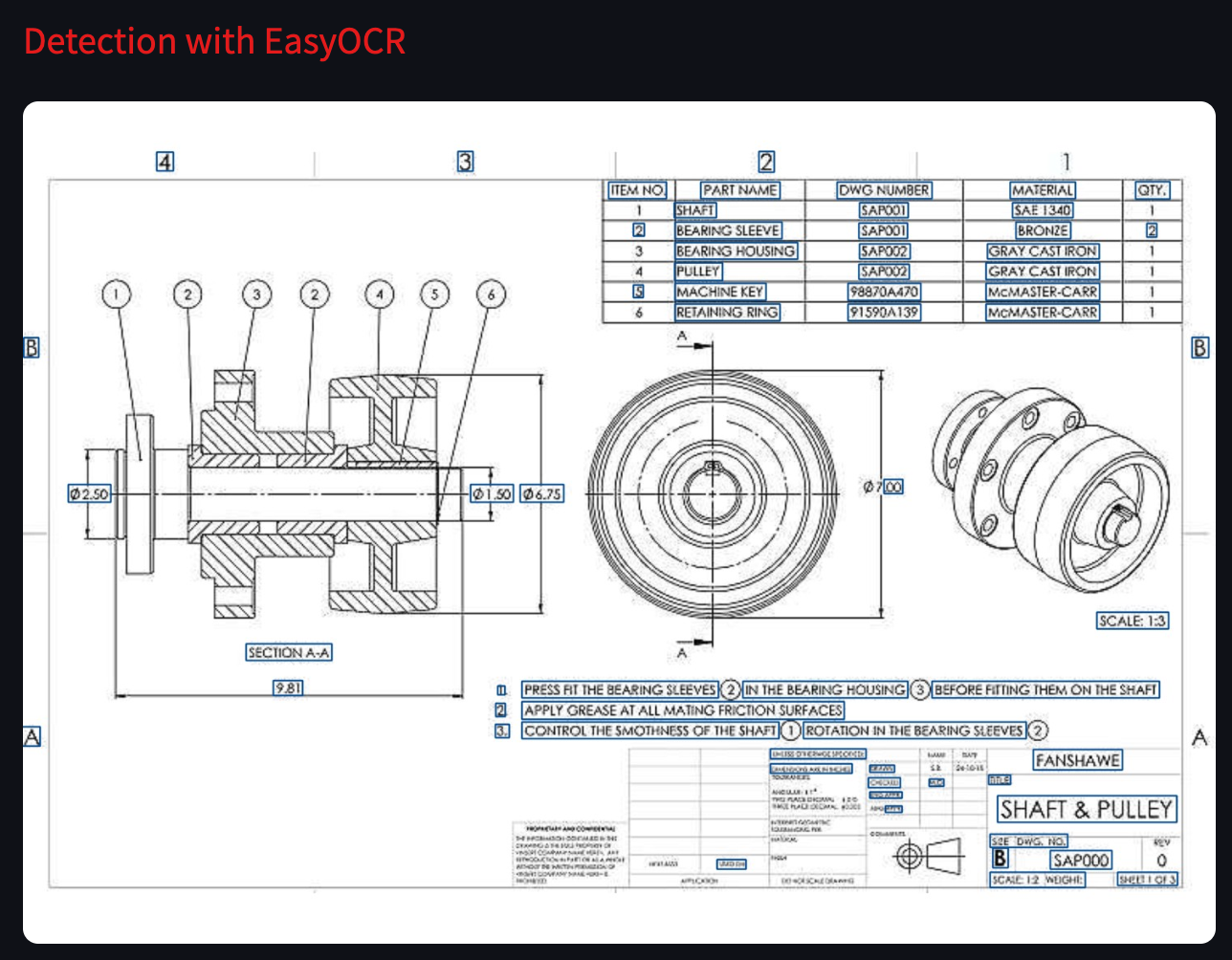
Easy OCR has good text bounding box detection. It captures almost all text in an image.
Where It Struggles
- Hardcoded height limit (~1500px) means large drawings must be tiled
- No native handling of structure or tables
- Recognition drops on noisy, old scans typical in engineering projects
Bottom Line: Good for experimentation. Not suitable for full-sheet drawing extraction without significant pre-processing.
2. Tesseract
Ah, the veteran engine from Google, Tesseract is the go to OCR for many. It has a two step process which identifies characters in the image and then refines its understanding by context of the identified characters.
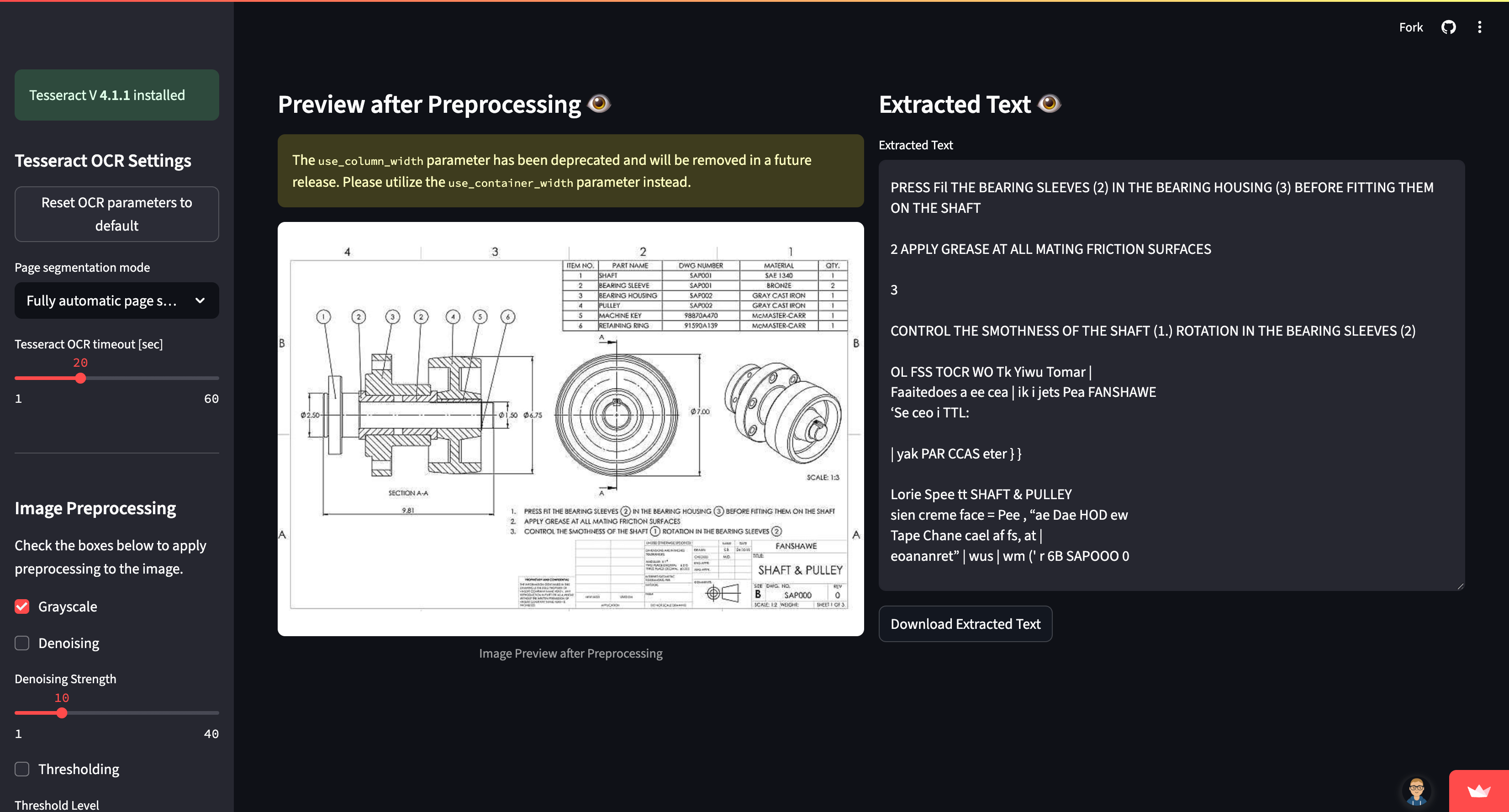
Where It Struggles
- Manual zoning needed for multi-column layouts and title blocks
- Needs custom training for GD&T and special fonts
- Fails on low res and rotated text unless heavily tuned (via Page Segmentation Modes)
- Slows down on large-format (A1/A0) TIFF scans
Bottom Line: Great for structured text in a box. Engineering documents, however, are not structured text in a box.
3. Paddle OCR
A deep learning–driven toolkit that includes detection, recognition, and document structure parsing, Paddle OCR is also provides multilingual support.
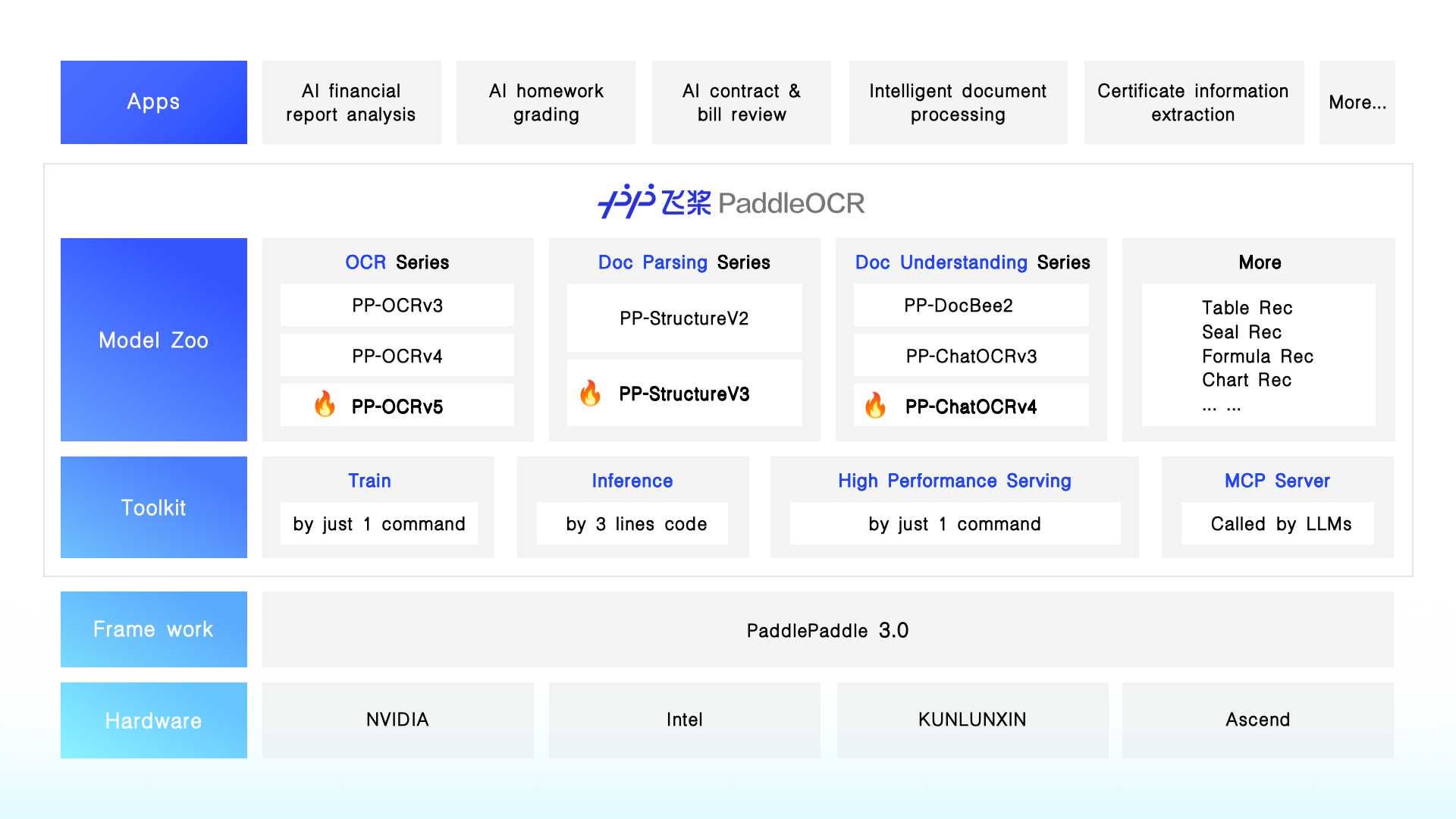
Paddle OCR is promising out of the box, as it can detect and parse tables, and title blocks via StructureV3 module. The transformer-enhanced PP-OCRv5 handles multi-language and handwriting.
Where It Falls Short
- Still misses many GD&T or weld symbols unless fine-tuned
- Complex pipeline (orientation classifier, detector, recognizer, structure parser)
Bottom Line: Among open-source tools, PaddleOCR offers the most structured parsing, but not without setup effort.
4. DocTR
DocTR (Document Text Recognition) is also an open source OCR (Optical Character Recognition) library built in Python that uses deep learning (specifically TensorFlow or PyTorch) to detect and recognize text from scanned documents or images.
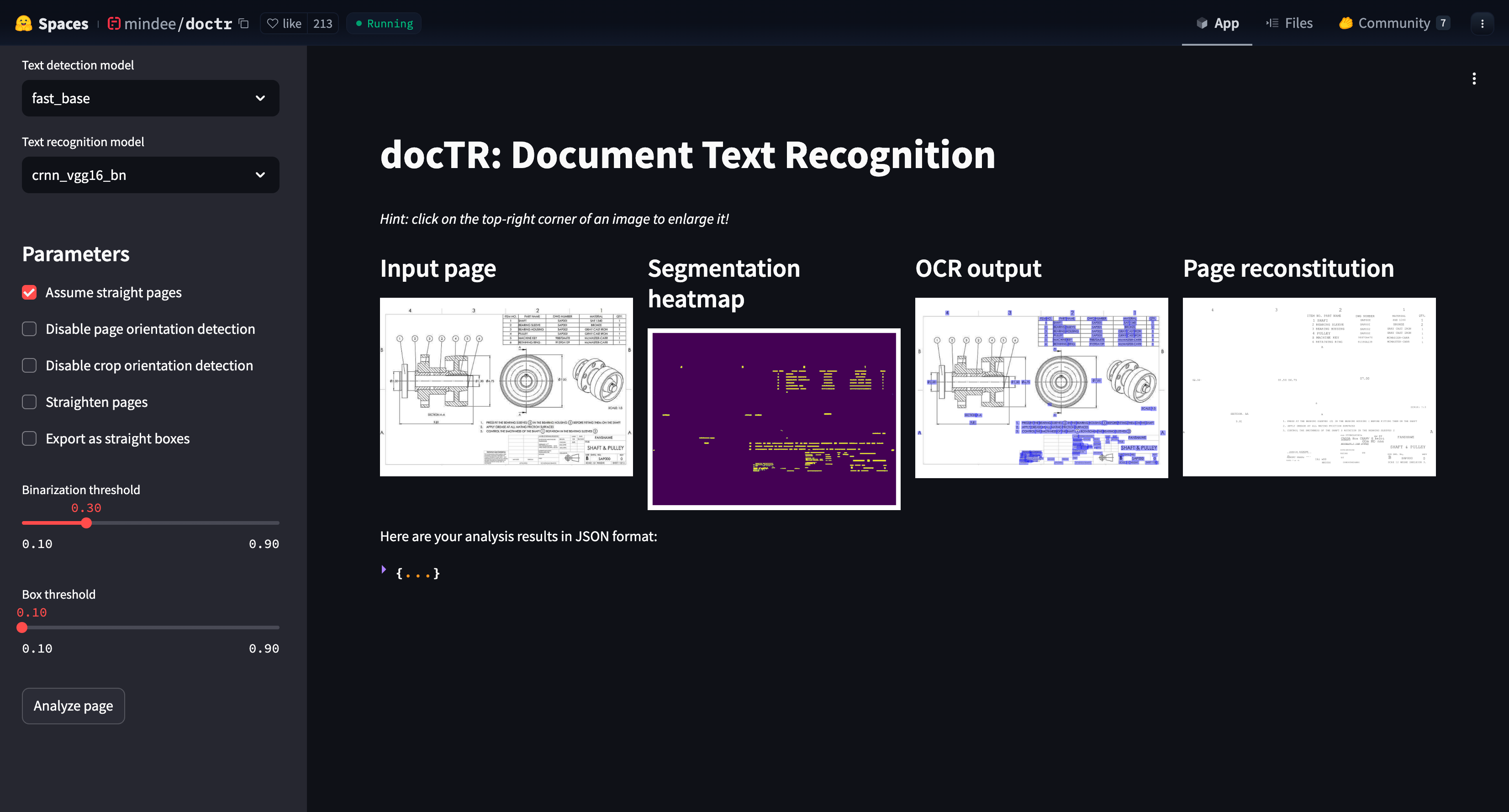
DocTR works well rotated text, and is easy to integrate.
Where It Falls Short
- Designed for text-centric documents (e.g., invoices), but fails with table or drawing layout
- Prone to hallucinations with dense tables
- Fails on cross-sections, embedded tables, and viewports
- No native symbol support
Bottom Line: Clean tool, but if your drawing has BOM tables or symbols, DocTR is out of its depth.
5. MMOCR
MMOCR is an open source also based on PyTorch and mmdetection for text detection, text recognition, and identifying and extracting specific data from the recognized text. It is part of the OpenMMLab project.
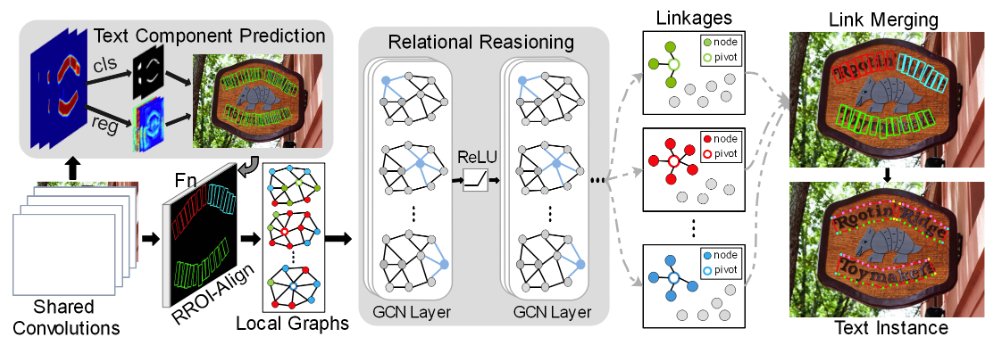
MMOCR Text Detection Architecture
MMOCR uses state of art models for text detection, recognition, and key information extraction. Users can easily customize and integrate different algorithms to create OCR pipeline.
Where It Falls Short
- Steep learning curve
- Out-of-box models detect only 77% of labels on technical drawings
- Needs large labelled datasets to train custom heads for callouts or dimensions
Bottom Line: Great for research teams. Not suited for plug-and-play deployment on engineering PDFs.
6. eDOCr
eDOCr is a packaged version of keras-ocr that facilitates end-to-end digitization of mechanical engineering drawings. Keras OCR provides pre-trained models with high accuracy and a flexible configuration.
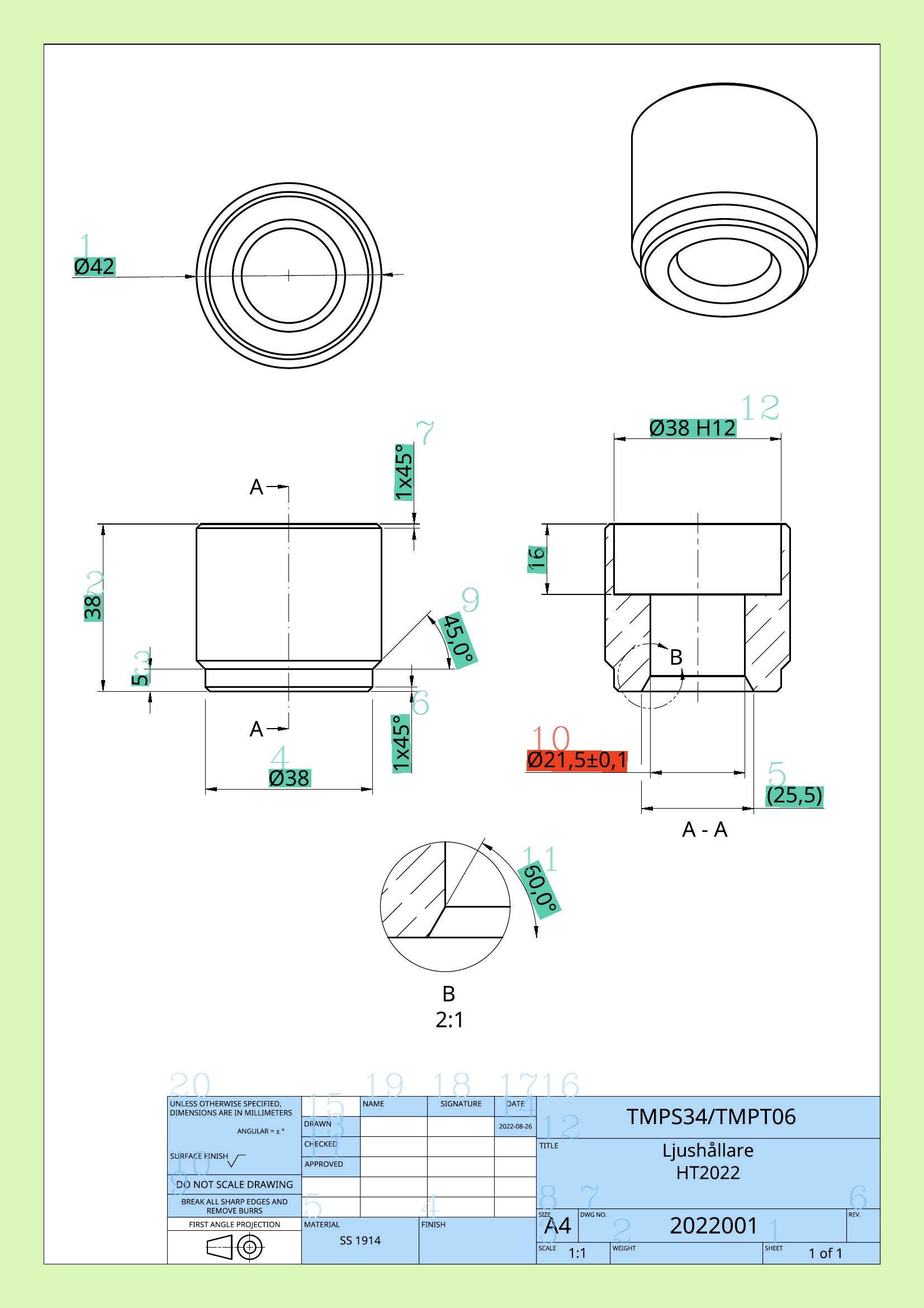
eDOCr example output
Keras also works well in recognizing text in complex layouts and backgrounds, providing a pipeline upon which eDOCr has been fine-tuned. Since this OCR library is domain specific, it handles title blocks and tables better than the other OCR packages listed above.
Where it Falls Short
- eDOCr can be resource-intensive.
- Works well for known layouts (like standard European drawings), but performance may drop for highly custom or regional template styles unless fine-tuned further.
- eDOCr has fewer knobs for deep customization or adding entirely new detection heads (e.g., for exotic symbols or callout types).
Bottom Line: A solid mid-tier option for teams needing reliable extraction from standardized mechanical drawings, without building a pipeline from scratch.
Final Thoughts: Engineering Needs Engineering-Grade OCR
Choosing the right OCR is not about just about its recognition capability or number of languages supported. It is about understanding layout, handling symbols, and respecting the structure of engineering documentation.
Most open-source OCRs, as we have seen, were not designed for engineering documents, they simply get repurposed for them. If your goal is to extract a paragraph from a form, Tesseract or EasyOCR will do. If your goal is to digitize a fabrication drawing, you need more.
Start with:
- Paddle OCR if you are technical and want to assemble a semi-automated flow
- eDOCr if you are not looking to build your pipeline for scratch
or, you can work with Adeos FE, if you want out-of-the-box results designed for this exact job.
Built from the ground up for engineering drawings, Adeos is not just an OCR engine, but a feature extractor, which can parse title blocks, links balloons to BOMs, decode GD&T, and reconstruct CAD geometry. It works on noisy scans and integrates with PLM/MES systems via structured JSON.
The best OCR is the one that knows what a balloon means, why a ɸ is different from an O, and how to turn a drawing into usable data.
Let the others stick to invoices.