Read with Claude
 Read with ChatGPT
In today’s fast-paced digital world, WhatsApp is a powerful communication tool used to communicate with people quickly and seamlessly because millions of people are using it. Integrating WhatsApp with your e-commerce store enhances customer service and boosts sales and creates a direct line to your customer.
In this blog, I’ll provide a step-by-step guide on integrating your Shopify e-commerce store with WhatsApp using AiSensy. AiSensy is a Meta partner that provides us the service to access WhatsApp Business APIs.
Building the Shopify-Whatsapp Bridge
Through automated notifications, we can optimize the delivery of vital updates like order confirmations, delivery information, abandoned cart reminders, and payment confirmations. We can also share product details, images, videos, and documents with customers on WhatsApp. We can also make use of WhatsApp to chat with customers and customize products as per their requirements.
Before proceeding with the integration of Shopify and AiSensy, it’s essential to obtain a Shopify access token and API secret key. In the following steps, I’ll guide you through the process of obtaining the access token and secret key needed for successful integration. Let’s get started!
Obtaining the Shopify Access token and API secret key
To access your access token and API secret key, follow these steps on Shopify
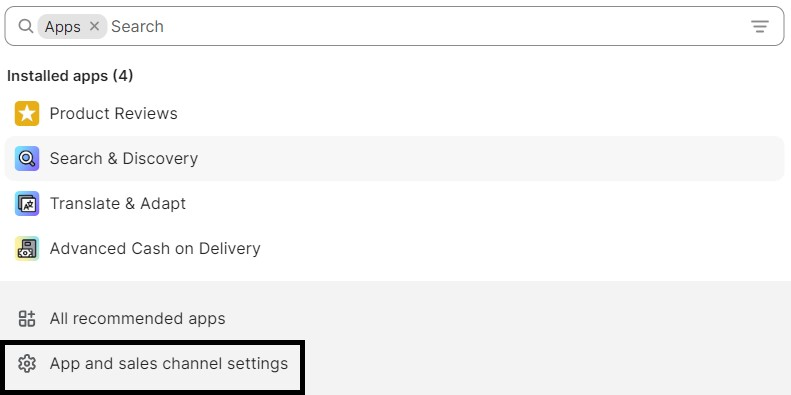
- On the Shopify home page, click on the “Apps” section in the left sidebar.
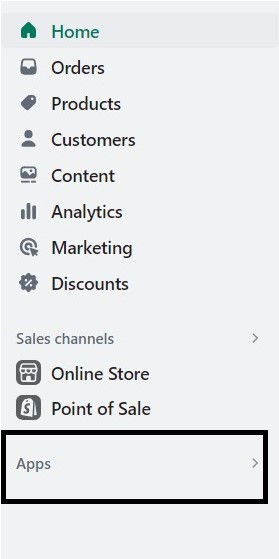
- Select “Apps and sales channel settings” from the pop-up.
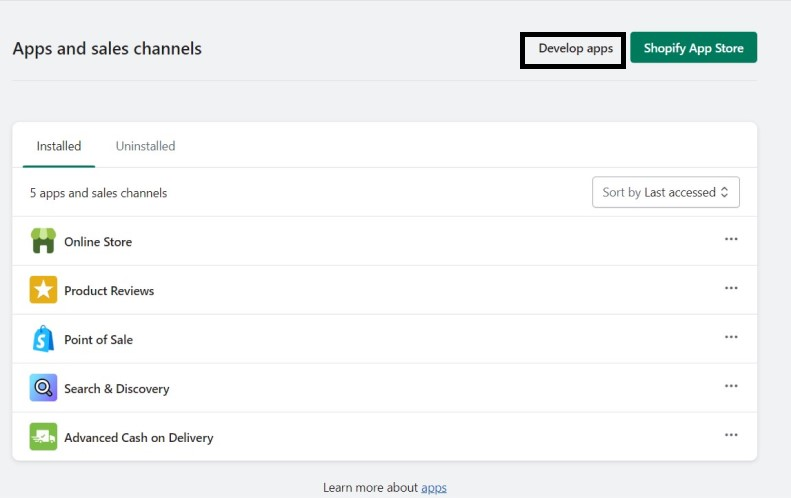
- Select “Develop apps”.
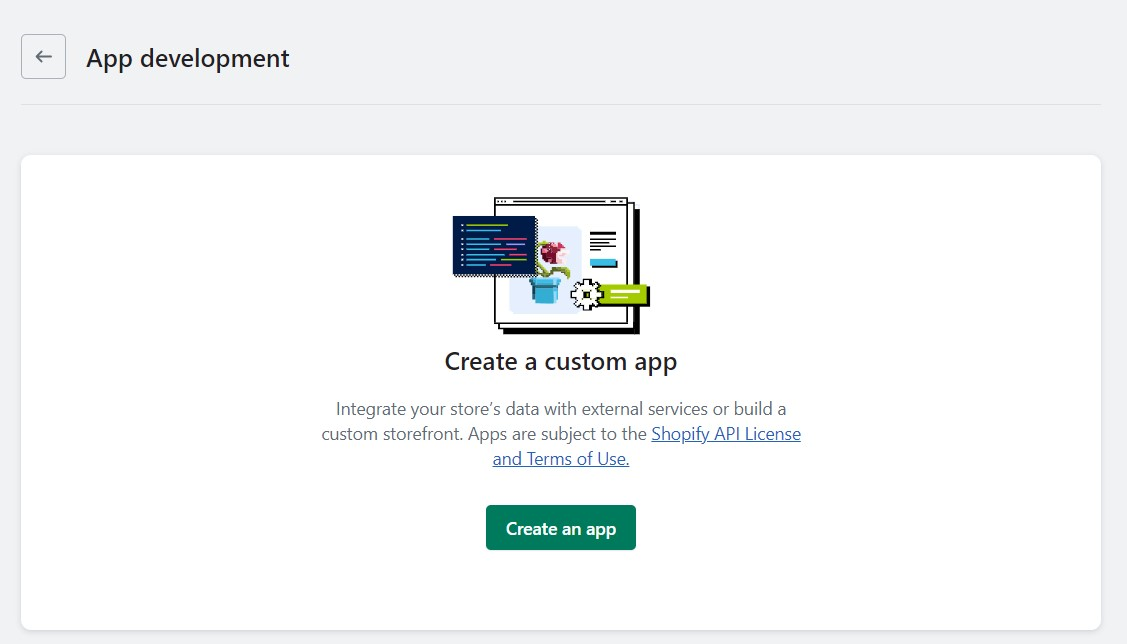
- Click on “Create app,” provide the app name, and then click “Create app.”
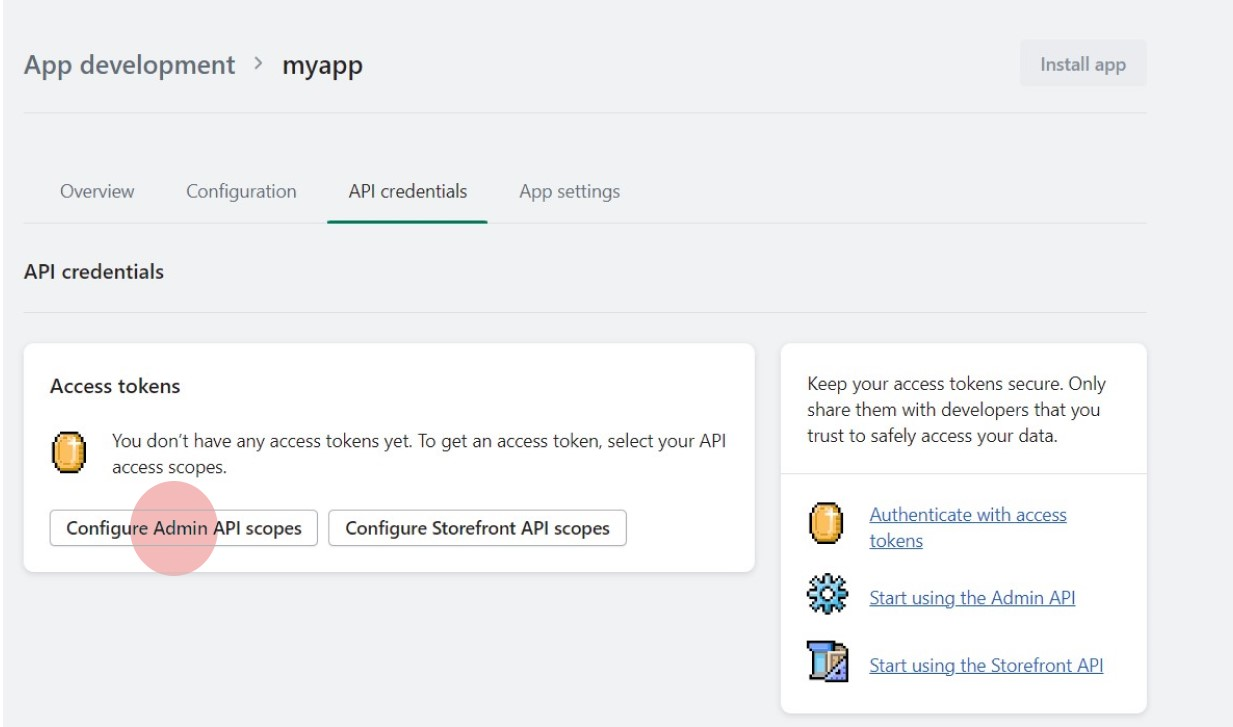
- In the API credentials section, click on “Configure Admin API scopes.”
- On the configuration page, under the ‘Admin API access scopes’ section, scroll down to “customers” in the configuration and select ‘read_customers’.
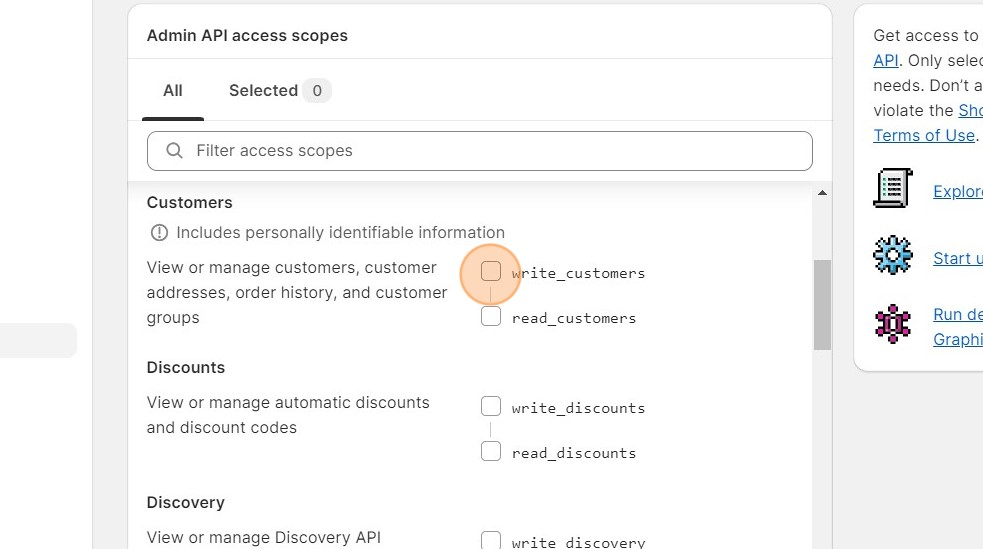
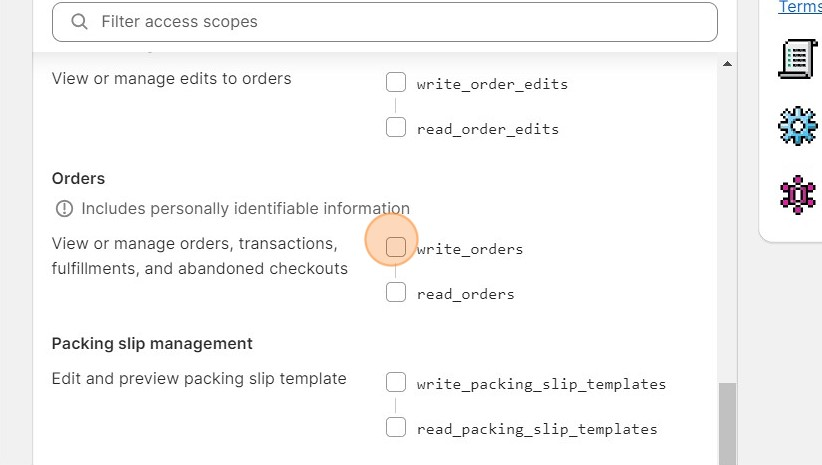
- Scroll down to “orders” and choose ‘write_orders’ and ‘read_orders’. Click on the “Save” button to save your changes.
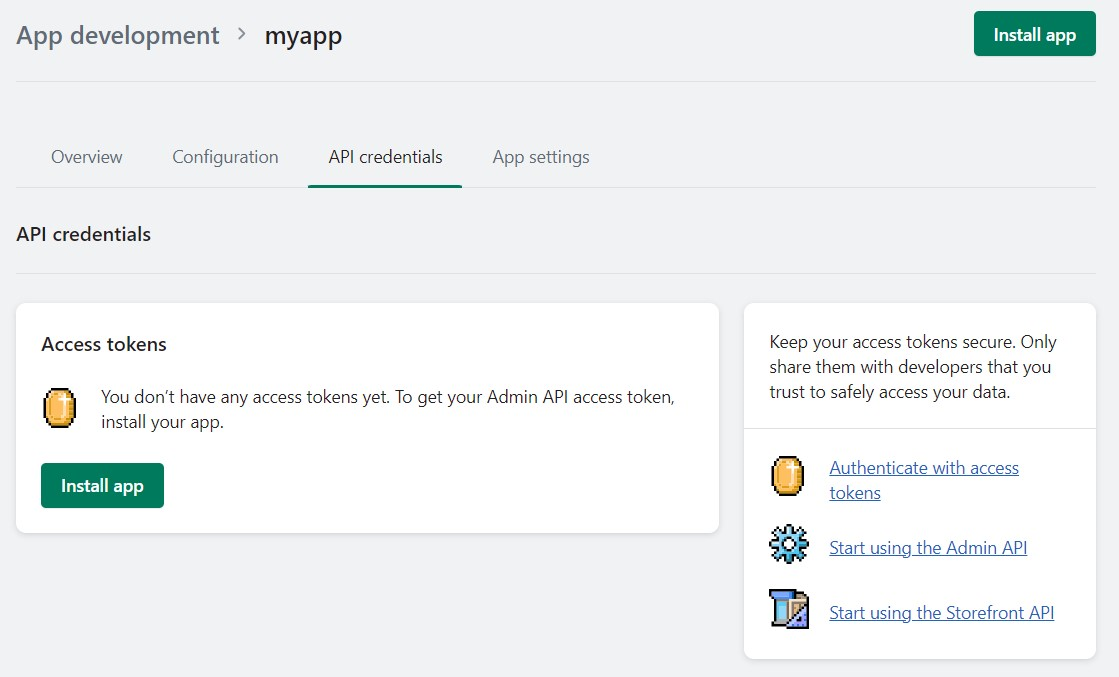
- Return to the API credentials section and click on “Install app.”
- Once you installed it, you can find your access token and API secret key on the API credentials page.
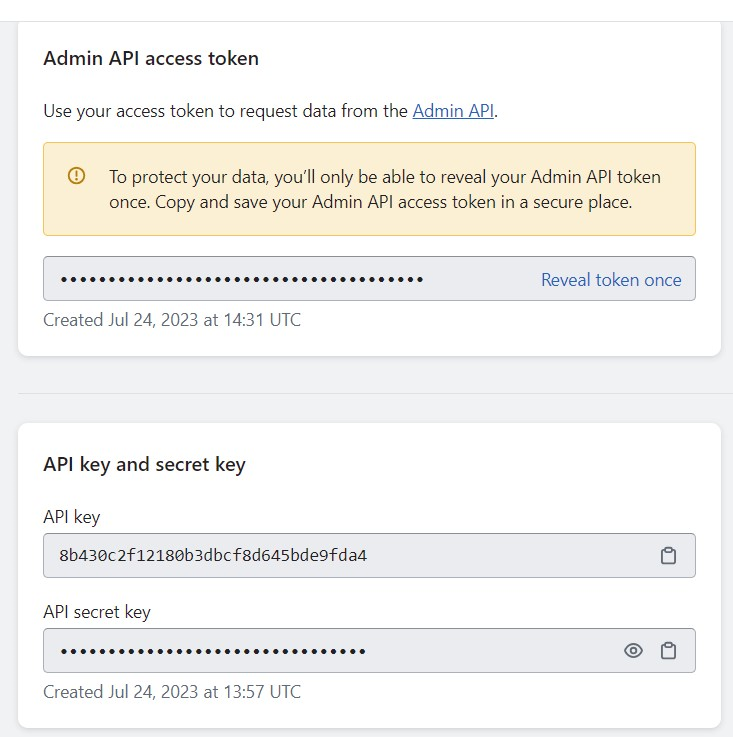
Now, You have your API secret key and access token successfully. Now move on to the integration process.
Connecting AiSensy to Shopify
Follow the below steps to integrate your Shopify store with Aisensy seamlessly.
1. Sign Up for Your AiSensy Account
Begin by signing up for an AiSensy account if you haven’t already. Once you’ve successfully signed up, log in to your Aisensy account.
2. Navigate to Shopify Store Setup
On the sidebar, locate the ‘e-comm+’ section and click on ‘Shopify Store Setup.’
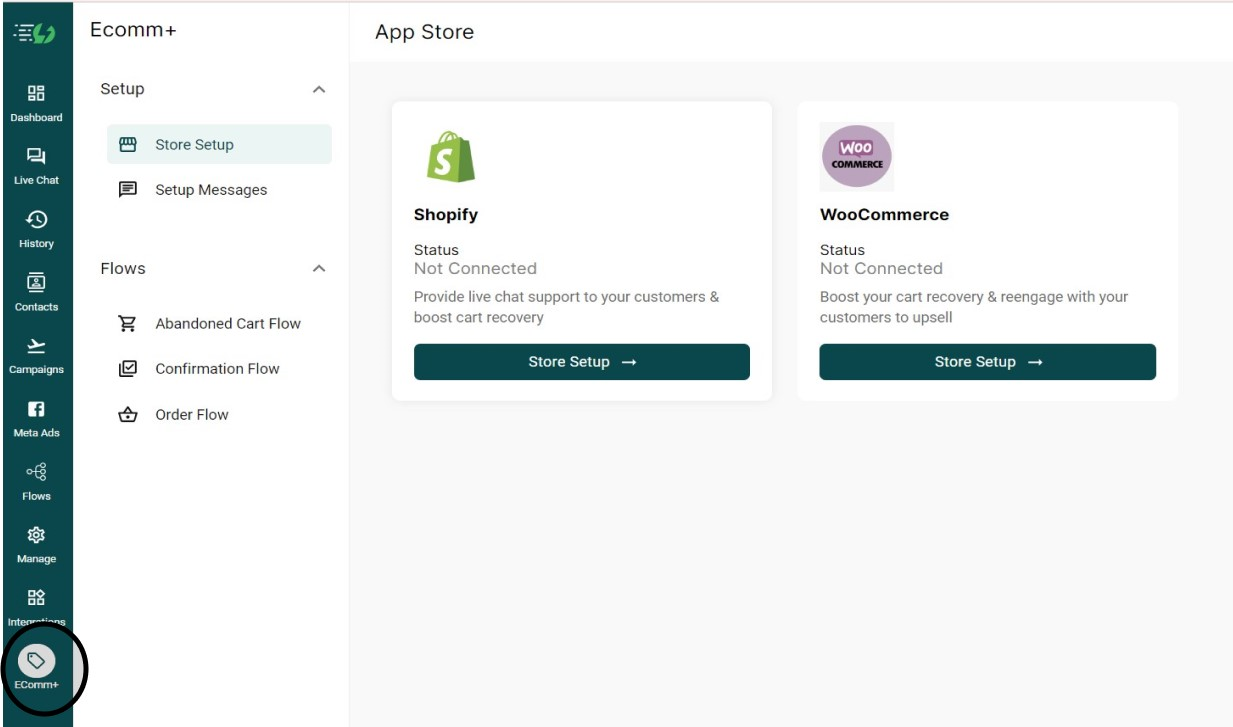
3. Provide Shopify Credentials
There, you should provide a Shopify URL, Shopify access token, and API secret key.
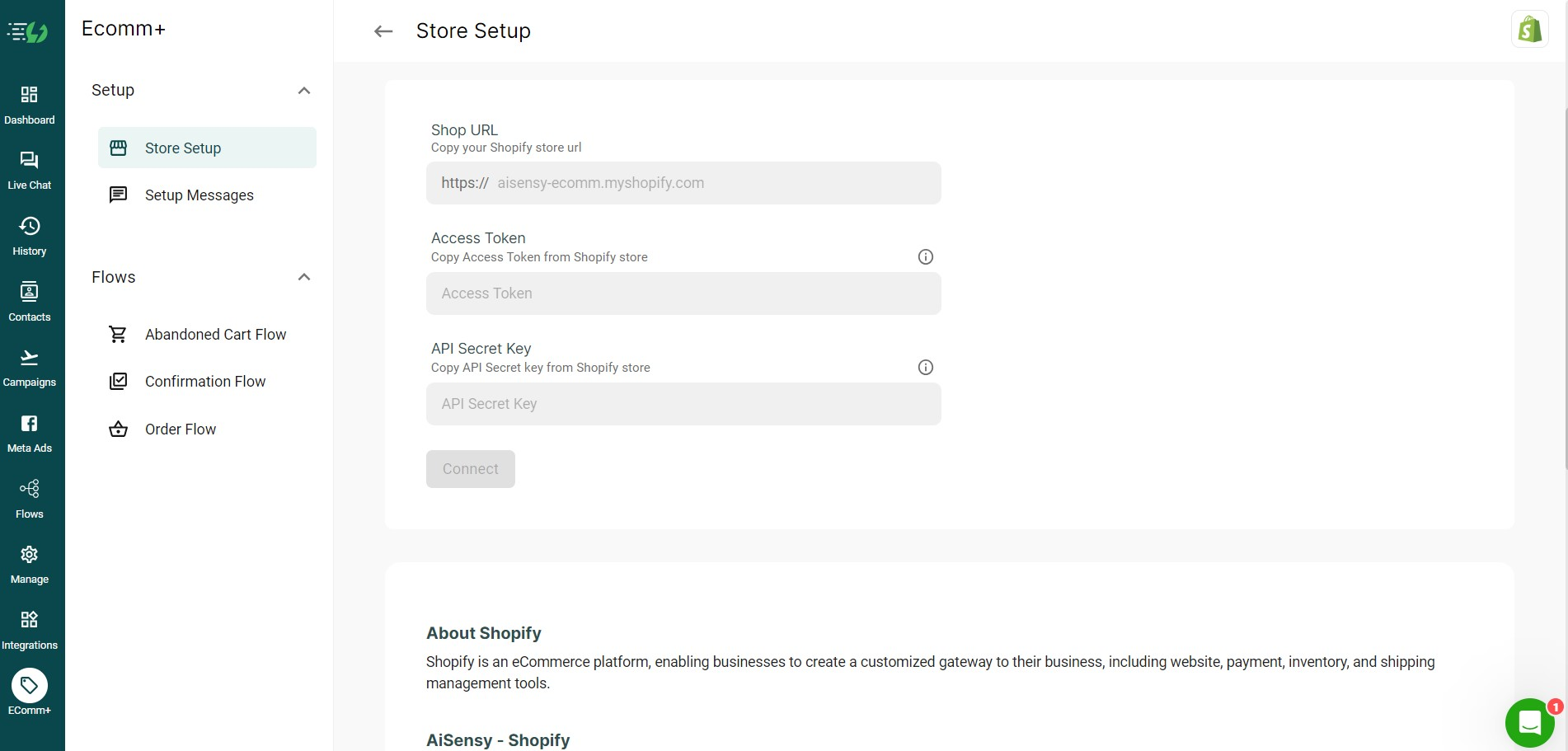
4. Connect to Shopify
Once you have provided these details, click on “Connect”. Upon successful verification, you will see that your store is marked as “Connected” in status.
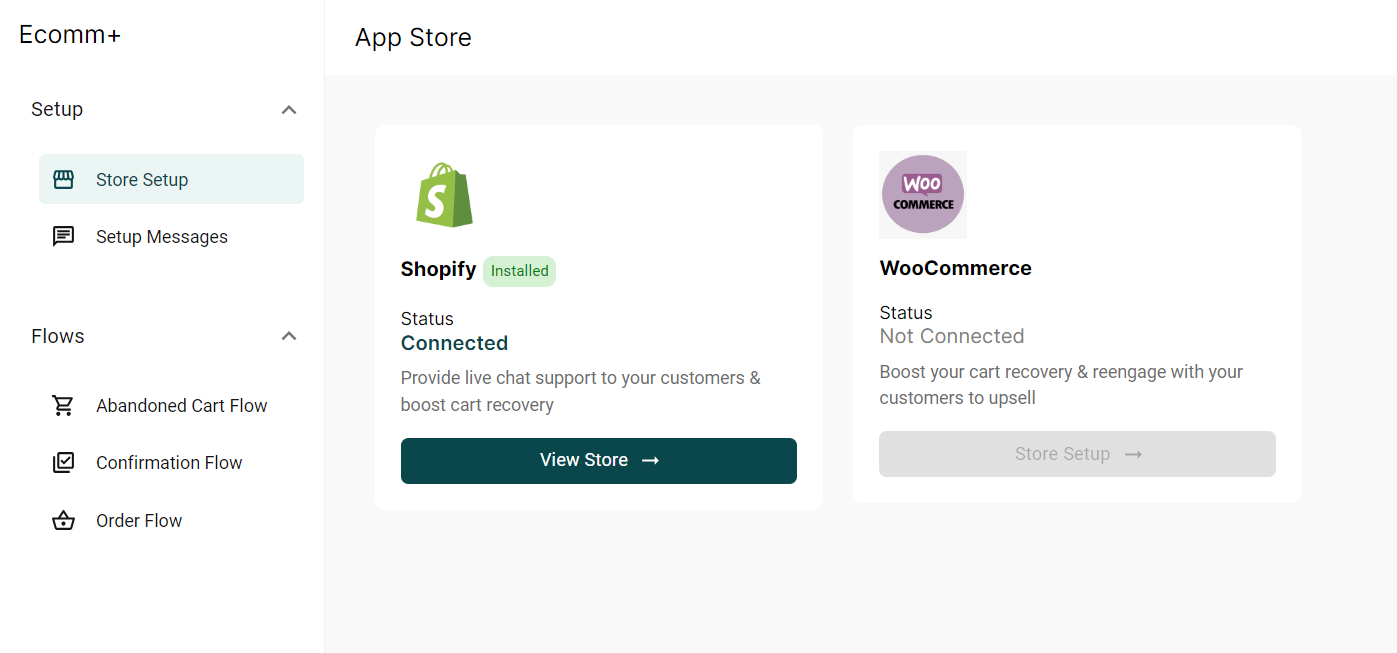
That’s it! Now your Shopify to Whatsapp connection has been setup.
Enable WhatsApp Message Templates
Now that you have Shopify connected to AiSensy, you can enable and modify message templates that get triggered at various points in the customer order lifecycle.
In the ‘EComm+’ section, click on ‘Setup Messages’ to preview the messages that you want to send to your customers automatically like Order confirmation, Abandoned carts, etc., and click on ‘Enable’ to activate them.
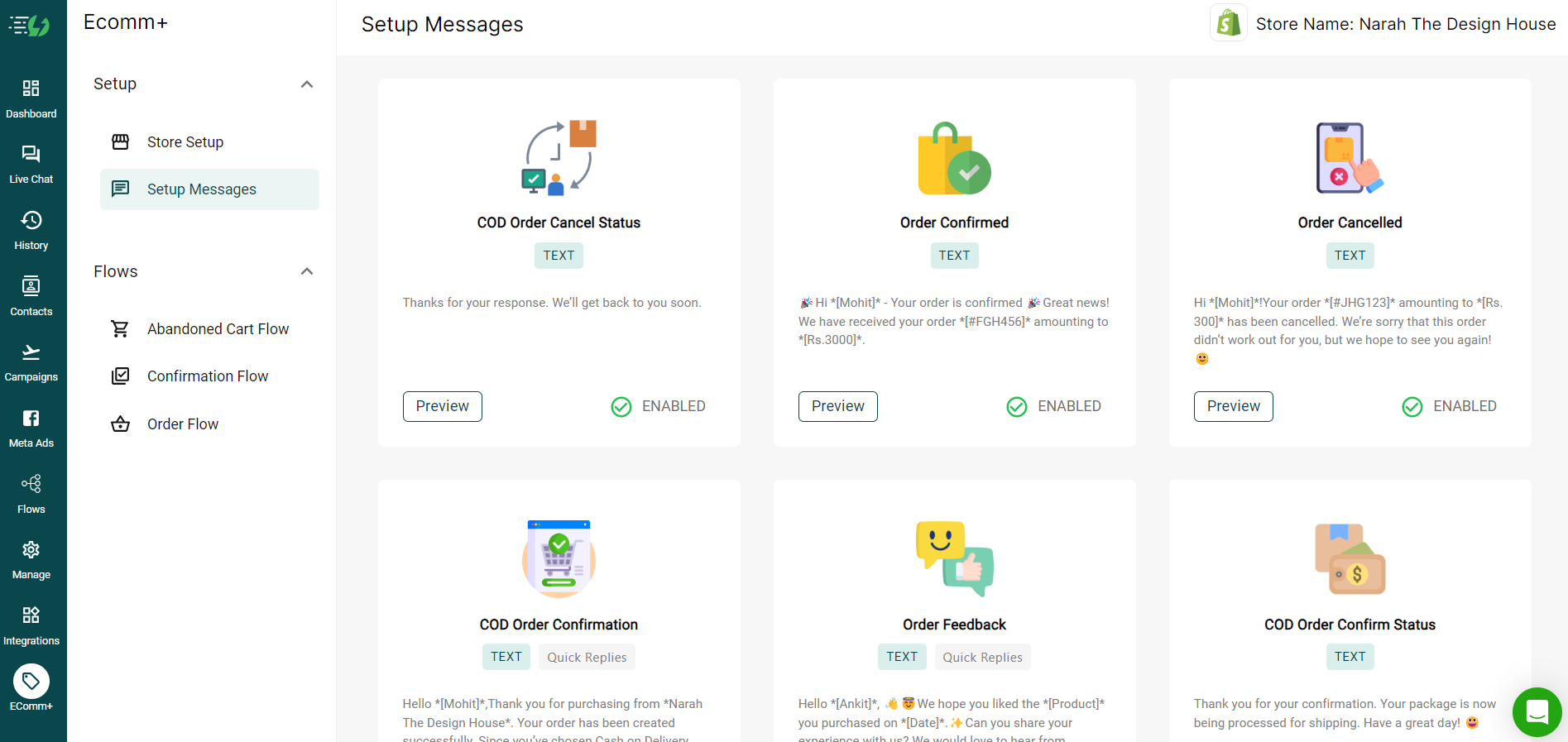
Out of the box, AiSensy provides direct support for the following messages:
- Order Confirmation
- Order Cancellation
- Order Feedback
- Order Fulfilled
- COD Confirmation & Status
- Abandoned Cart
- Reorder
In Closing
I hope this guide helped you integrate your Shopify store with the AiSensy platform and supercharge your notifications with WhatsApp. Now you are one step closer to interacting with your customers.
WhatsApp also provides support for automated replies and chatbot integration, which you can leverage to increase customer engagement. Now that you have the connection set, you can expand on it with the dynamic engagement. If you have any questions, drop it in the comments below.
Curated and Edited by
for Coffee.