Read with Claude
 Read with ChatGPT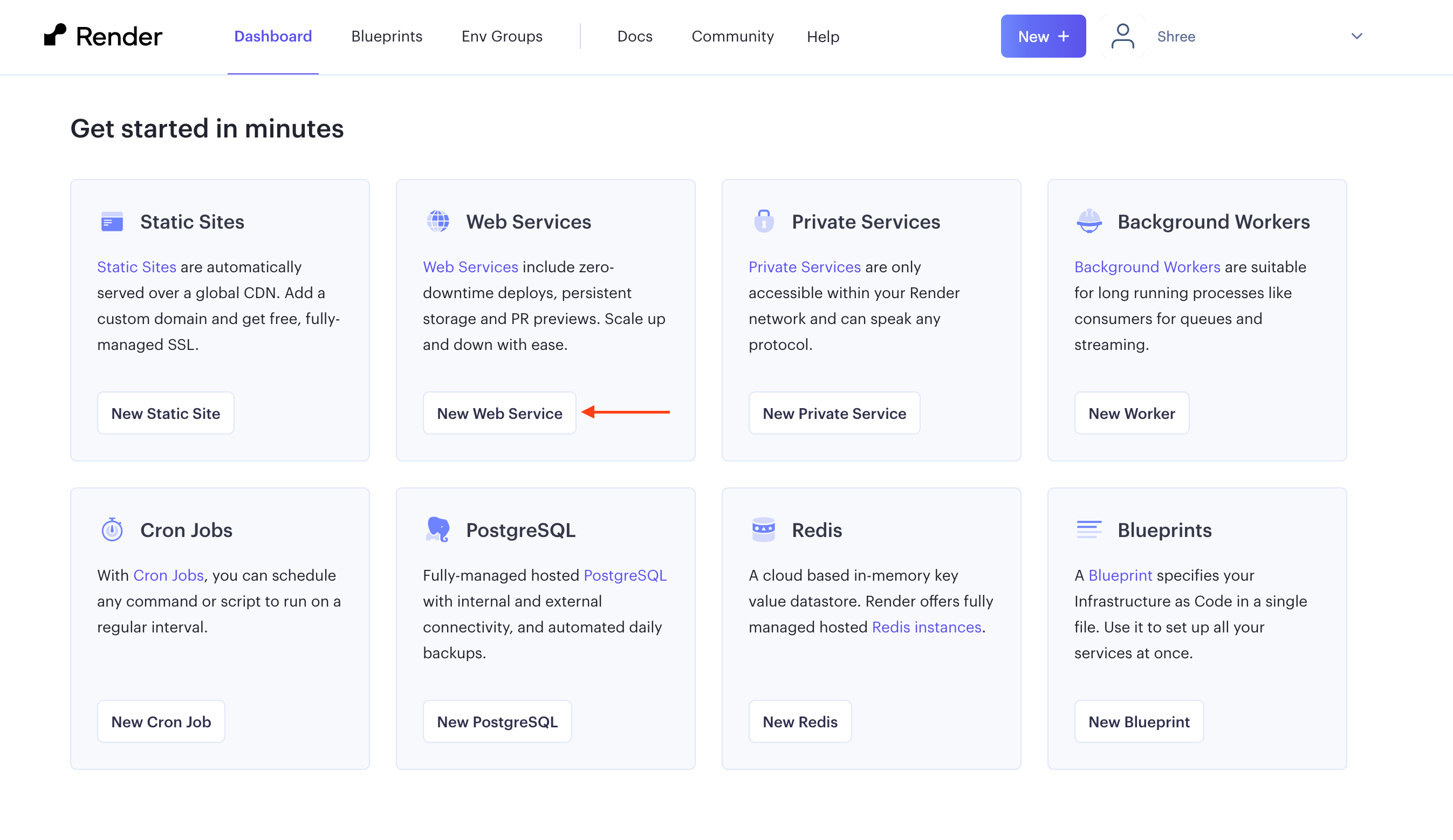
If you want to get your python flask app live as quickly as possible, look no further, for you can use Render. Render helps software teams ship products fast and at any scale. The platform is one of the best places to host a web server with a few steps. You can get your application live on a public server as quick as possible.
Today, we are hosting a python Flask app on render.com that speaks to an open-source LLM model hosted on groq. This app can parse complex legal documents and generate a list of FAQs.
Getting Started
First, create a repository for your Python project in Git Hub. You can refer to their official documentation for assistance (https://docs.github.com/en/migrations/importing-source-code/using-the-command-line-to-import-source-code/adding-locally-hosted-code-to-github).
Set up your Render account
Next, create your Render account at: https://dashboard.render.com/register
Once you are done signing up, your dashboard will be displayed. For hosting our python app, we need to select “New Web Service” to start setting up the service.
Connect to Git repository
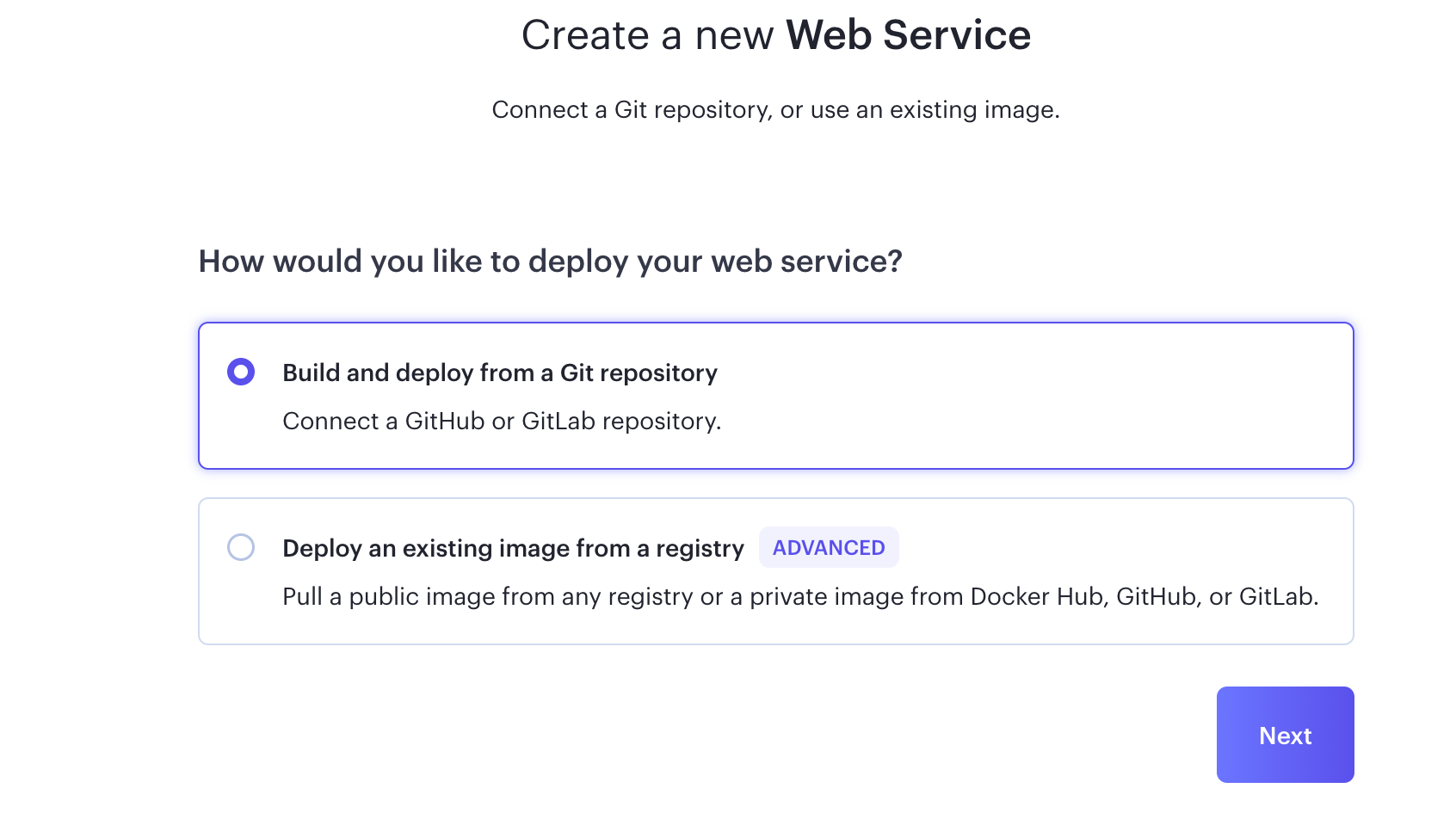
On the next page, select “Build and deploy from a Git repository”.
Once you choose to deploy from the Git repo, you will be asked to connect your account.
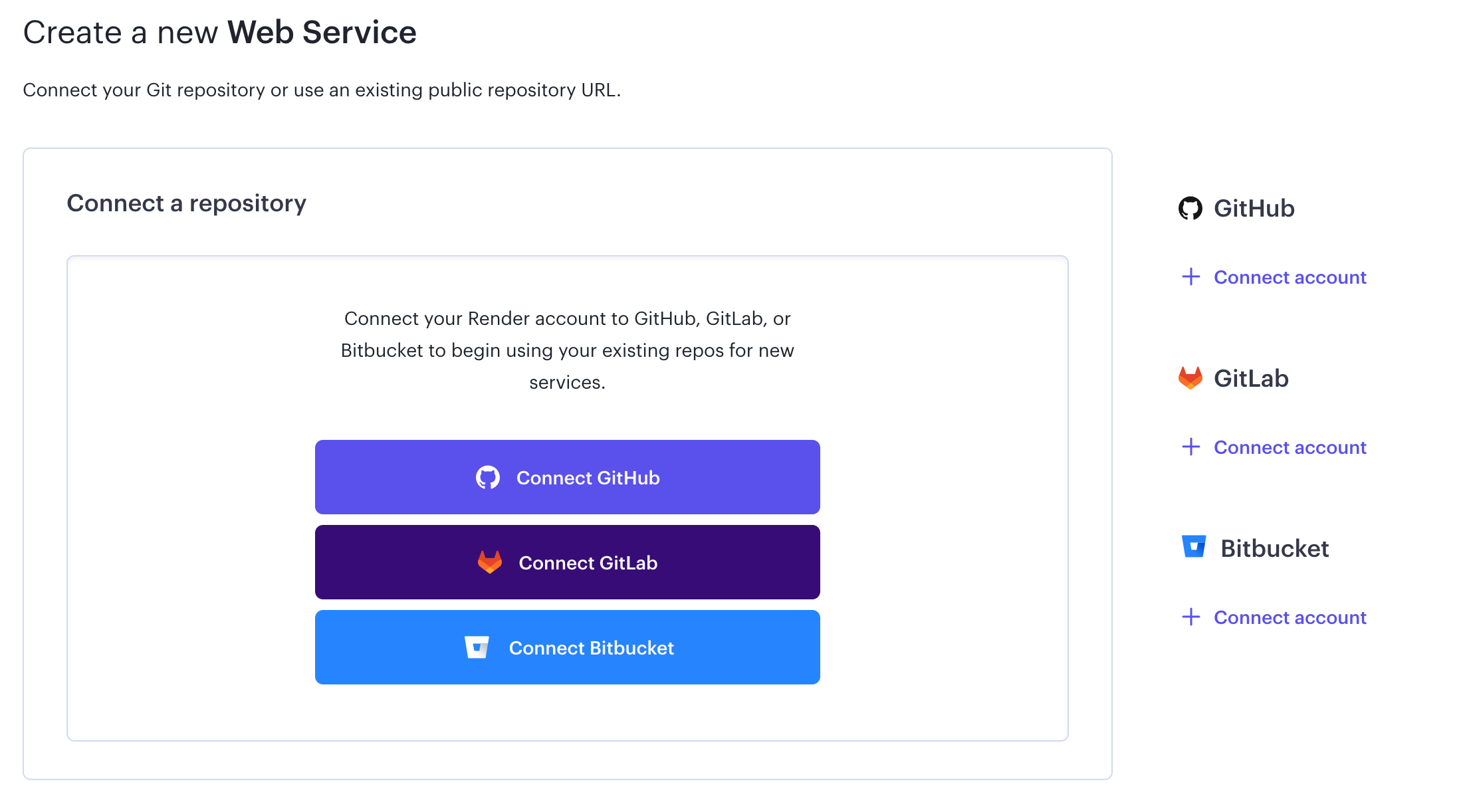
Your repositories will be listed once you link your Git account with Render. Connect the project repository you need to host
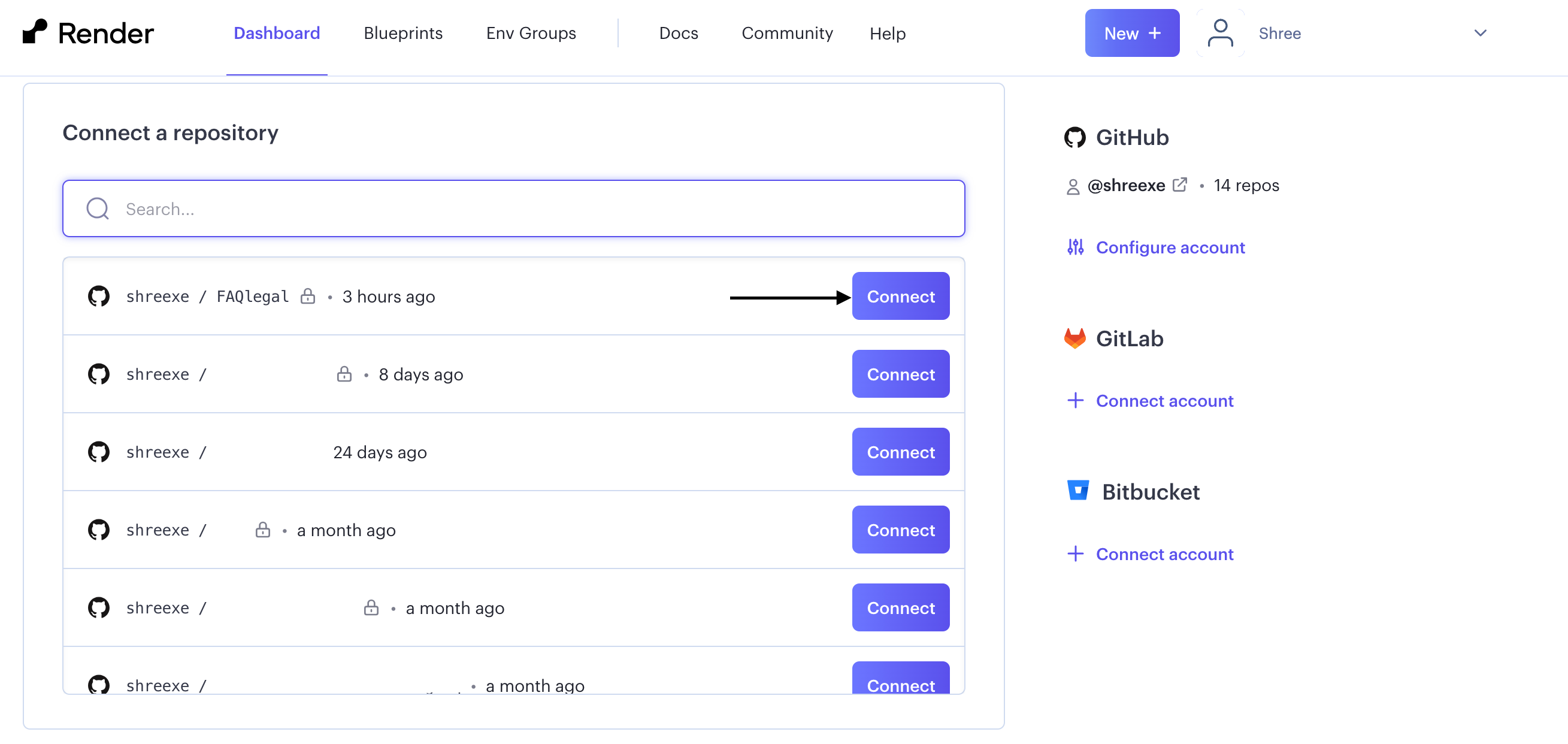
Configuration for hosting on render.com
Before going into the configuration of the web service, we need to make certain changes to our project. For the hosting, Render requires you to create a WSGI file. This will help your locally built project to interact with the webserver.
In your project, open the terminal and activate the virtual environment if needed. Then, install gunicorn server.
pip install gunicornOnce the installation is done, create a file that would call your main function that runs the project.
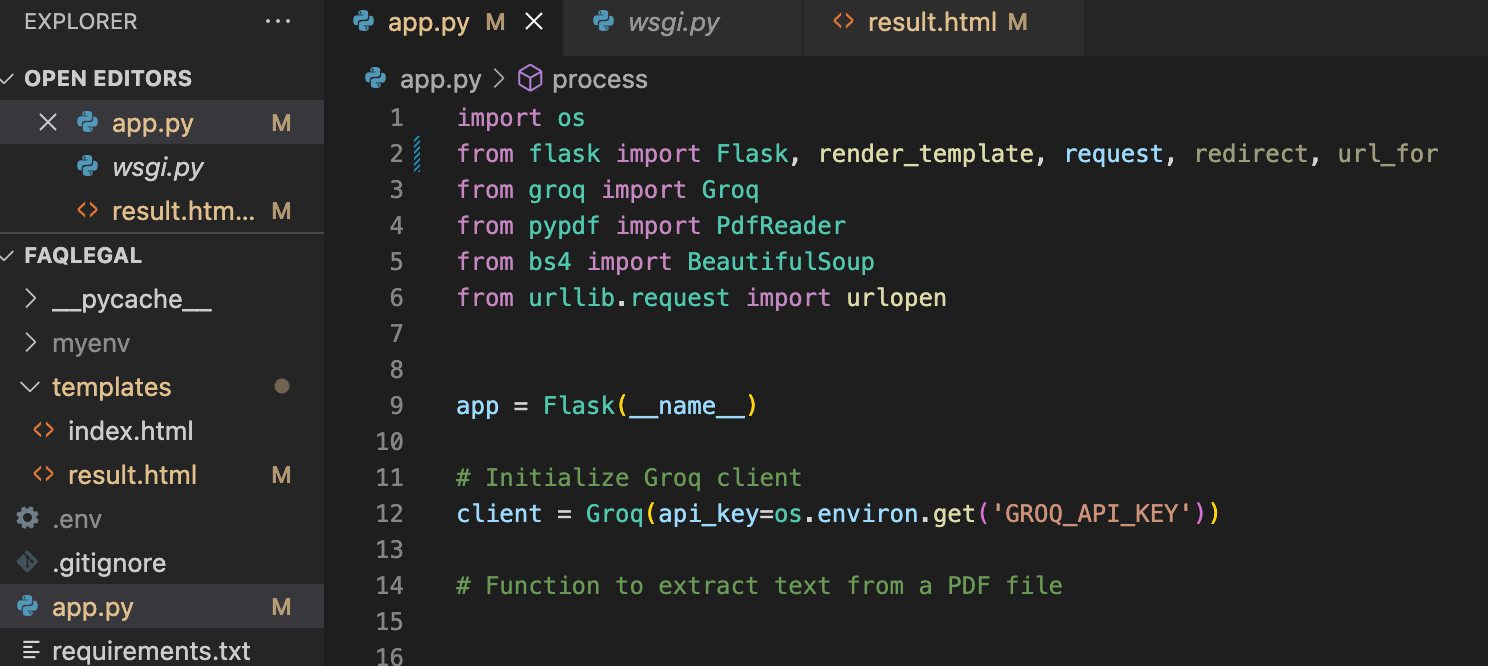
For my project, it’s in app.py, where “app” function is stored.
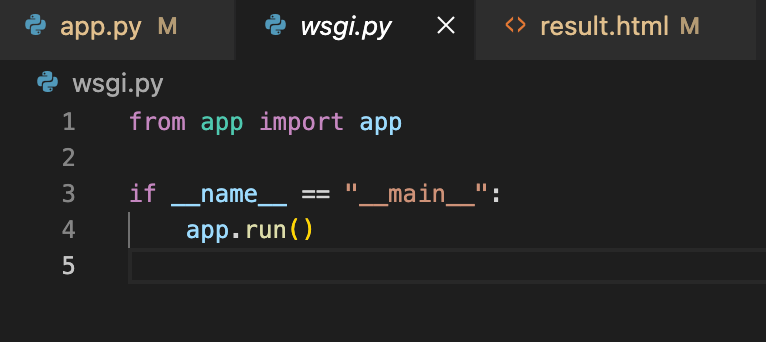
Create a new file: wsgi.py. Import the function app from the app.py and run the project
pip freeze > requirements.txtTest the project in localhost with the special IPv4 address (0.0.0.0), and using port 5000. Bind the network address, 0.0.0.0:5000 with the wsgi.py file’s app.
gunicorn --bind 0.0.0.0:5000 wsgi:app Terminate the project. Deactivate the virtual environment if it was activated before.
The changes that need to be done in our project are now over.
Deploying to Render
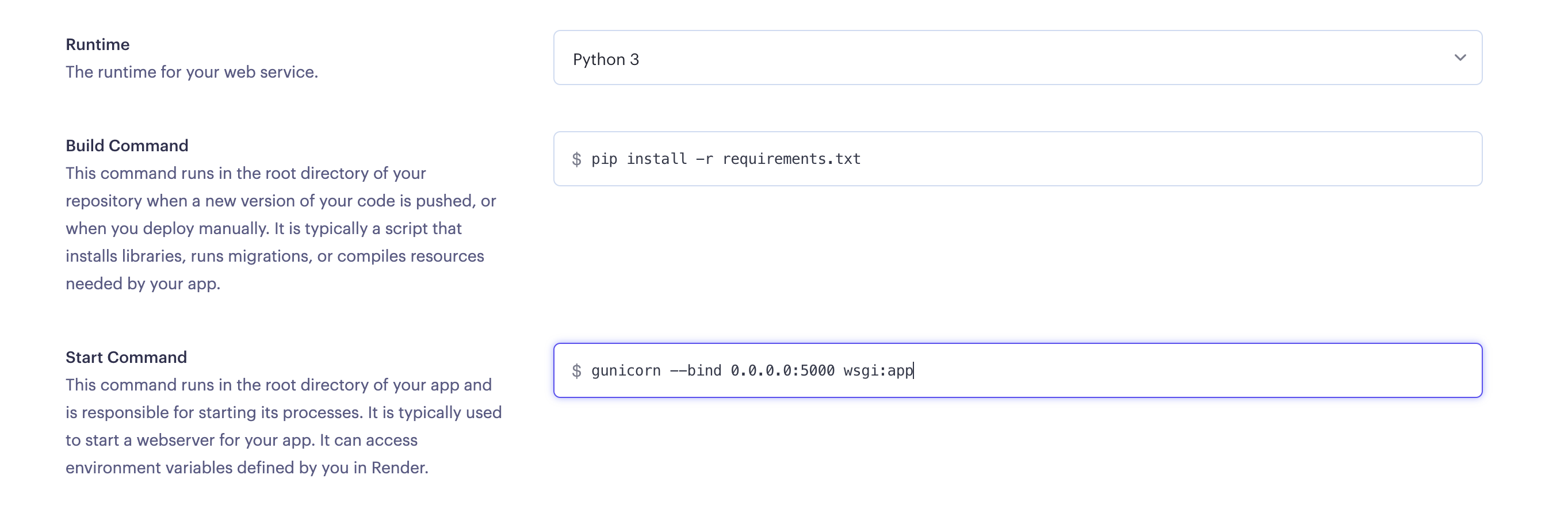
Let us head back to Render, at this point, you will be in the setting page. Fill in the details like the name of your web app, the branch that needs to be deployed, and the region of deployment. Double-check if the runtime is set to Python3 for this flask project.
Build command is for installing the dependencies. We can do that with the command:
pip install -r requirements.txtStart command is for triggering the application,
gunicorn --bind 0.0.0.0:5000 wsgi:appUpdate the Runtime, Build Command and Start Commant in your project settings on Render
Select the subscription plan, you can use limited render services for free. Update environment variables if they were used in your project with the name assigned for the secret key earlier and the secret key itself.
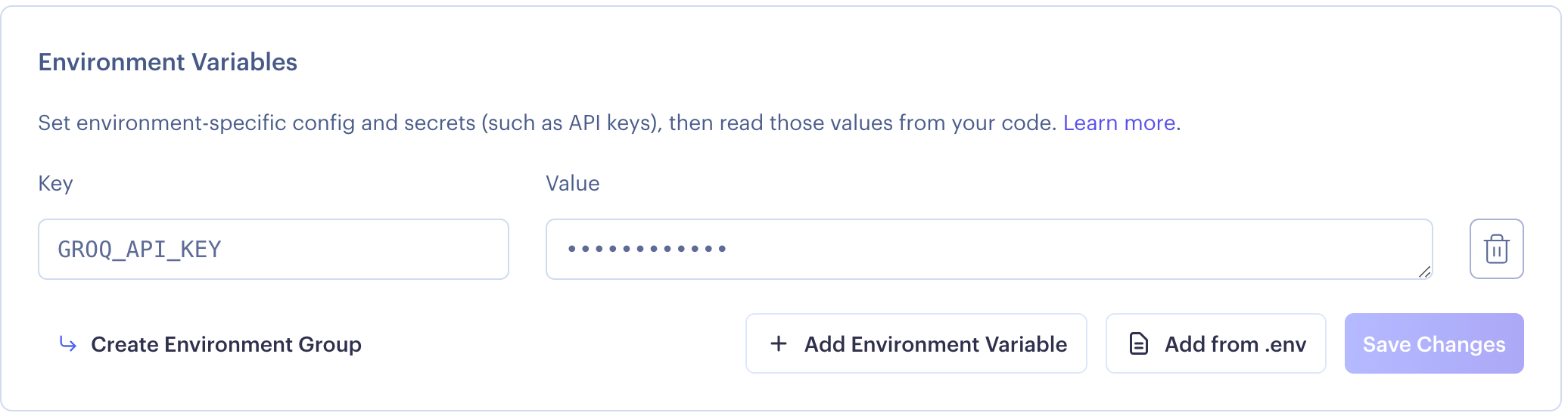
Once everything is filled, Render will start building the project and deploy it in the link provided by them. This will take a few minutes.
Congratulations, your Flask application is now live!!
Hosting the flask application is pretty straightforward in Render. Hopefully, this article was able to guide you along through that process. Comment below if there are any queries or doubts in regard to this tutorial.