 Read with Claude
 Read with ChatGPT
“Windows is not responding”
At one point or another, we have surely come across this error on our computers. Often, we find that the source has been Chrome with its 36 odd tabs loading our machine and causing it to slow down. Closing the browser frees up resources for the computer to respond faster. Basically, Chrome was consuming computational power and slowing down our system.
Carl’s Hope
Think about the last time you had to make a decision. How easy or difficult was it for you to make the choice? Did you find yourself stuck? Having the need for some additional thinking before taking an action? Perhaps it was a choice on what to wear for the day, which route to take for office, or even what breakfast to eat. The more kind the decision making process is, the easier it is on us to take the decision.
This decision making computational intensity carries over to user experiences we design. It is not only about the interfaces we design but about reducing the mental load for our users. Do we make it easier for our users to interact with our products and take actions?
In this article, we shall see this computational kindness in action with Shopify, particularly how it allows merchants to manage products. When merchants log in to manage their stores, they are often juggling multiple roles: designer, marketer, inventory manager, and customer support.
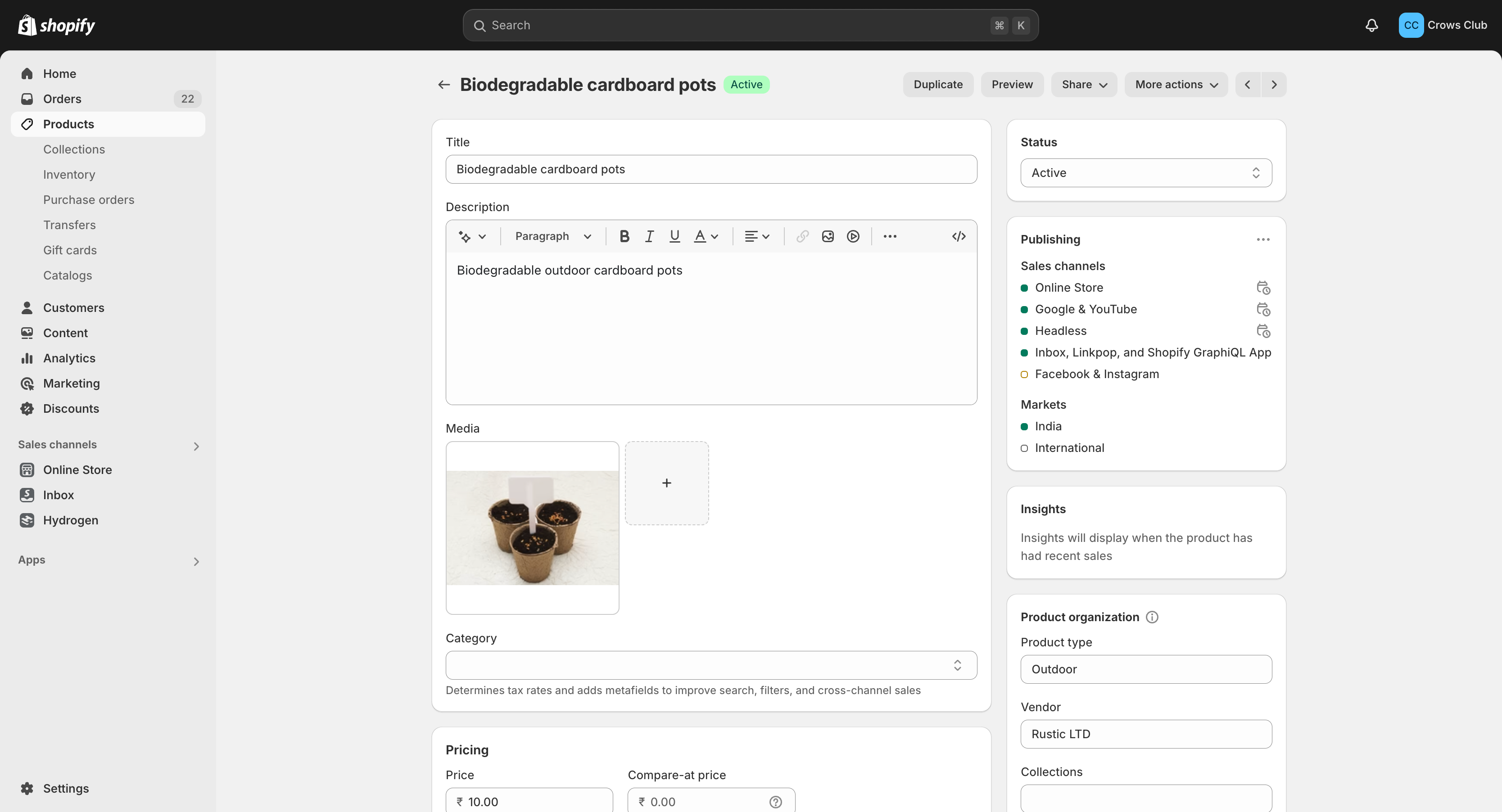
That is where Shopify’s product management features come in. Managing products in the backend is straightforward and this is evident in the sectioned UI that the platform provides when adding a new product.
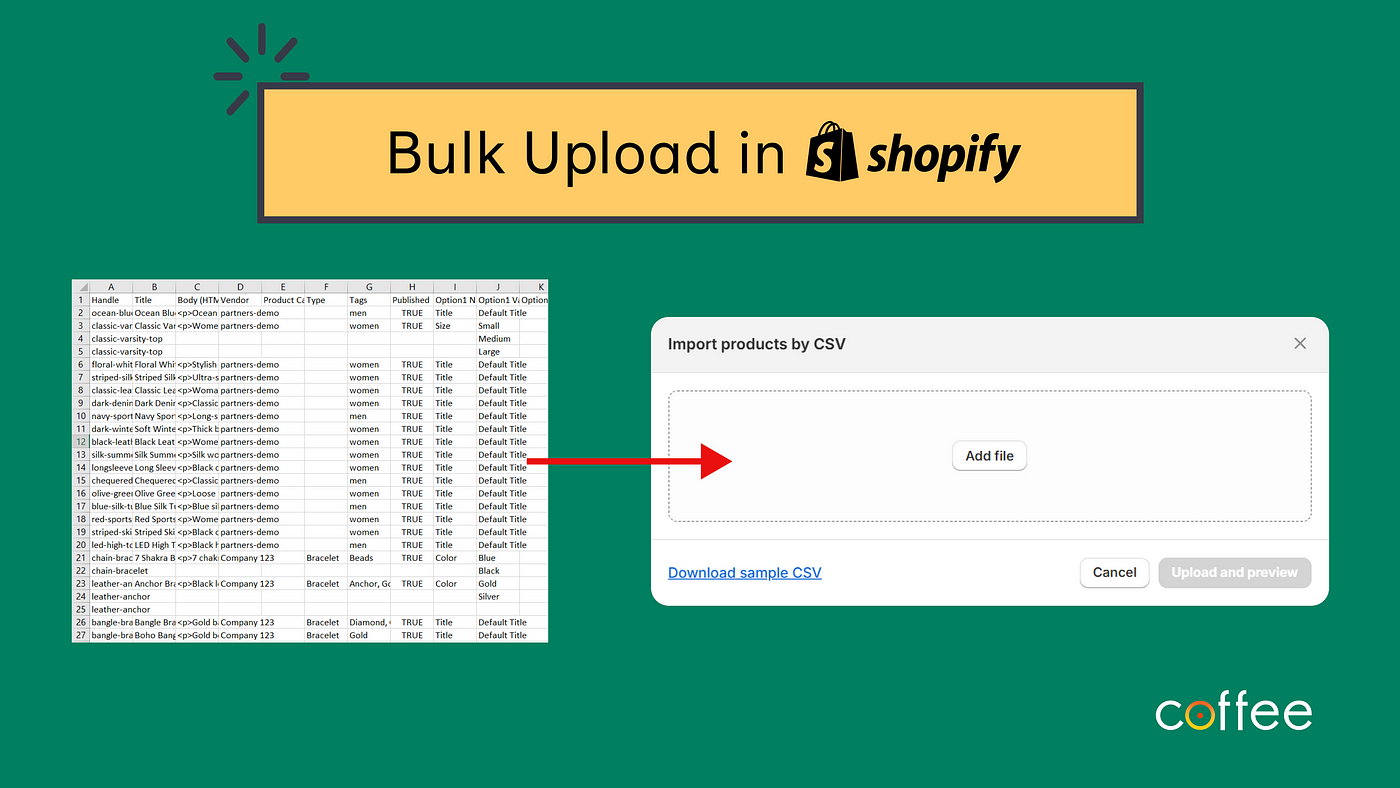
For businesses with large inventories, managing products individually can become overwhelming.
’s bulk import feature ensure that the complexity of managing larger inventories doesn’t scale linearly with the number of products. Whether merchants are managing 10 or 10,000 products, they can manage and upload products as a CSV.
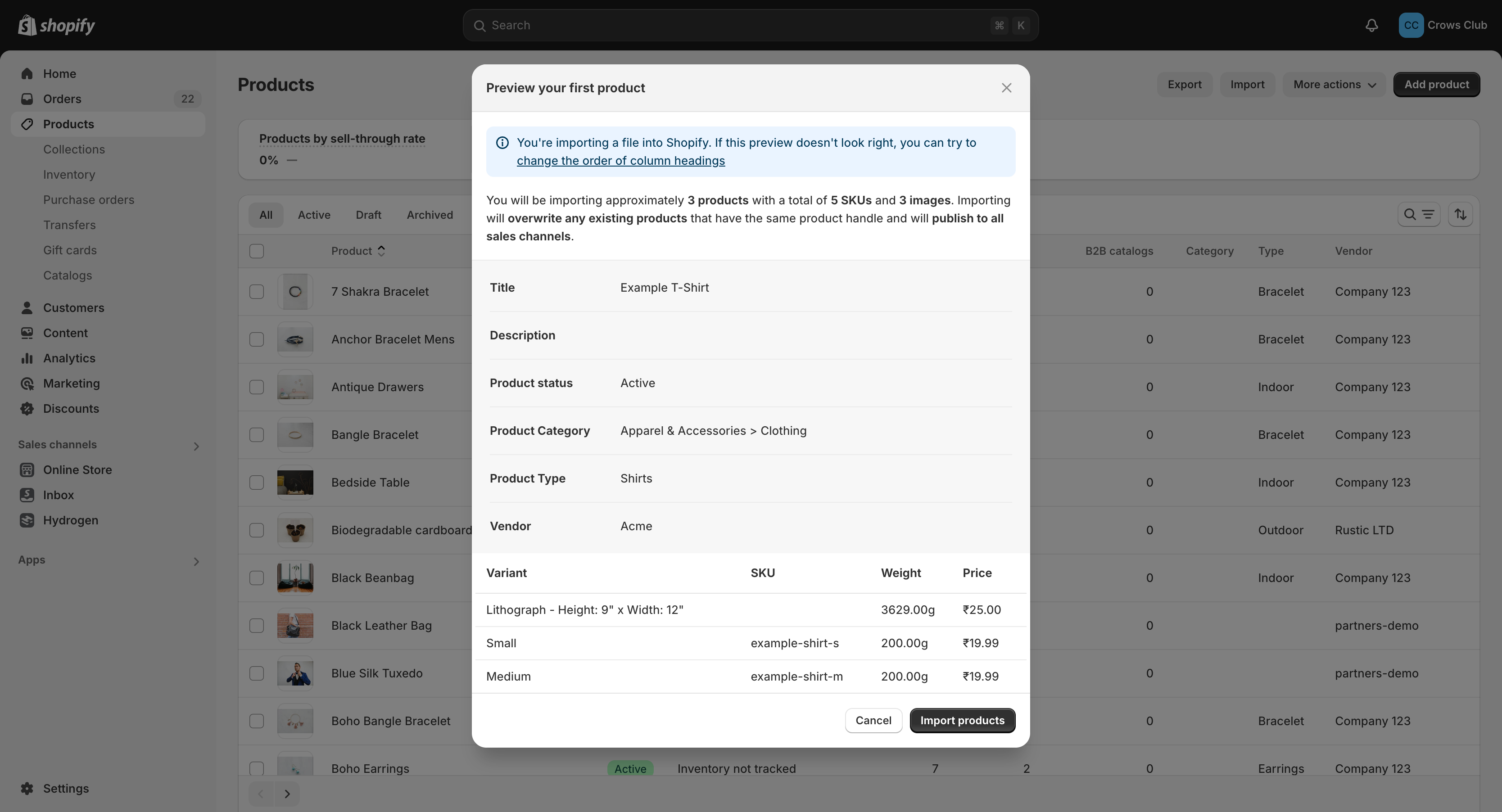
Further, a preview of the CSV, highlighting any problems with the file during the upload process, is shown to merchants. This helps correct mistakes (e.g., missing fields, wrong formats) immediately and ensures that merchants don’t have to spend time solving issues post-upload.
Instead of having merchants waiting until the upload process is complete, Shopify handles it asynchronously and sends out a mail once the upload process is complete. An error log is also shared with specific line numbers, which makes it easier for merchants to resolve issues.
Having bulk upload for new products and features is pretty much a norm for most eCommerce platforms. But the best part with Shopify is that it allows for selective field update in bulk upload.
This comes very much in use when only certain info like product prices alone, need to be updated. In that case, merchants can upload a CSV with only specific fields to be updated, and the platform automatically updates relevant fields in the store, whether it’s inventory levels, product availability, product price or other fields.
Handle,Title,Option1 Name,Option1 Value,Option2 Name,Option2 Value,Variant SKU,Variant Price
blue-t-shirt,Blue T-Shirt,Size,Small,Color,Blue,BTS-S-B,19.99
blue-t-shirt,Blue T-Shirt,Size,Medium,Color,Blue,BTS-M-B,19.99
blue-t-shirt,Blue T-Shirt,Size,Large,Color,Blue,BTS-L-B,19.99
While having bulk import is great, it can get a tad bit annoying to setup a CSV each and every time that you have to update product information. It is so much easier if I can edit it in Excel or a Google Sheet. Shopify took care of that too and designed a spreadsheet like interface to bulk edit products.
Merchants can quickly tab through fields, apply filters, and edit items without having to learn a complex new system.

This bulk editor also allows users to choose which fields they want to edit. For example, if a merchant only wants to update prices and stock, they can hide all other fields from the bulk editor view. This customization reduces cognitive overload by allowing merchants to focus only on the fields that they want to update at the moment.

Conclusion
Shopify has acheived this balance of being computationally kind by providing a great product management experience to merchants with bulk import and bulk edit, two features among the range of features the platform offers that make the process of running an eCommerce store a breeze. Merchants are less loaded cognitively, allowing them to focus on the core part of their businesses, instead of focusing on haggling with managing products.
The key to computational kindness in building User Experiences (UX) is to protect others from unnecessary tension, friction, and mental labour. The idea is not present too many options and make them think too hard. It is to make the decision making process easiers, esp. in managing their business. This is ultimately how we be good to each other.
At Coffee, we help merchants and businesses set up their stores to get selling online with ease and no hassles. Reach out to us at coffee@coffeeinc.in if you want to get your eCommerce up and running.