Read with Claude
 Read with ChatGPT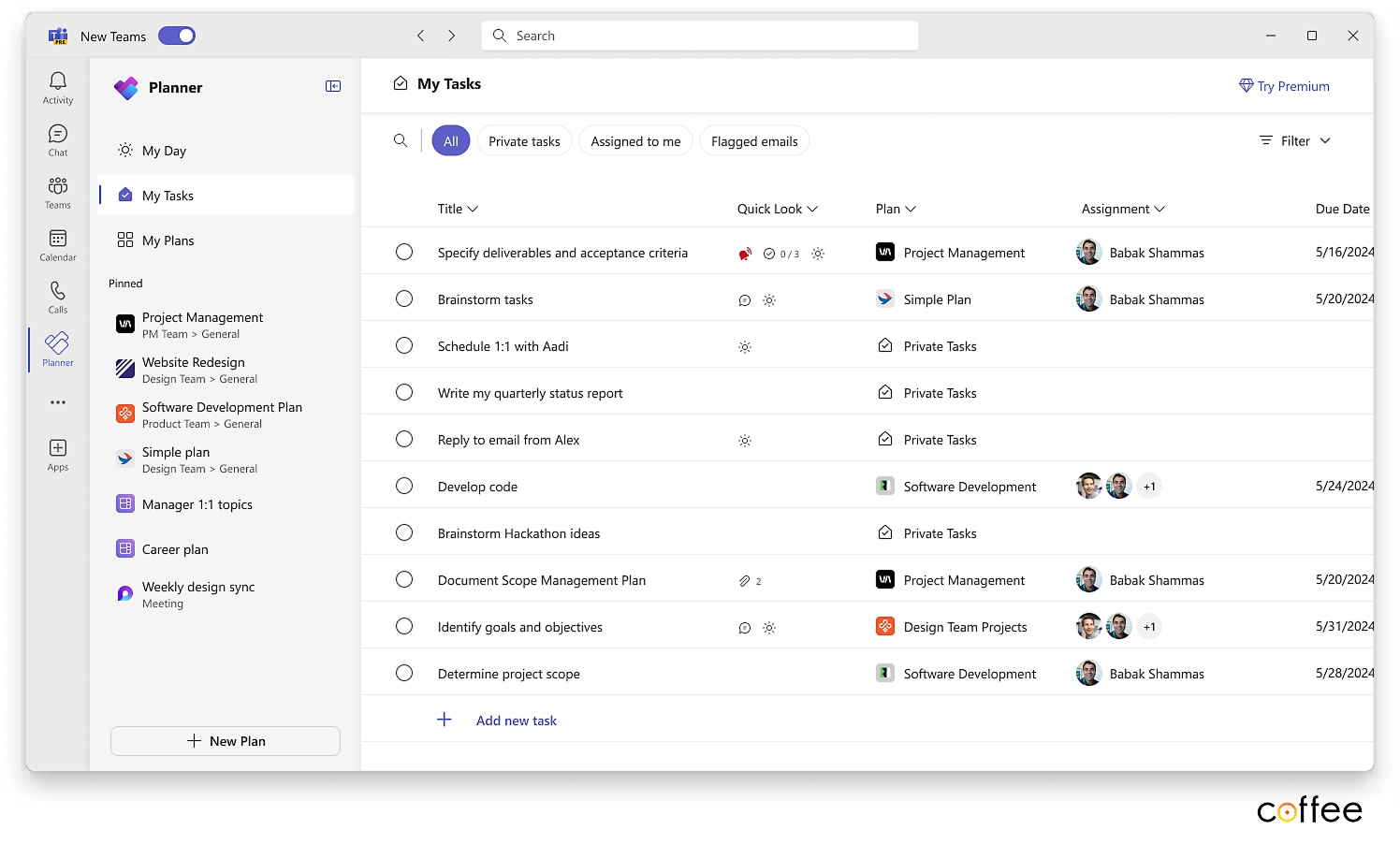
When organisations begin their Microsoft 365 journey, task and project management often become the first visible workflow layer. Microsoft Planner and Project provide multiple tiers that range from simple team task tracking to enterprise level resource planning.
Since Microsoft provides a range of plans, which can seem confusing to select from, we have compiled a list of features and limitations of each plan to help you find the right fit.
Below is the breakdown of the Planner and Project plans, their capabilities, and where each tier fits in an organisational workflow architecture.
1. Basic Plan (Free)
Best for small teams and lightweight workflows
The Basic Planner plan is suitable for teams that need a simple shared task board with minimal workflow complexity. It works well for internal operational checklists, marketing calendars, and ad hoc collaboration.
Key Features
- Task assignment with notifications and sync to Microsoft To Do
- Buckets for categorising tasks
- Priority levels and predefined views such as Grid, Board, and Chart
- Schedule view with drag and drop planning
- Integration with SharePoint pages and Teams
- Plan templates for reuse
- Start and due dates, progress updates, notes, checklists, and attachments
- Export tasks to Excel
- Recurring task options
- Access controlled through Microsoft 365 groups and Teams
Limitations
- Beyond customising labels and buckets on task cards, you cannot add additional options for progress (like ‘cancelled’ or ‘on hold’) or priority, nor can you add additional fields to tasks.
- Tasks cannot be linked or made dependent on each other
- If you update a due date significantly, dependent tasks do not automatically update; you need to update them individually.
- While you can add comments to task cards, you cannot use the ‘@’ sign to tag team members
- Beyond the comments and the initial creation of a task, updates to individual fields are not tracked in a detailed history.
Where we recommend this tier
We recommend this for early stage teams or departments that are testing structured task workflows before investing in advanced automation.
2. PLANNER PLAN 1 ($10 user/month)
For Growing Teams with multiple projects
Planner Plan 1 adds real project management capabilities and is suitable when teams need dependencies, workload balancing, and structured delivery tracking.
Key Features
Features present in Basic Plan with
- Tasks with subtasks and nested breakdown structures
- Effort tracking with hours completed and remaining
- Task dependencies with automatic schedule adjustments
- Rich conversations with tagging and formatting
- Custom task fields including text, date, number, and choice fields
- Customisable Grid View columns and conditional formatting
- Colour coded buckets and Sprint based planning
- Timeline Gantt style view with dependency lines
- People View for workload management and task reallocation
- Goals linked to tasks for outcome driven planning
- Can define custom default work weeks (e.g., a 4-day work week) which will be reflected in the timeline.
Team members without a Premium license can still access and view Premium plans, see task details, update start and finish dates, completion percentage, edit buckets and priority, add/delete checklist items, and view custom field content. They can also see the plan in Grid View, Board View and Chart View. However, they are limited to edit the premium fields.
Limitations
- No task history
- There is no repeat option for creating recurring tasks
- The calendar format view available in the basic plan is not present instead timeline flow can be displayed
Where we recommend this tier
This is ideal for product teams, engineering teams, marketing teams, and client delivery workflows where structured execution and visibility are required. Coffee often pairs this with Teams and SharePoint document workflows.
3. PLANNER AND PROJECT PLAN 3 ($30 user/month)
Best for advanced tracking and AI assisted planning
This tier introduces advanced governance and AI capabilities that support programme level planning.
Key Features
This tier includes all the features of ‘Planner Plan One’ and adds:
- Task history: This feature allows you to see precise changes that have been made to specific tasks.
- Co-pilot: This feature, currently in preview, allows you to use AI to build plans based on a description, add tasks and subtasks to existing plans, get status reports, add tasks, or ask for general content ideas.
- Portfolio management
Where we recommend this tier
We recommend this for organisations that need governance, cross project visibility, and leadership reporting. It is especially useful when paired with Power BI and M365 governance frameworks.
4. PLANNER AND PROJECT PLAN 5 ($55 user/month)
Best for enterprise resource and portfolio management
This is Microsoft’s most advanced tier for resource allocation and enterprise scale delivery management.
Key Features
Includes everything in Planner and Project Plan 3 and
- Enterprise resource management and allocation
- All capabilities from Plan 3 plus portfolio wide optimisation
Where we recommend this tier
This is suited for large enterprises, consulting firms, and engineering organisations that require centralised resource planning across departments and regions.
How Coffee Helps Organisations Set Up Planner in Microsoft 365
Choosing a Planner tier is only one part of building a functional workflow system. At Coffee, we design Microsoft 365 environments where Planner integrates seamlessly with:
- Microsoft Teams for execution and communication
- SharePoint for document workflows and approvals
- Outlook and Calendar for task driven scheduling
- Power Automate for approvals, notifications, and lifecycle automation
- Power BI for leadership dashboards and delivery metrics
We also define governance structures, naming conventions, team templates, onboarding flows, and automation patterns so that Planner becomes part of an organisation’s operating system rather than just another tool.
Choosing the Right Planner Plan
Microsoft Planner scales from simple task boards to enterprise programme management. The right plan depends on team size, project complexity, compliance needs, and reporting requirements.
If your goal is to build structured workflows inside Microsoft 365, the Planner tier should align with your operating model, not just your current tool usage.
Coffee works with organisations to design this alignment and implement Microsoft 365 as a cohesive workflow platform.
At Coffee Inc., we help organisations design their Microsoft 365 setup so that Planner, Teams, SharePoint, and Outlook work as a uniform workflow system rather than isolated tools. Reach out to us at coffee@coffeinc.in if you want structure your workflows on Microsoft 365.