 Read with Claude
 Read with ChatGPT
Shopify provides a versatile Storefront API that allows us to access a full range of commerce options. The API makes it possible for customers to view products and collections, add products to a cart, and check out.
We have options to integrate the API to React (through Hydrogen), Node.js, PHP, Ruby, Android and iOS. This article deals with integrating the Storefront API to a Node.js web app. We will also use express to create the routes to access the API.
Getting Started
Let us get started by creating a new Node.js project. I prefer to use yarn package manager and that is what I have used for this article, but feel free to use npm and follow along. Create a new directory for the project in your local system and run the following command.
yarn initYou can specify the details that are prompted for as you wish, or just follow along and enter as per the below image.
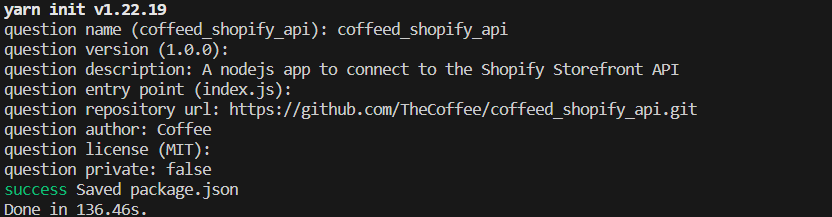
A package.json would have been created in the project with the information you entered above. Additionally, for this project, we are going to use express to create routes and dotenv to access the environment variables. Let us install these packages.
yarn add express dotenvYou will the package.json has been updated with the dependencies.
{
  "name": "coffeed_shopify_api",
  "version": "1.0.0",
  "description": "A nodejs app to connect to the Shopify Storefront API",
  "main": "index.js",
  "repository": "https://github.com/TheCoffee/coffeed_shopify_api.git",
  "author": "Coffee",
  "license": "MIT",
  "private": false,
  "dependencies": {
    "dotenv": "^16.3.1",
    "express": "^4.18.2"
  }
}
Initializing our index page
Create a new page called index.js in your project folder. We are going to create a basic express route for setting up the page.
const express = require('express');
require('dotenv').config();

const app = express();
const port = 3000;

app.get("/", (req, res) => {
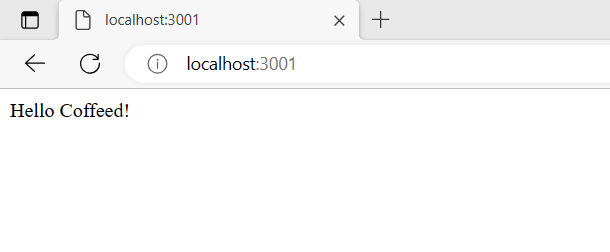
    res.send("Hello Coffeed!");
})

app.listen(port, () => console.log(`Listening at http://localhost:${port}`));
You can run the node app by executing the following command:
node index.js
Installing the Shopify SDK
We will be using the @shopify/shopify-api library to access the Shopify Storefront API. This library will allow us to run GraphQL queries to access storefront data. Additionally, the library also makes it easier to perform the following actions:
- Creating online or offline access tokens for the Admin API via OAuth
- Making requests to the REST API
- Making requests to the GraphQL API
- Register/process webhooks
To install this package, you can run this on your terminal:
yarn add @shopify/shopify-apiNow that we have the sdk installed, we will need to configure the library. For this, we will require to access the Shopify Partners dashboard and create a new app.
Creating a Shopify App for credentials
1. Go to the Shopify Partners page and login to your account. Sign up for a Partners account if you do not have one.
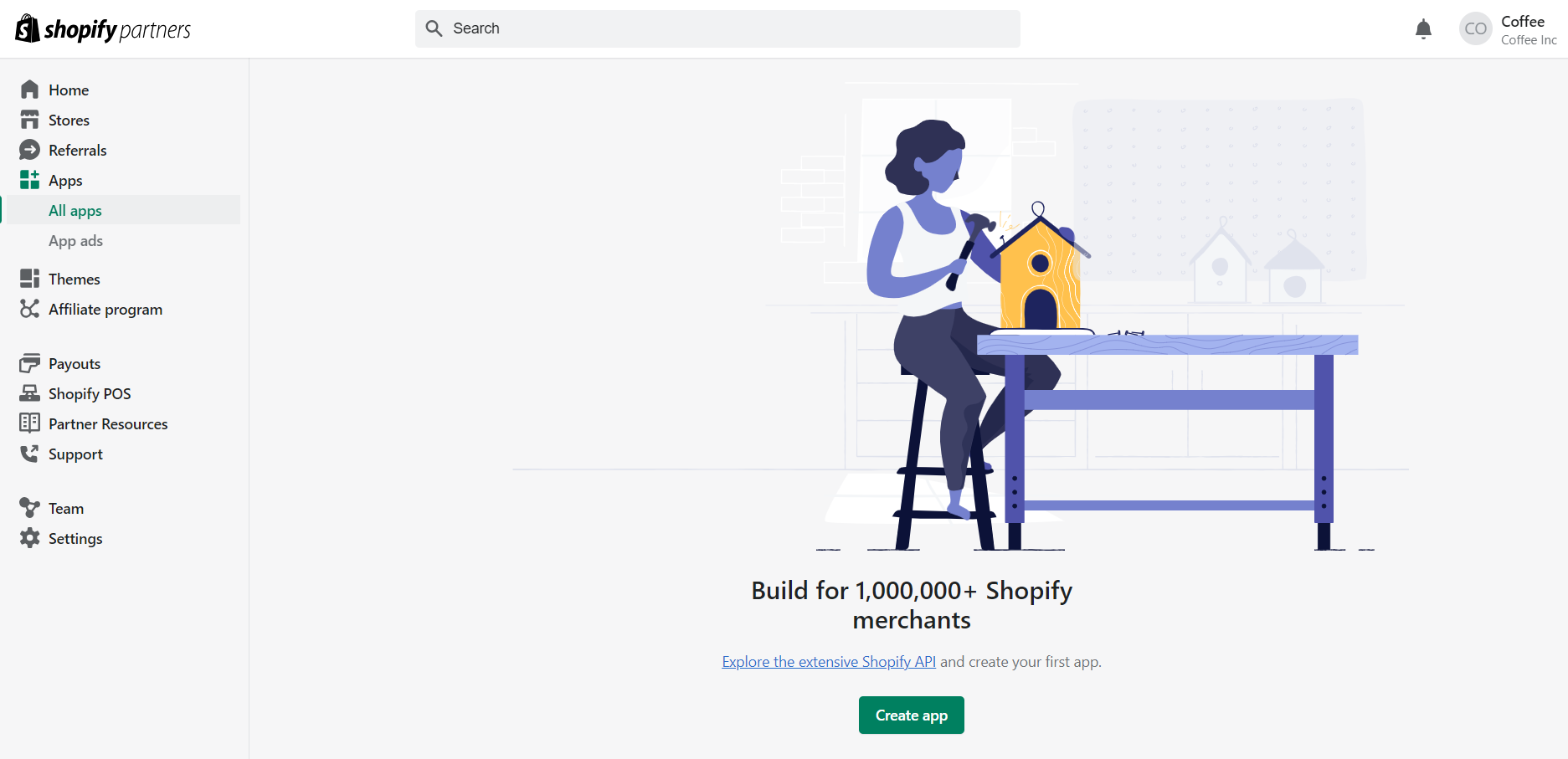
2. Go to the Apps page and click on the “Create app” button.
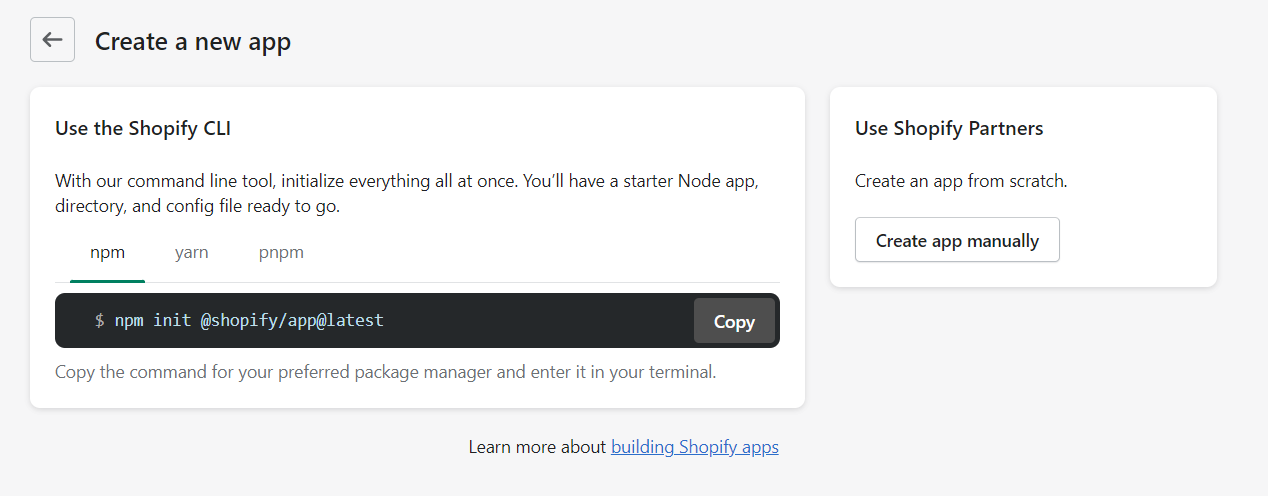
3. Choose the “Create app manually” option.
4. Give the app a name to create it. The name cannot have the word “Shopify” in it.
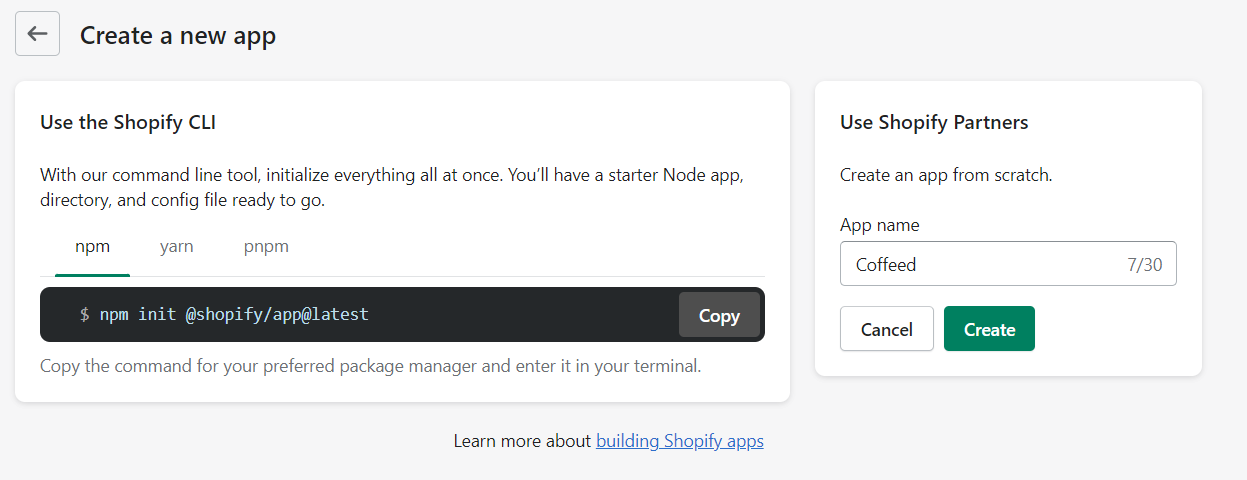
The Client ID and Client secret are the credentials we require to proceed to the next step.
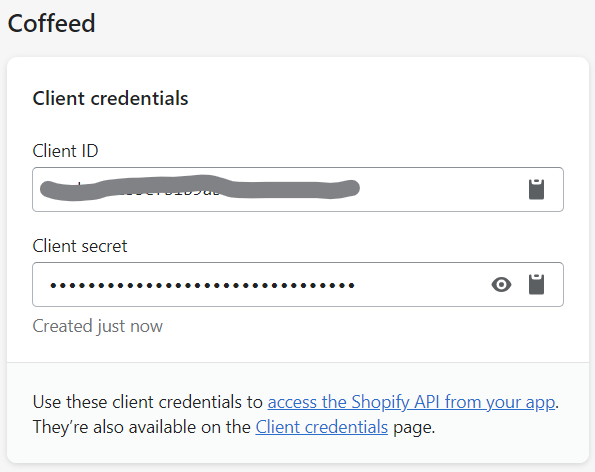
Apart from these credentials, we require a store specific access token to access the store data.
Getting the Storefront Access Token
1. Login to your Shopify store and head to the Sales Channel section
2. Install the Headless App from the Shopify App Store to your store. The Shopify Headless sales channel allows you to easily manage your Storefront API integration in the Shopify Admin.
Headless - Build headless commerce with Shopify's Storefront API | Shopify App Store
3. Once you have the app installed, head to Sales Channel -> Headless in your Shopify Admin.
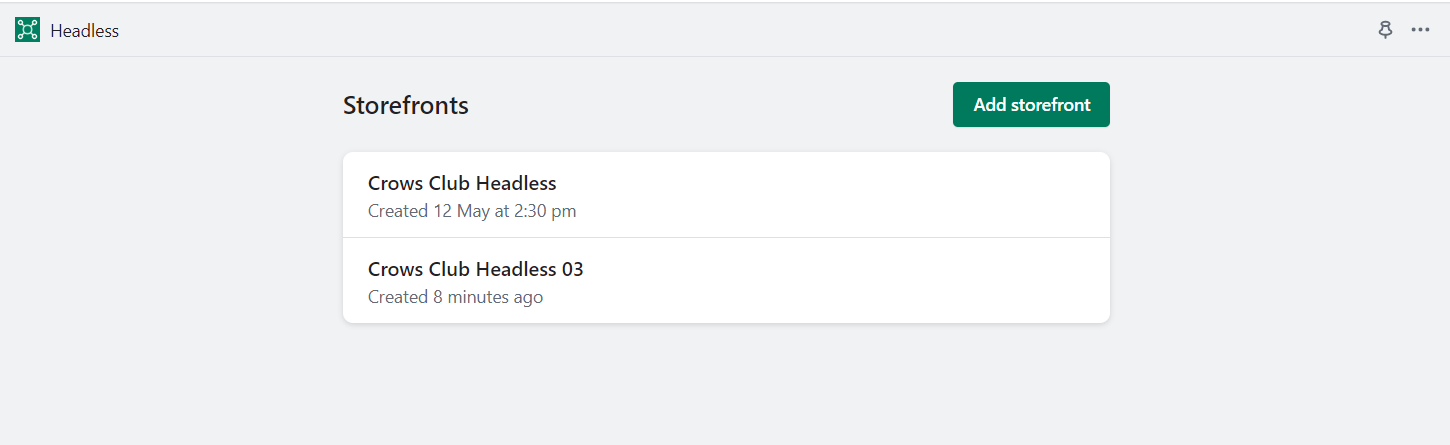
4. Click on “Add Storefront” and create a new store front.
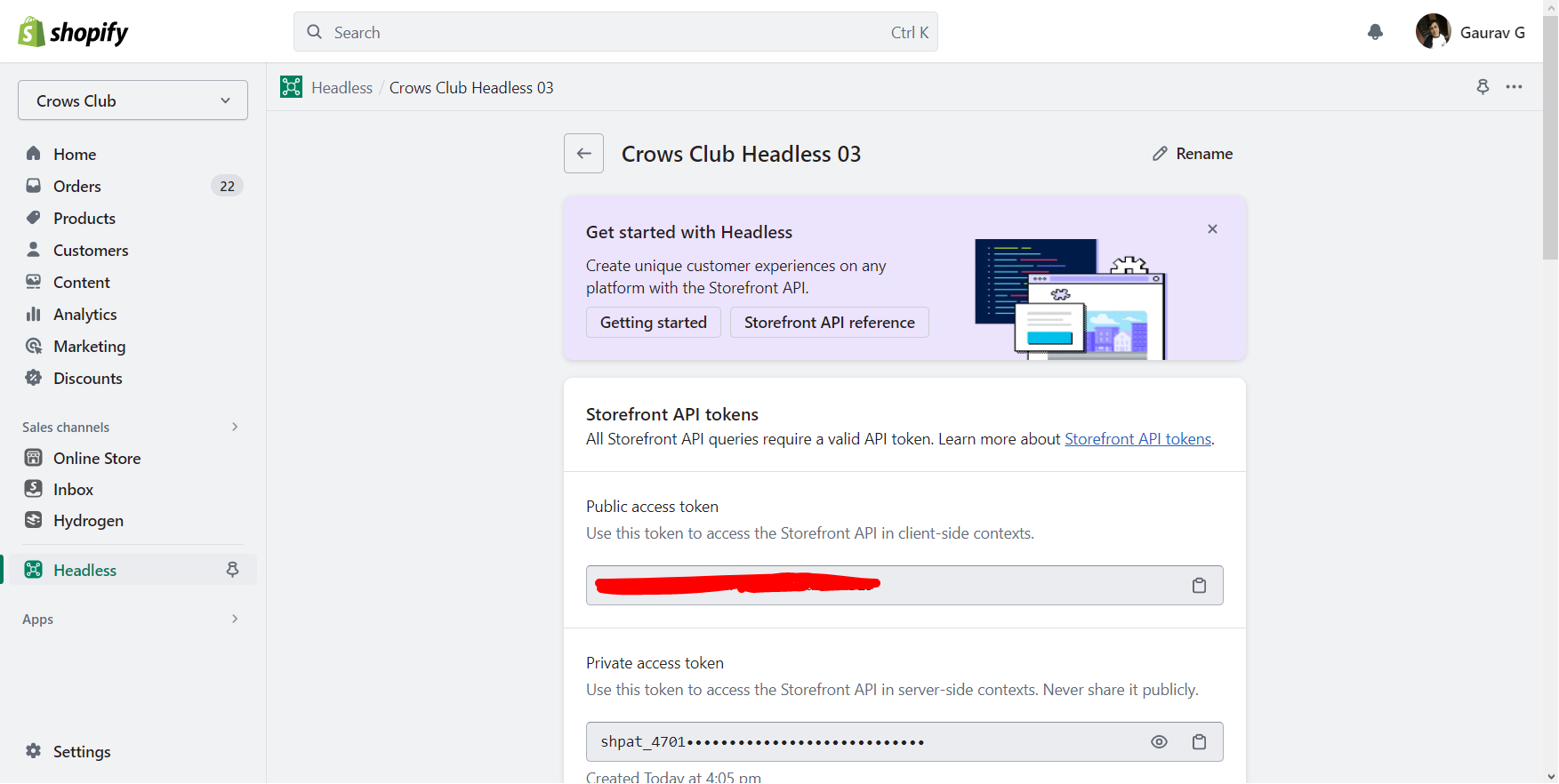
Save the value of the Public access token. We will use it in the next section.
Configuring the shopify-api SDK
To configure the shopify-api SDK, we will need to access to the following values.
- Your Shopify app’s API key from Partners dashboard — Client ID
- Your Shopify app’s API secret from Partners dashboard — Client secret
- The scopes you need for your app. In this case, we will use the
read_productsscope. You can learn more about other scopes at: https://shopify.dev/docs/api/usage/access-scopes - Your Shopify Storefront Access token — Public access token from Headless App
- Your Shopify Store URL
- Host Name — The link of your hosted application. In this case, since I am running it locally, I am using “localhost:3000”
Let us set them up as environment variables.
CLIENT_ID=""
CLIENT_KEY=""
STOREFRONT_ACCESS_TOKEN=""
STORE_URL=""
HOST_NAME="localhost:3000"
The first thing you need to import is the adapter for your app’s runtime. This will internally set up the library to use the right defaults and behaviours for the runtime.
require('@shopify/shopify-api/adapters/node');Call shopifyApi (see reference) to create your library object before setting up your app itself:
onst express = require('express');
require('dotenv').config();

require("@shopify/shopify-api/adapters/node");
const { shopifyApi, LATEST_API_VERSION } = require("@shopify/shopify-api");

const shopify = shopifyApi({
    apiKey: process.env.CLIENT_ID,
    apiSecretKey: process.env.CLIENT_KEY,
    scopes: ["read_products"],
    hostName: process.env.HOST_NAME,
});

const app = express();
Querying the Storefront API
The Storefront API is available only in GraphQL. All Storefront API queries are made on a single GraphQL endpoint, which only accepts POST requests:
POST: https://{store_name}.myshopify.com/api/2023-07/graphql.json
With the shopify-api package configured above, we can now query the storefront API. Here I am getting the id and title of the first 3 products in the store.
const storefrontAccessToken = process.env.STOREFRONT_ACCESS_TOKEN;
const shop = process.env.STORE_URL;

const storefrontClient = new shopify.clients.Storefront({
    domain: shop,
    storefrontAccessToken,
});

app.get("/", async (req, res) => {
    const products = await storefrontClient.query({
        data: `{
            products (first: 3) {
            edges {
                node {
                    id
                    title
                }
            }
            }
        }`,
    });

    res.send(products);
});
Now reload the node app by running the following command again:
node index.jsWhen you access http://localhost:3000 in the browser, you will find the following output. You can see the id and title of 3 products are returned in the body.

There you have it! We have setup the Storefront API and connected our Node.js app successfully to it.
Here is the entire code of the index.js file:
const express = require('express');
require('dotenv').config();

require("@shopify/shopify-api/adapters/node");
const { shopifyApi, LATEST_API_VERSION } = require("@shopify/shopify-api");

const shopify = shopifyApi({
    apiKey: process.env.CLIENT_ID,
    apiSecretKey: process.env.CLIENT_KEY,
    scopes: ["read_products"],
    hostName: process.env.HOST_NAME,
});

const app = express();
const port = 3000;

const storefrontAccessToken = process.env.STOREFRONT_ACCESS_TOKEN;
const shop = process.env.STORE_URL;

const storefrontClient = new shopify.clients.Storefront({
    domain: shop,
    storefrontAccessToken,
});

app.get("/", async (req, res) => {
    const products = await storefrontClient.query({
        data: `{
            products (first: 3) {
            edges {
                node {
                    id
                    title
                }
            }
            }
        }`,
    });

    res.send(products);
});

app.listen(port, () => console.log(`Listening at http://localhost:${port}`));
You can access the Shopify Storefront API Node.js Starter project repository at:
GitHub - TheCoffee/coffeed_shopify_api: A nodejs app to connect to the Shopify Storefront API
Note: The Storefront API is versioned, with new releases four times a year. To keep your app stable, make sure that you specify a supported version in the URL.
GraphiQL explorer: Explore and learn Shopify’s Storefront API using the GraphiQL explorer. To build queries and mutations with shop data, install Shopify’s GraphiQL app.
In Closing
I hope you had fun exploring the Shopify Storefront API and setting up the connection to a Node.js app with Express. The possibilities of using the API are endless as you can build an entire custom app to extend the capabilities of the Shopify store.
In this article, we accessed the Storefront API which works with the unauthenticated access scopes. You can also extend this knowledge to make use of the Admin API and the authenticated scopes. That will allow you to extend the capabilities of the admin.
References
shopify-apipackage README: https://github.com/Shopify/shopify-api-js#readme- GraphQL Storefront API docs: https://shopify.dev/docs/api/storefront#endpoints
- Shopify Access scopes: https://shopify.dev/docs/api/usage/access-scopes