 Read with Claude
 Read with ChatGPT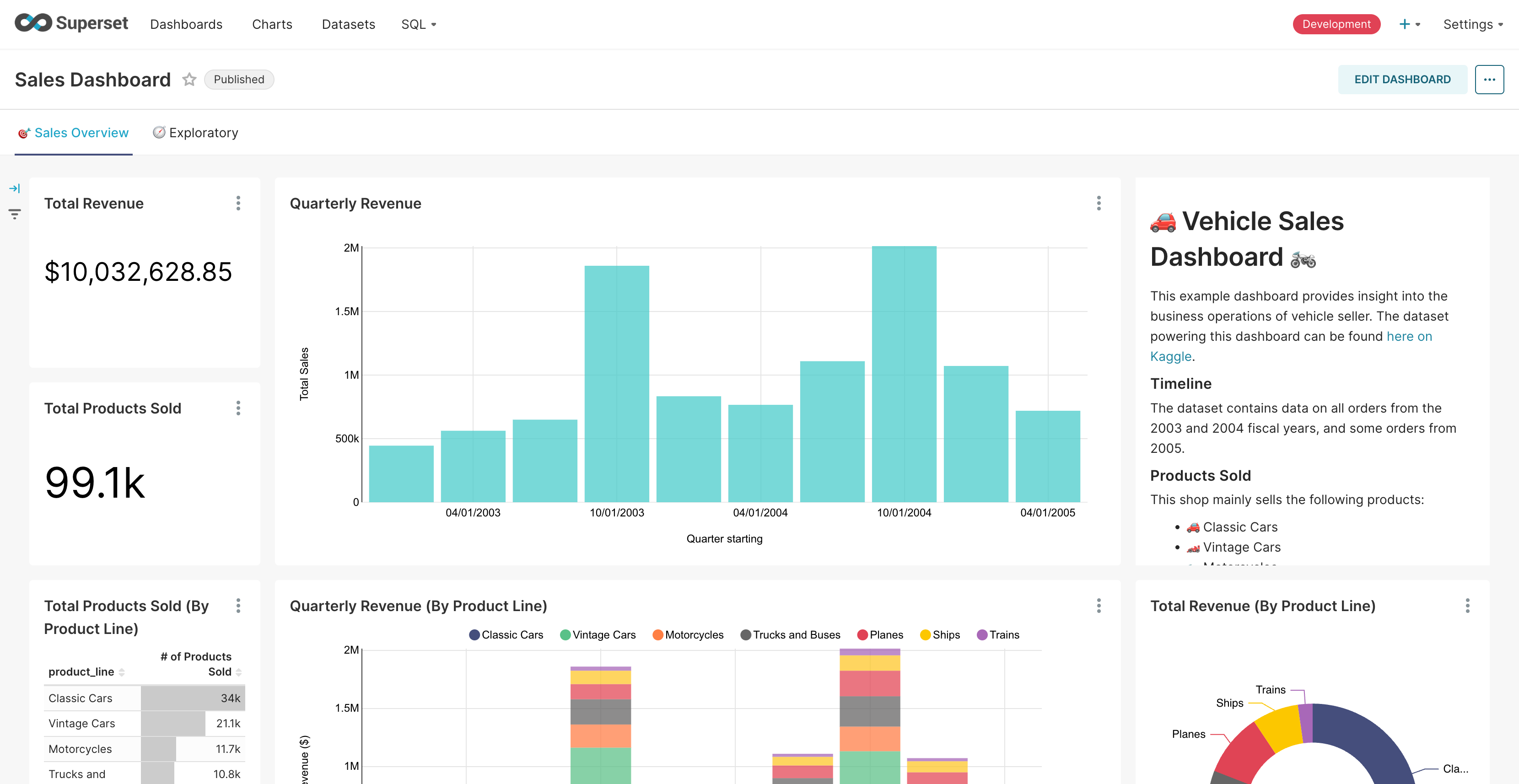
K highlighted
Abdel Ousaid highlighted
Kwzsaleh highlighted
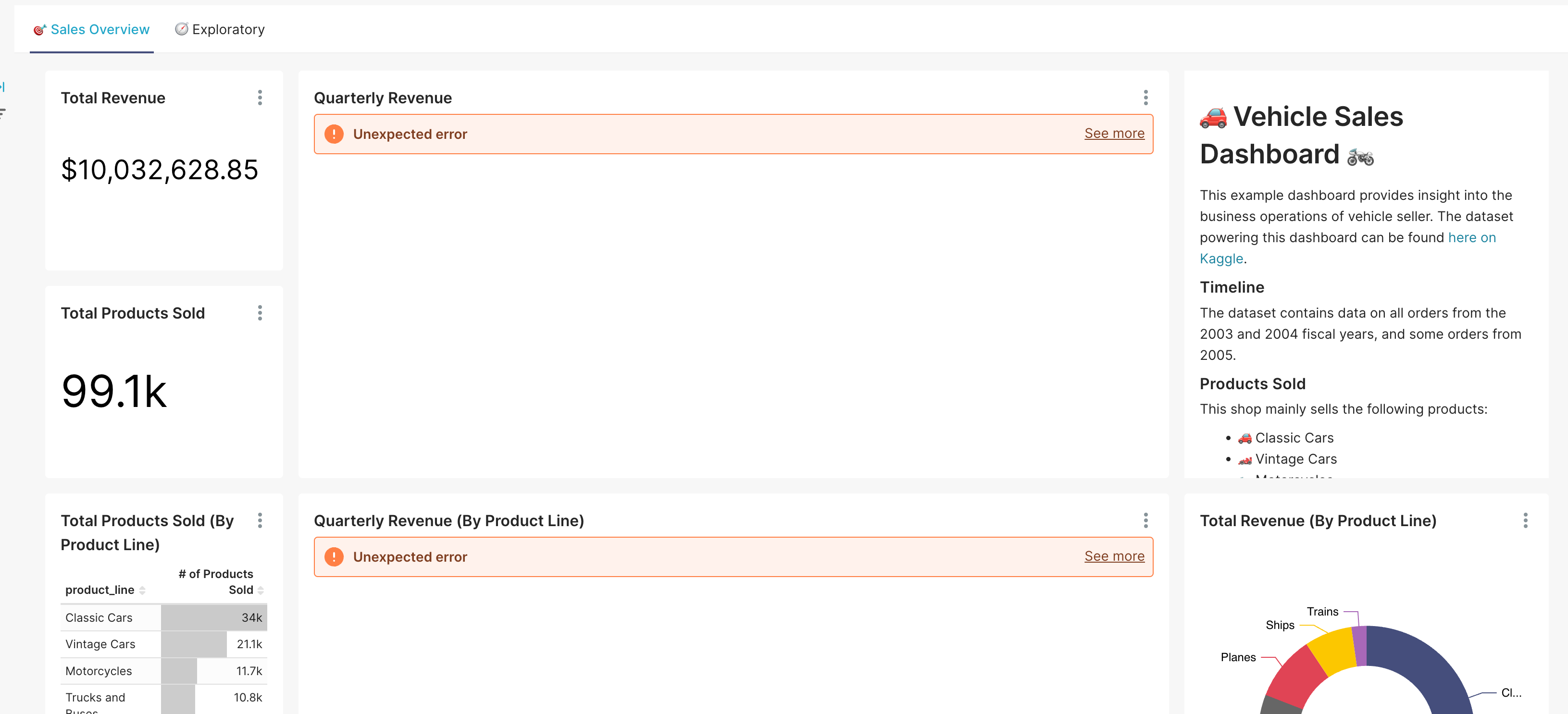
Often, the data we have is in the form of sheets and tables, maintained in existing applications. While building a dashboard from scratch may seem cumbersome, we can make use of Apache Superset and embed dashboards into our web app.
Apache Superset is a powerful, open-source business intelligence platform that enables us to build rich visual dashboards and explore data with ease. Not only is it easy to set up, you can quickly integrate and represent your data visually, and also restrict data access per user with filters.
Superset Dashboard
In this post, I will walk you through how to set up Apache Superset using Docker Compose and then show how to embed dashboards in your web app with user-specific filters using Row-Level Security (RLS).
Why Embed Superset?
Here are some of the other use-cases, where embedding is useful:
- You’re building a customer-facing analytics portal.
- You want to maintain your branding and app UI while using Superset in the background.
- You want to show filtered data depending on who’s viewing it.
Instead of building dashboards from scratch or exposing your full Superset instance to end users, you can offer a clean, embedded experience that’s scoped per user.
Superset Setup
To get started, we’ll use Docker Compose with a custom tag to spin up Superset in an isolated environment.
1. Clone the Superset Repository
git clone — depth=1 https://github.com/apache/superset.git
cd superset
This will pull the latest repo code into a superset folder in your current directory.
2. Launch Superset with Docker Compose
We’ll use the docker-compose-image-tag.yml file (with optional tweaks for reverse proxy setups) to start the Superset containers.
# Use a specific release version (e.g., 4.1.2)
export TAG=4.1.2
# Spin up services in detached mode
docker compose -f docker-compose-image-tag.yml up -d
Notes:
- The TAG environment variable supports any official release tag, GitHub SHA, or even latest.
- If you’re running Superset behind an nginx reverse proxy, make sure your docker-compose-image-tag.yml is updated accordingly to expose the service within the desired Docker network.
Once everything spins up, you should be able to visit http://localhost:8088 and log in to Superset.
Understanding Superset Roles & Row-Level Security (RLS)
When you’re embedding dashboards and filtering data per user, roles and RLS work together to control what data each user can access, especially when you’re using guest tokens.
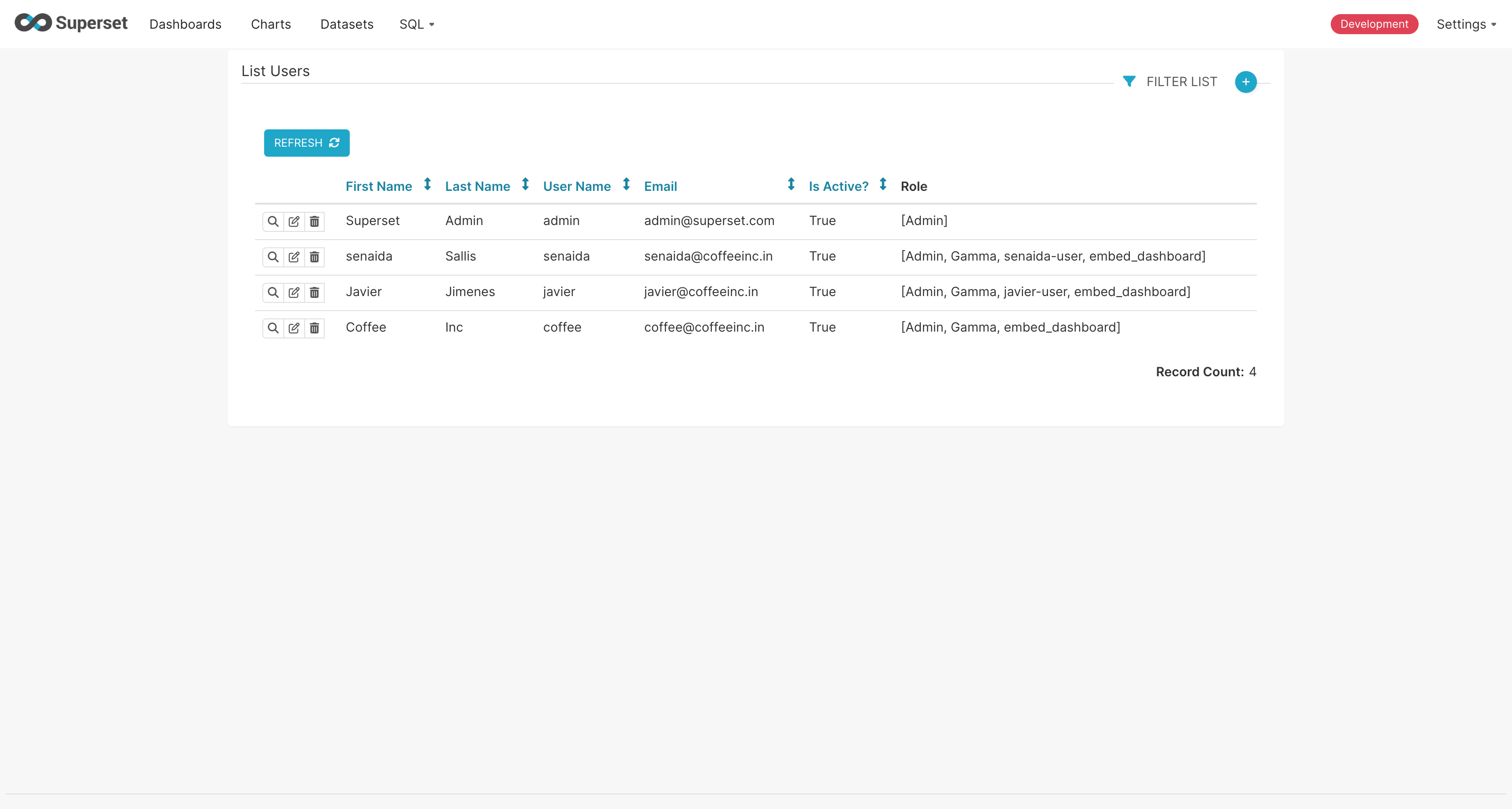
1. Roles in Superset
Superset comes with several default roles like:
Admin: Full access to everythingAlpha: Can explore, create charts/dashboardsGamma: Limited access (usually view-only)Public: Used for anonymous users
Why **GUEST_ROLE_NAME** Matters
When you embed a dashboard using a guest_token, Superset will apply the role defined in your config:
GUEST_ROLE_NAME = "Gamma"So all embedded users will operate under the Gamma role (unless you create and assign a custom one). This controls:
- Which dashboards or charts they can access
- Which datasets are visible
- What actions they can take (view-only, export, etc.)
Pro tip: You can create a custom role (like
embed_dashboard) and give it scoped access to specific dashboards only.
# this is the role assigned to users when requesting guest_token
GUEST_ROLE_NAME = "embed_dashboard"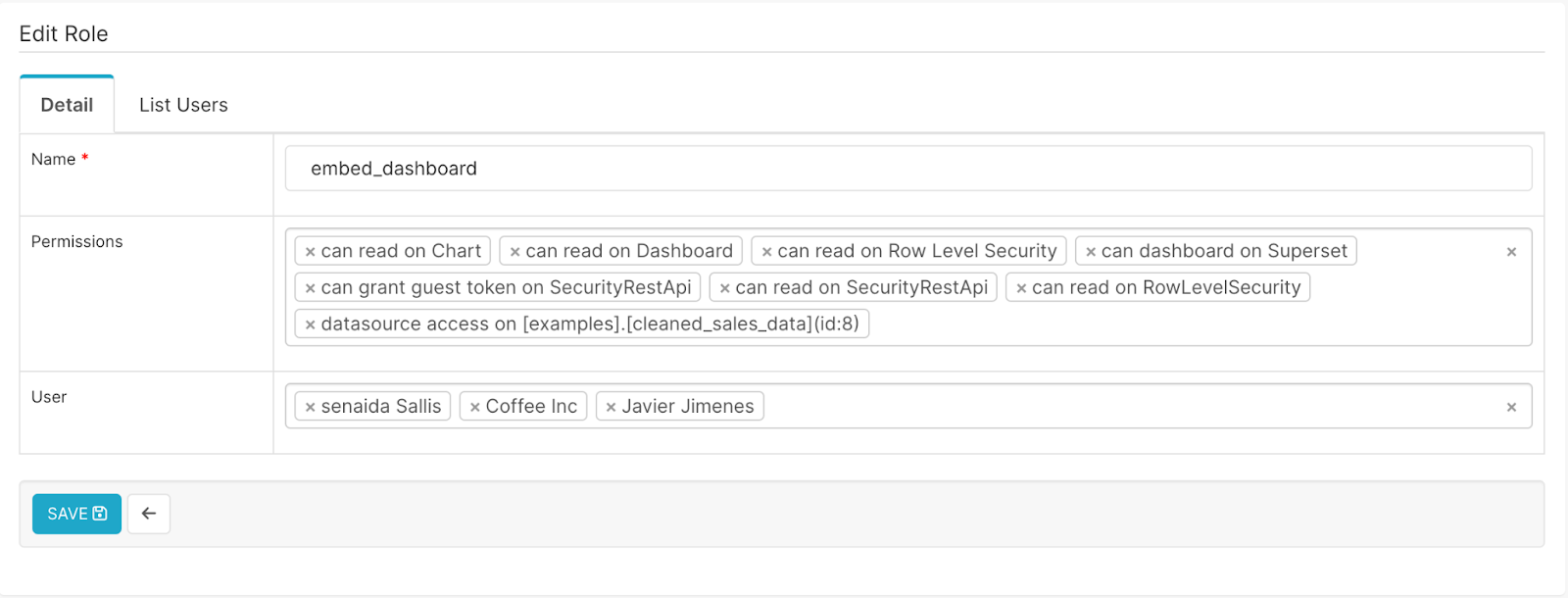
2. Setting Up Row-Level Security (RLS)
RLS controls what rows of data a user sees in a dataset. We have two ways of setting RLS rules:
Option 1: Define an RLS Rule
In Superset UI:
- Go to Settings → Row Level Security
- Click + RLS Rule
- Give it a name like
TerritoryFilter - Apply to a dataset (e.g.,
vehicle_sales) - Set your SQL clause, e.g.:
territory = 'Japan'- Choose which roles this RLS rule should apply to (e.g.,
Gammaor your custom role)
Option 2: Dynamically Apply RLS via Guest Token
In embedded scenarios, instead of assigning a static RLS rule to a role, you can dynamically inject RLS clauses at the time of guest token creation.
{
  "rls": [
    {
      "clause": "territory = 'Japan'",
      "dataset": 17
    }
  ]
}
If calling the API through code, this might look like:
const guestTokenPayload = {
  user: {
    username: "senaida",
    roles: ["Gamma"]
  },
  resources: [
    { type: "dashboard", id: 5 }
  ],
  rls: [
    {
      clause: "territory = 'Japan'",
      dataset: 17
    }
  ],
  exp: Math.floor(Date.now() / 1000) + 60 * 60  // 1 hour expiry
};
This method lets you dynamically control data visibility per user without creating dozens of roles or hardcoded filters.
Superset Configuration
Once Superset is running, configure it to support embedding and secure access tokens.
1. Enable Embedding
In your superset_config.py:
FEATURE_FLAGS = {
  "ALERT_REPORTS": True,
  "EMBEDDED_SUPERSET": True
}
This unlocks the embedding feature with guest tokens.
2. CORS Settings (Dev Mode only)
To allow your app to load the iframe without CORS issues (especially during development), add:
TALISMAN_ENABLED = False
OVERRIDE_HTTP_HEADERS = {'X-Frame-Options': 'ALLOWALL'}
ENABLE_CORS = True
CORS_OPTIONS = {
    'supports_credentials': True,
    'allow_headers': ['Content-Type', 'Authorization'],
    'resources': ['*'],
    'origins': ['*']
}Note: This disables key protections like X-Frame-Options. Use with caution and never in production without tightening these rules.
3. Disable CSRF (Dev Mode only)
You may need to turn off CSRF for quick demos:
WTF_CSRF_ENABLED = FalseAgain, never disable CSRF in production.
4. Set the Default Guest Role
Define a guest role that will be assigned to users accessing via guest tokens:
GUEST_ROLE_NAME = “Gamma”Embedding the Dashboard
Once Superset is configured, here’s how you embed a dashboard with user-specific filtering:
Step 1: Authenticate and Fetch Access Token
Start by authenticating the user (via your own auth flow) and fetching an access_token using Superset’s login endpoint (POST /api/v1/security/login).
const response = await fetch('http://localhost:8088/api/v1/security/login', {
  method: 'POST',
  headers: {
    'Content-Type': 'application/json',
  },
  body: JSON.stringify({
    username: 'admin',
    password: 'admin',
    provider: 'db', // or 'ldap', 'oauth', etc., based on your auth setup
    refresh: true
  }),
});

const data = await response.json();
const accessToken = data.access_token;
Once login is successful, you will get a response like:
{
  "access_token": "eyJ0eXAiOiJKV1QiLCJh...",
  "refresh_token": "eyJ0eXAiOiJKV1QiLCJh..."
}
Step 2: Generate Guest Token with RLS Clause
Use the access token to hit the /guest_token/ endpoint. This is where you apply Row-Level Security (RLS) based on the user like we discussed above.
let rlsClause = [];

if (username === "alex") {
  rlsClause = [{ clause: "region = 'North America'" }];
} else if (username === "lee") {
  rlsClause = [{ clause: "region = 'Europe'" }];
}
The token returned is scoped to that user’s allowed data only.
Step 3: Embed the Dashboard
Use Superset’s Embedded SDK to securely load the dashboard in your app:
import { embedDashboard } from '@superset-ui/embedded-sdk';

embedDashboard({
  id: "your-dashboard-uuid",
  supersetDomain: "https://your-superset-instance.com",
  mountPoint: document.getElementById("dashboard-container"),
  fetchGuestToken: () => fetchGuestTokenForUser(currentUser),
  dashboardUiConfig: { hideTitle: true },
});
This loads the dashboard with filters already in place via RLS.
Security Considerations
- Always generate the guest token server-side. In this post, we showed the logic in JavaScript for clarity, but guest token generation should happen on your backend to avoid leaking logic or keys.
- Limit access by role: Make sure the GUEST_ROLE_NAME has access only to the dashboards and data you want to expose.
- Test RLS rules thoroughly to avoid any data leaks across users.
Final Thoughts
Apache Superset offers a clean and flexible way to embed visual analytics into your web applications, especially when combined with guest tokens and RLS. Whether you are building a BI layer for clients, internal teams, or partners, embedding dashboards with dynamic filtering unlocks a powerful user-specific experience.
Now that you’ve seen how to set it up and embed filtered dashboards, you can start building tailored data experiences for your users, all powered by open-source tech.
Want a hosted Superset setup, example code, or help integrating it into your frontend? Drop a comment or reach out to us at coffee@coffeeinc.in. Happy dashboarding!