 Read with Claude
 Read with ChatGPT
Photo by Wijdan Mq on Unsplash
When a project came to us for building a gift registry for a wedding, we were intrigued by the requirements. There seemed to be no existing gift registry system that seemed to suit the need. So, what were the features required for a Wedding Registry? How is a Wedding Registry different from an eCommerce website?
A Wedding Registry should allow the couple to maintain a curated list of gifts that could be purchased by wedding guests, making the wedding gift experience easier and more guided. An added caveat to the regular eCommerce flow would be allowing users to checkout as guests and leave personalized messages.
Considering we had worked extensively with regular eCommerce flows, we delved deeper into the flow for a registry.
Managing the Gift List
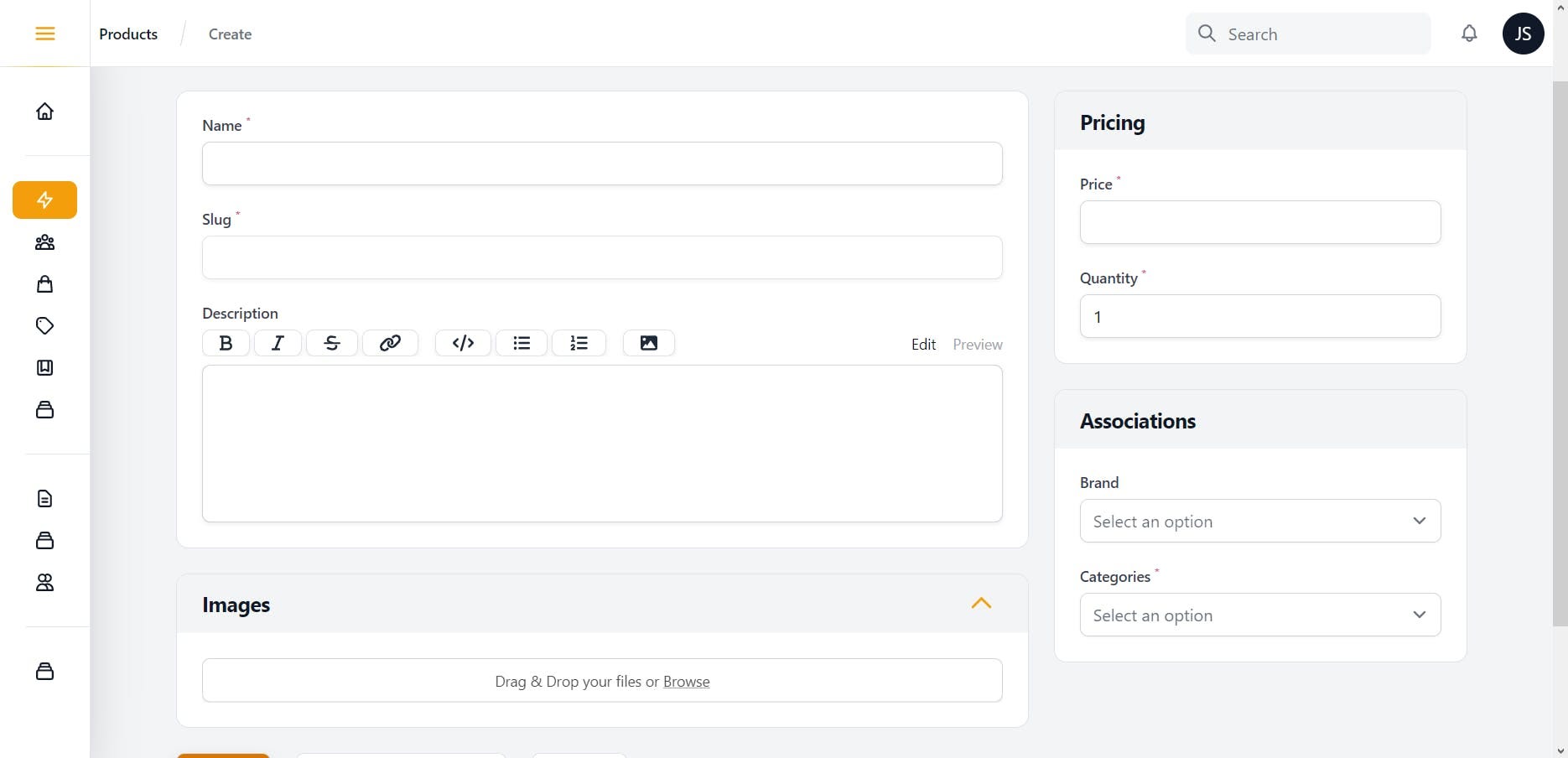
The gift list is, nothing but, a list of products that the couple wished to have on the registry. For each product, the following details were required:
- 1 or max 2 images of the product
- Product Name
- Product Description
- Price
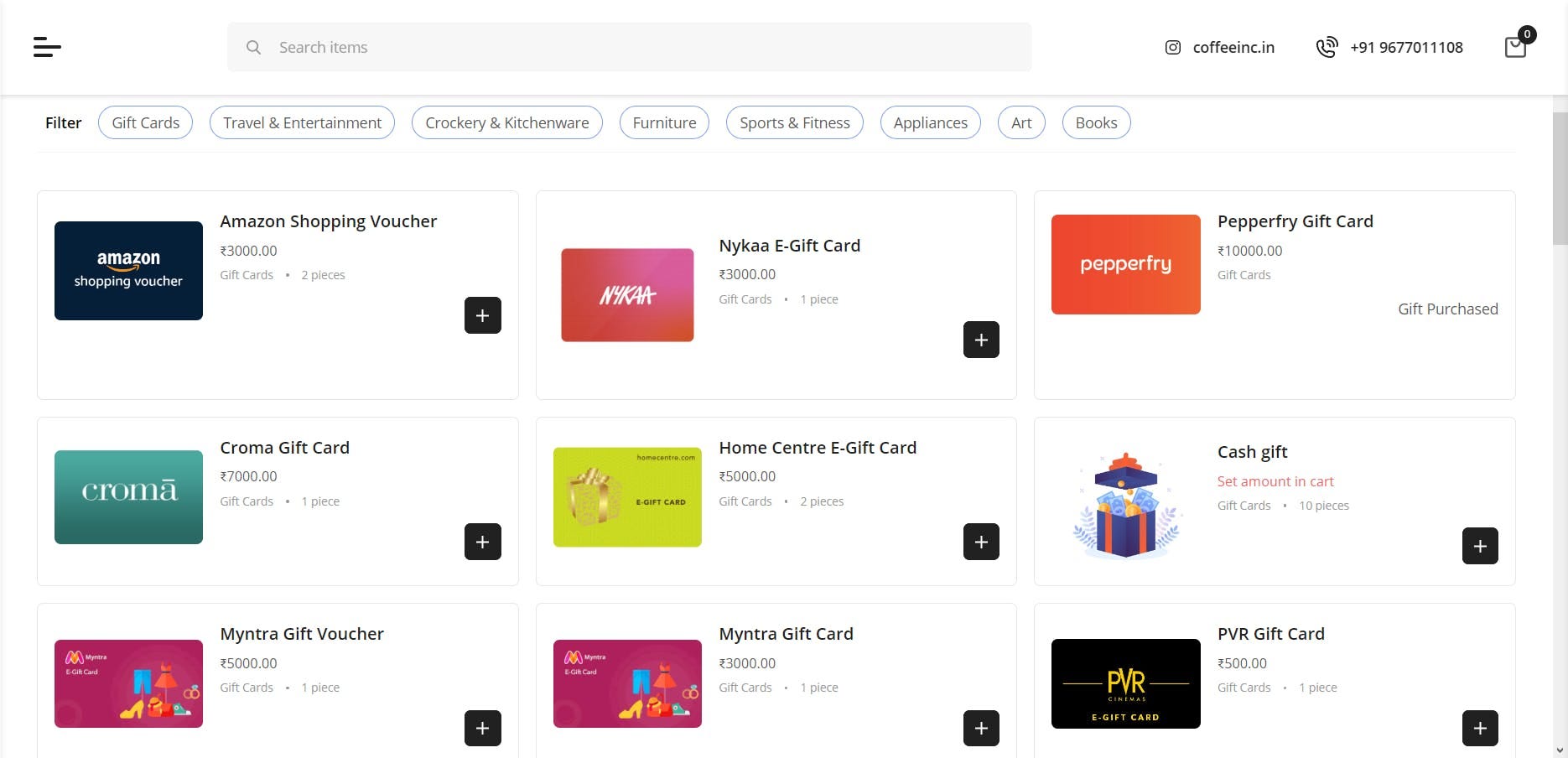
We even provided support for categories, which would be used for filters. The end result of the list of gifts in the registry looked something like the image below. Guests could search for gifts and filter by category.
Managing Inventory
Inventory for products added to the system could be managed in the product screen as shown above. Guests are not allowed to add more than the available quantity to the cart when making a purchase.
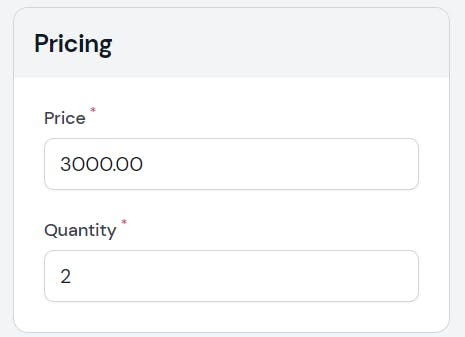
Quantity can be updated as required to limit the number of gifts that can be purchased.
Gifting Flow
Explaining the gifting flow as simple as possible on the home page was straightforward, including specific instructions from the couple on when the gifts would be shipped.

This 4-step flow helped us outline a regular user experience on the registry to guests, keeping the number of actions as minimal as possible.
Guest Checkout
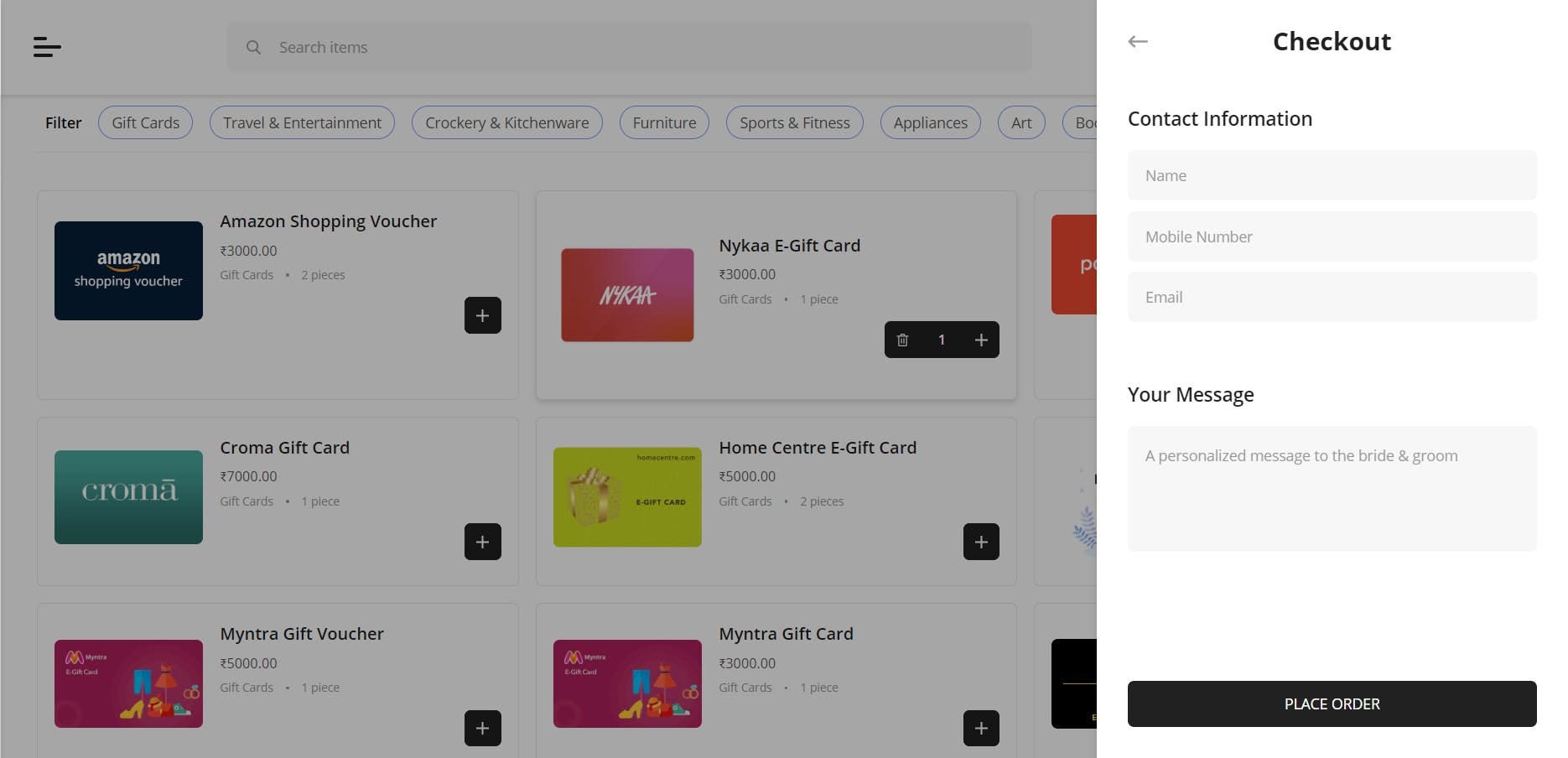
As this was a one-time purchase for a gift, users need not create an account or anything. They should be able to add gifts to the cart and give their information, particularly:
- Name,
- Phone number, and
Since the gifts are being purchased for the bride and groom, the guest’s address information was not required.
Personalized Message
Guests are also able to add a personalized message to the bride and groom during checkout.
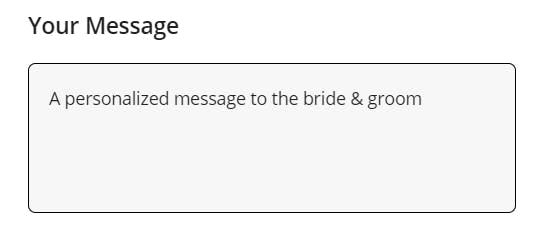
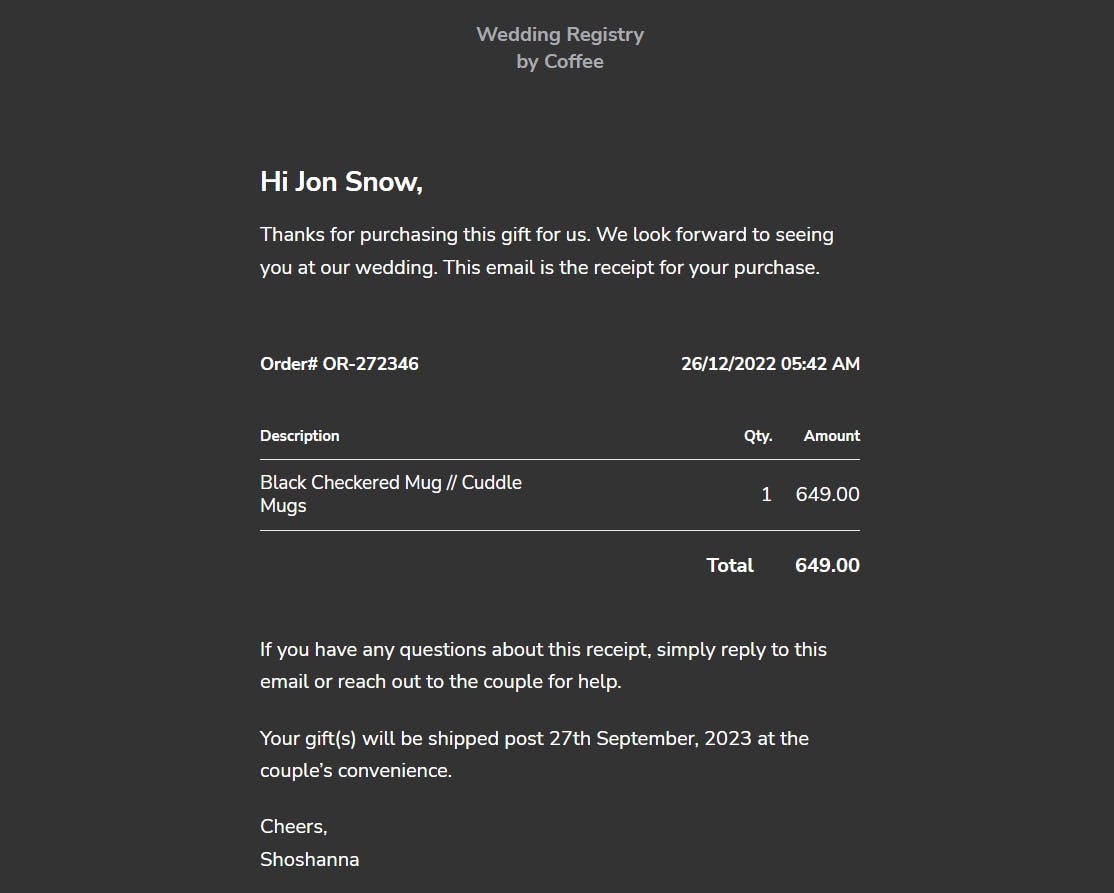
This message would be sent to the couple by mail as well as to the users along with the order confirmation.
Payment Options
Adding payment support was the next challenge in the system. We chose to settle with the simplest and quickest integration, a direct UPI intent (upi://).
Previously, we could directly do a trigger to show the prompt to open UPI apps on the phone, but recently, there seems to be some kind of merchant registration required for UPI IDs. So, we chose to generate the UPI ID with the payment information and order id that users could scan directly and make payments.
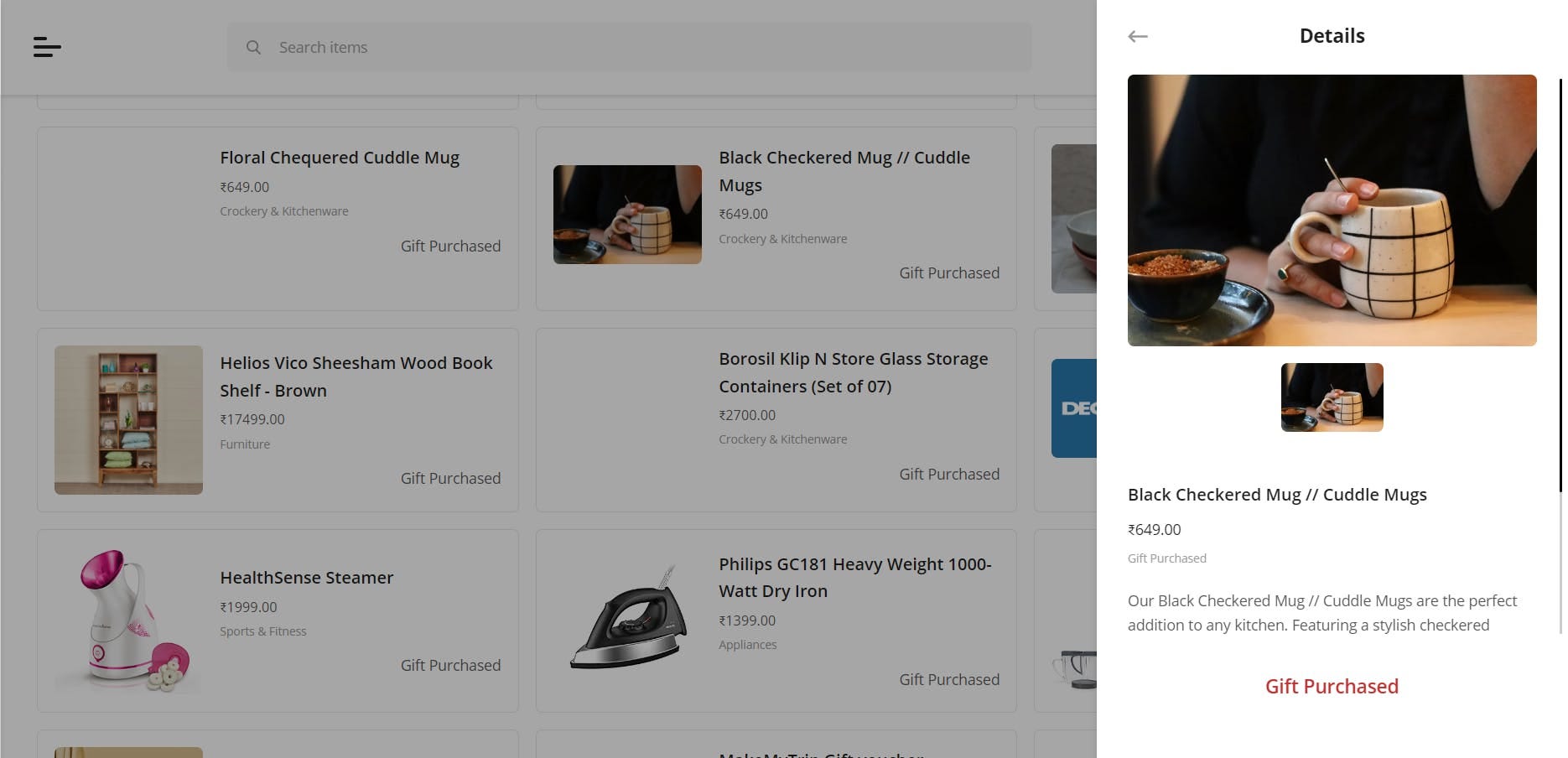
Mark Gift as Purchased
On update, if payment success was selected, the respective product quantity was updated accordingly.
Products are then marked as ‘Gift Purchased’ once the quantity reduces to zero.
Order Notification
An intimation that the gift is purchased & by who along with the message was sent to the couple. Guests are also sent a confirmation that their order has been placed.
Cash Gift
Finally, we were asked for a specific request: can users make custom-value cash gifts? Since there was a wide range of gifting options, can that extend to giving guests the freedom to give an amount of their choice?
Now that we had to collect an amount value from users, we looked at options for the most optimized user flow.
Option 1: Give users the option to enter the item amount when they add an item to the cart. This would be shown as a popup to the user.
Option 2: Allow users to enter the item amount in the cart screen before they can proceed to checkout.
We ended up going with option 2 and making a provision to enter item amount in the cart when guests added the “Cash Gift” product. A modification of the request to send the amount of the item to the backend along with product_id and quantity allowed us to track the amount given for cash gifts.
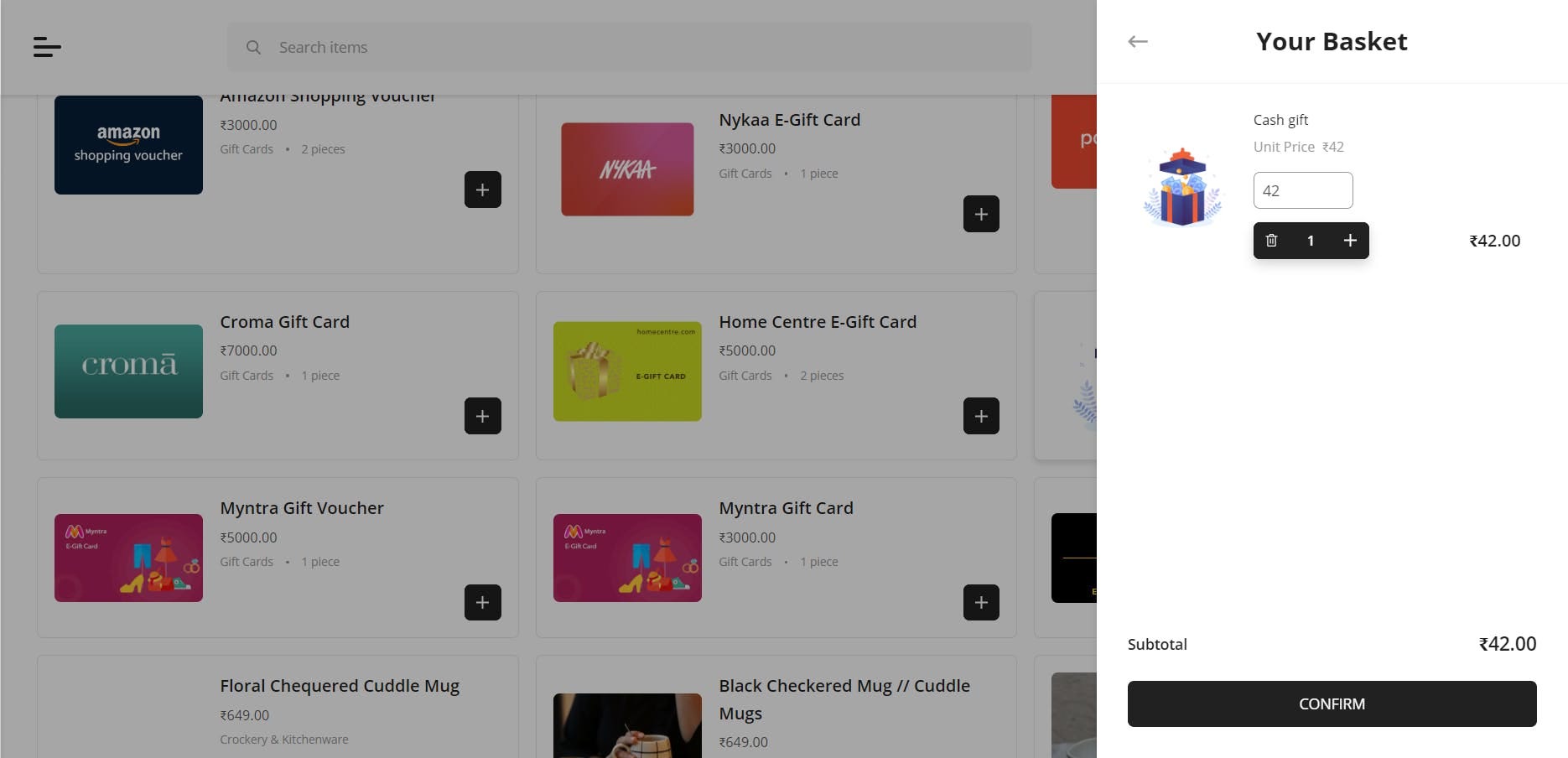
Now, guests could make gifts of any amount that they wished for.
Final Thoughts
It was quite interesting to work on building a Wedding Registry. This gave us some understanding of how an eCommerce system could be modified for different use cases extending beyond the traditional flow. We were also able to augment a traditional eCommerce flow and build a system with expanded capabilities.
As an upcoming feature addition, we were looking at how to make group gifting a possibility, where guests could make partial payments towards a gift and also an option to share a gift request that can be added to the existing gift list.
So, what did you think about the system? Have you seen any alternate uses of eCommerce systems? What other features do you think could work with the system?
Reach out to us at coffee@coffeeinc.in if you want to see the registry in action.