Read with Claude
 Read with ChatGPT
Imagine this, you are working in Google Docs and have to submit your progress in 5 minutes. You are sweating. Finally, you finish your work and you hit the download button, and you see nothing. The clock is ticking. Now you sweat more, and then, it says file downloaded, and you be like: “why didnt it say that earlier?”
The real problem in this situation is not just the delay, but the lack of feedback. You had sent a request, but there was no indication that anything was happening in the background.
When the frontend sends a request and leaves the user hanging…
Users feel lost when they do not know what is happening in the background. That is why updating the live progress matters because letting the users know that their work is being processed will make them have a peace of mind.
When building applications, this comes down to how your client communicates with the server. There is no one-size-fits-all approach, different connection models work best in different situations.
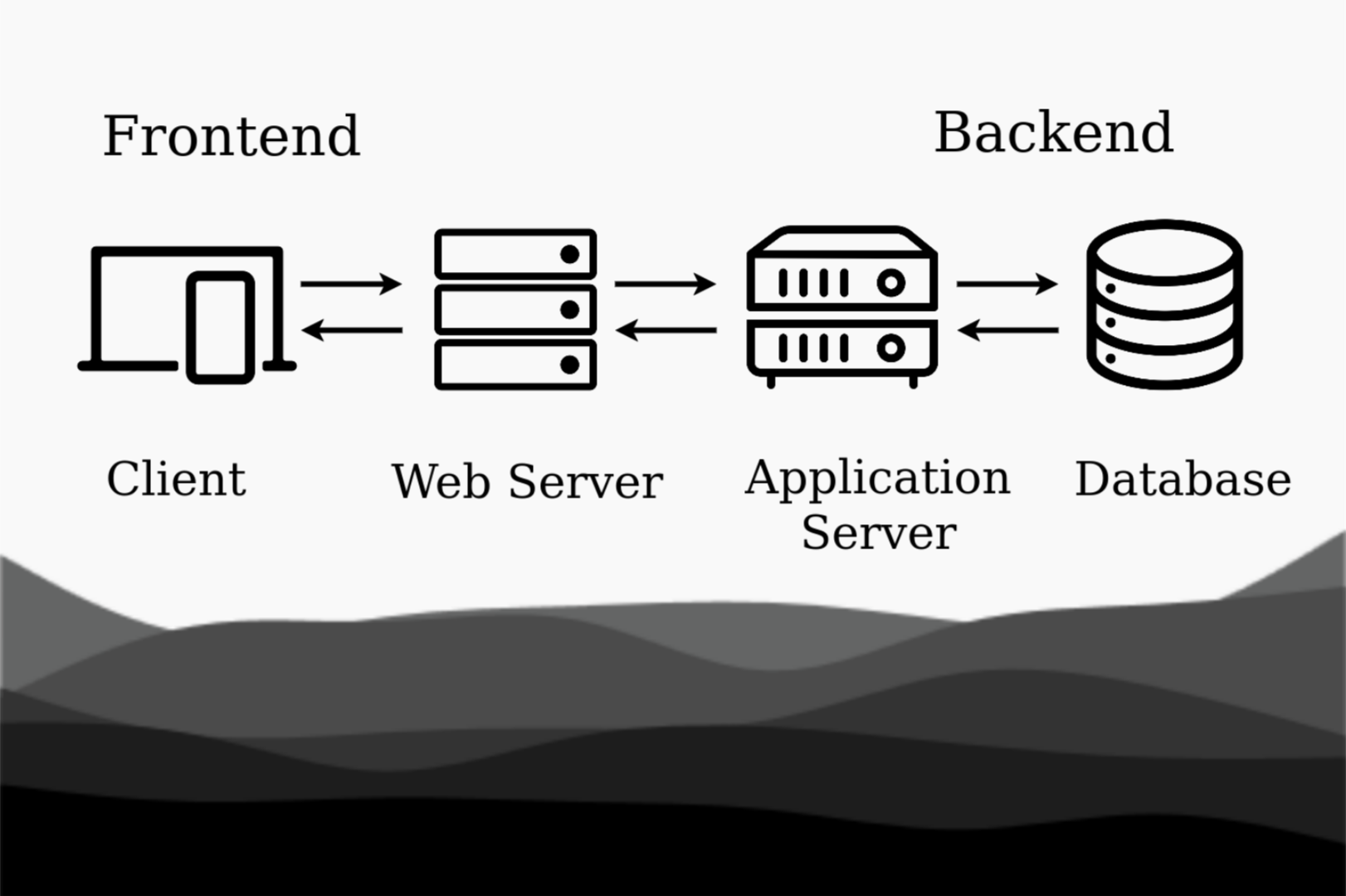
In this article, I will break down 4 different ways to connect to the server in this post with the specific scenarios it is best used for. Understanding these patterns will help you design better user experiences, ensuring your application stays responsive and provides relevant feedback throughout the process.
1. Synchronous
In this model the client sends a request to the server and waits until it responds. Nothing else happens while its in the process , it is a “ask-> wait-> receive” model.
Client → Server (Request)
Client ← Server (Response)
It is also called as Blocking communication model and is most useful for short and quick response tasks.
User experience: Users have to wait until the operation finishes.
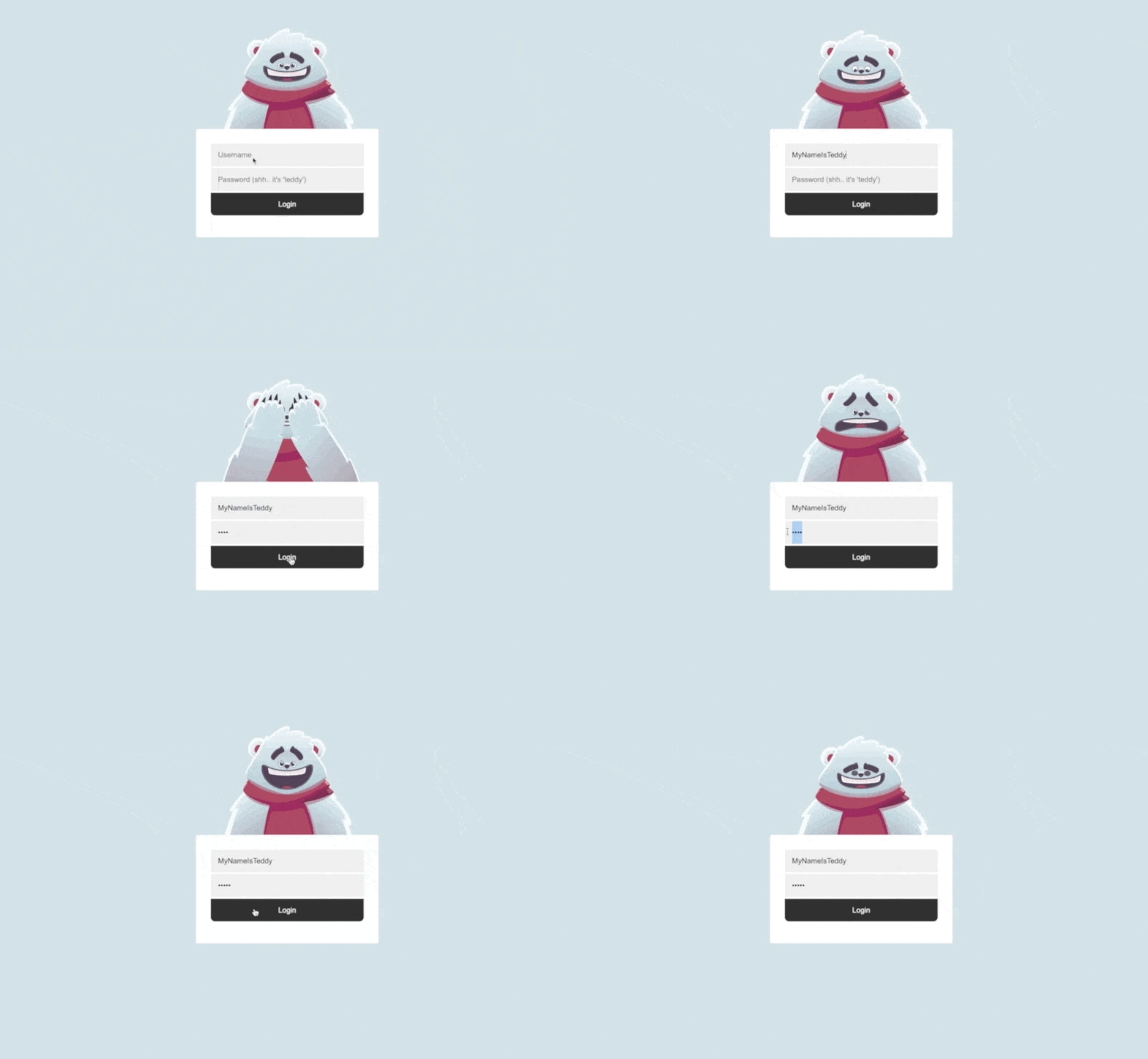
Animated Login Screen by Rive
Best used for: logging in , fetching a user profile, or loading a page.
2. Asynchronous
This model lets the client to send a request and keep working. In that case the UI is responsive unlike sync model and when the servers responds, a callback event handles it.
Client → Server (Request)
Client (continues running)
Client ← Server (Response arrives later)
This model gives user some level of control, while it runs in the background and is very useful for medium sized data loading.
User experience: The UI remains responsive while the work is being done.
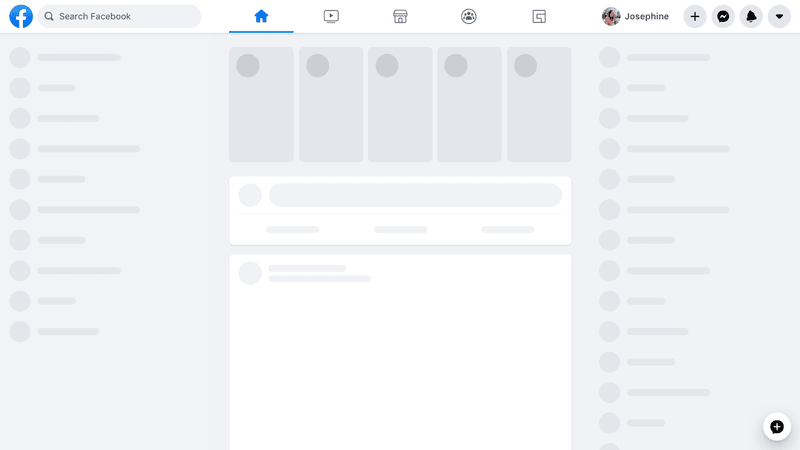
Best used for: Background data fetches, loading feeds, or updating dashboards.
3. Polling
This model sends the async requests repeatedly with a fixed interval to the server. It enables the system to get the immediate info about the updates instead of waiting for the server to send the update when its ready like async.
It asks repeatedly like “has the work finished? has the work finished? has the work finished?” until it gets the update.
Client → Server (Request #1)
Client ← Server (Response: Not ready)
(wait interval…)
Client → Server (Request #2)
Client ← Server (Response: Not ready)
(wait interval…)
Client → Server (Request #N)
Client ← Server (Response: Ready)
User experience: Users see progress updates, but at the cost of unnecessary requests.
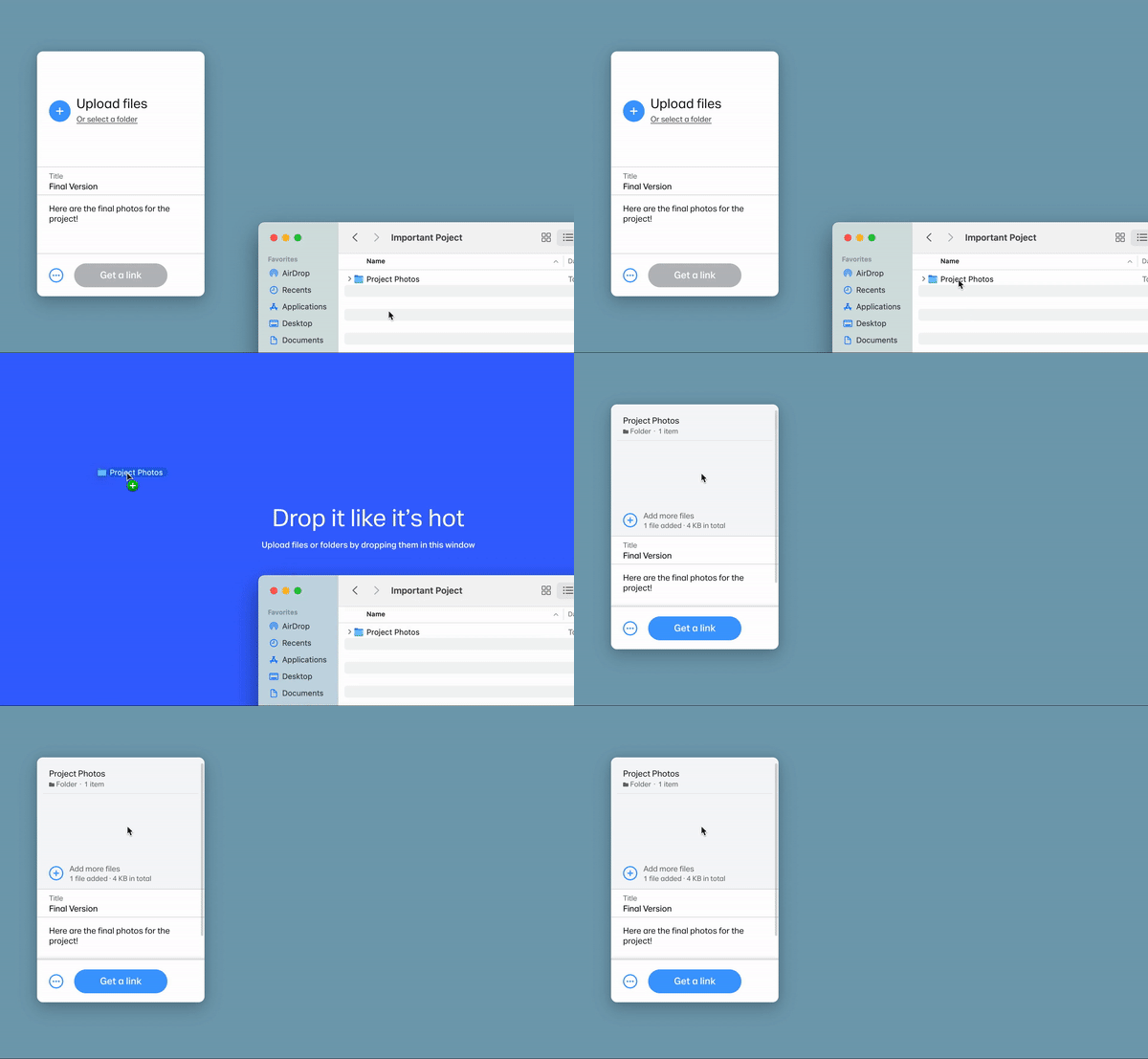
Uploading Folders by WeTransfer
Best used for: Long running tasks when you do not know when the processing will be completed like file/folder upload and post-processing.
It frees up the async thread at the cost of calling the server for updates.
4. WebSockets
Websocket creates a persistent two way connection between a client and server, So once the connection is succeed, both sides can send and receive updates anytime and no need to keep asking repeatedly like polling.
Client → Server (Initial Handshake)
[Connection stays open]
Server → Client (Update 1)
Server → Client (Update 2)
Server → Client (Update 3)
User experience: Feels immediate and live, perfect for real-time interactions.
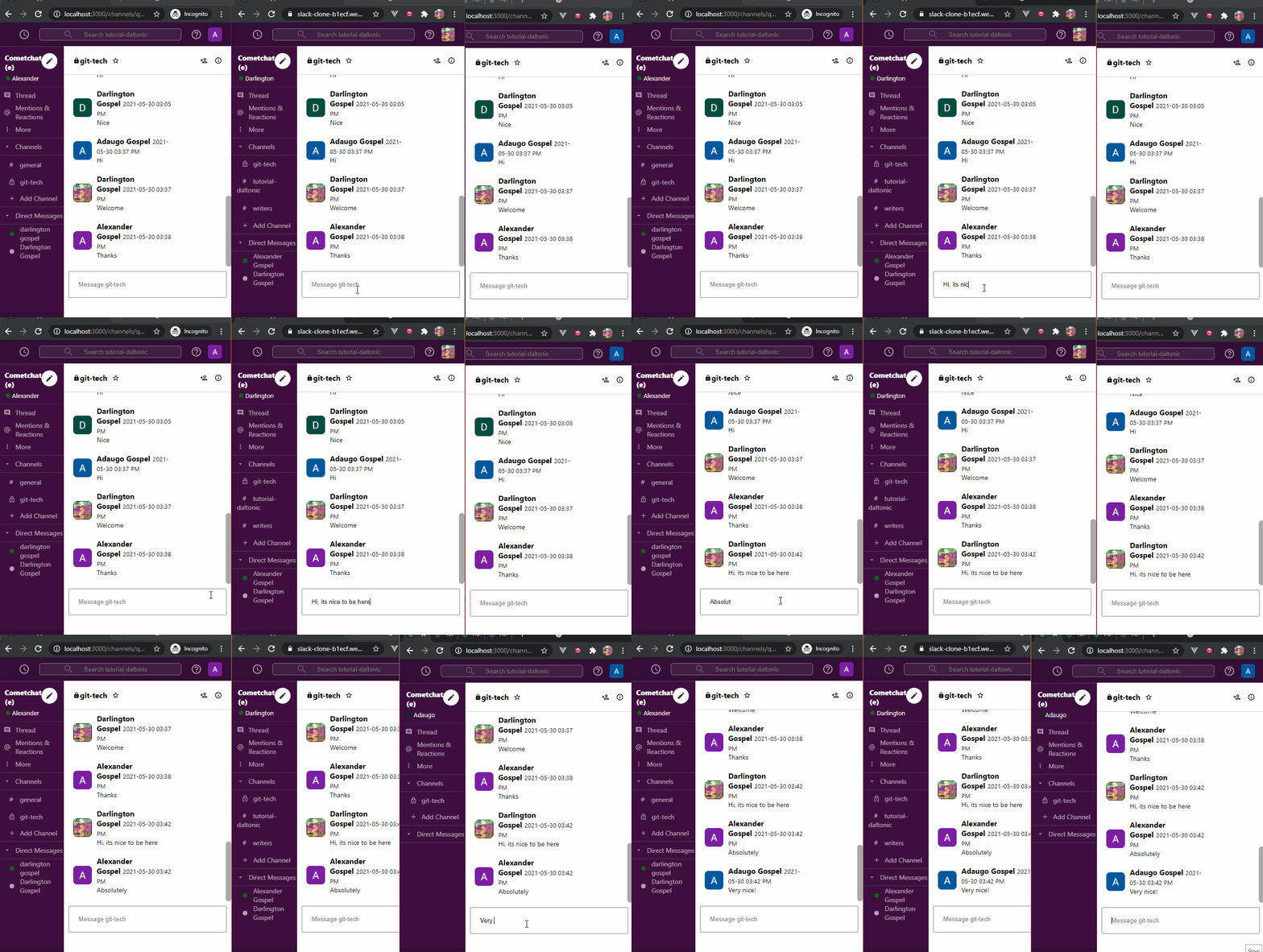
Best used for: Live notifications, chat applications, collaborative tools, and real-time dashboards.
This is the best connection model for long running, heavy tasks, but it is much more complex to set up.
Real World Example: Live OCR Processing updates
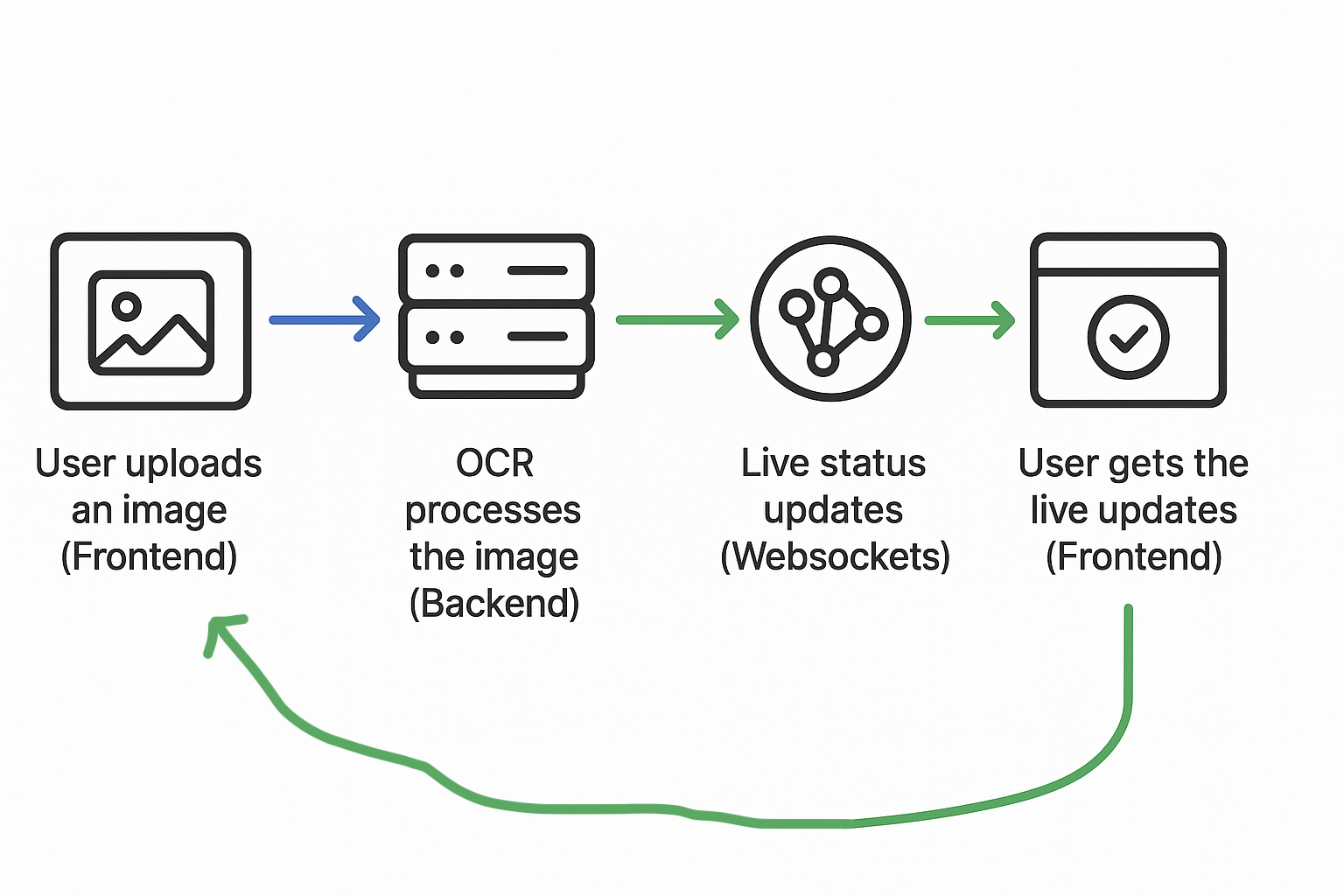
In a recent project that I have worked on, users can upload an Engineering drawing image and get the symbols, texts and numbers in the image. The backend updates the user with the live processing updates so that the user know whats happening in realtime.
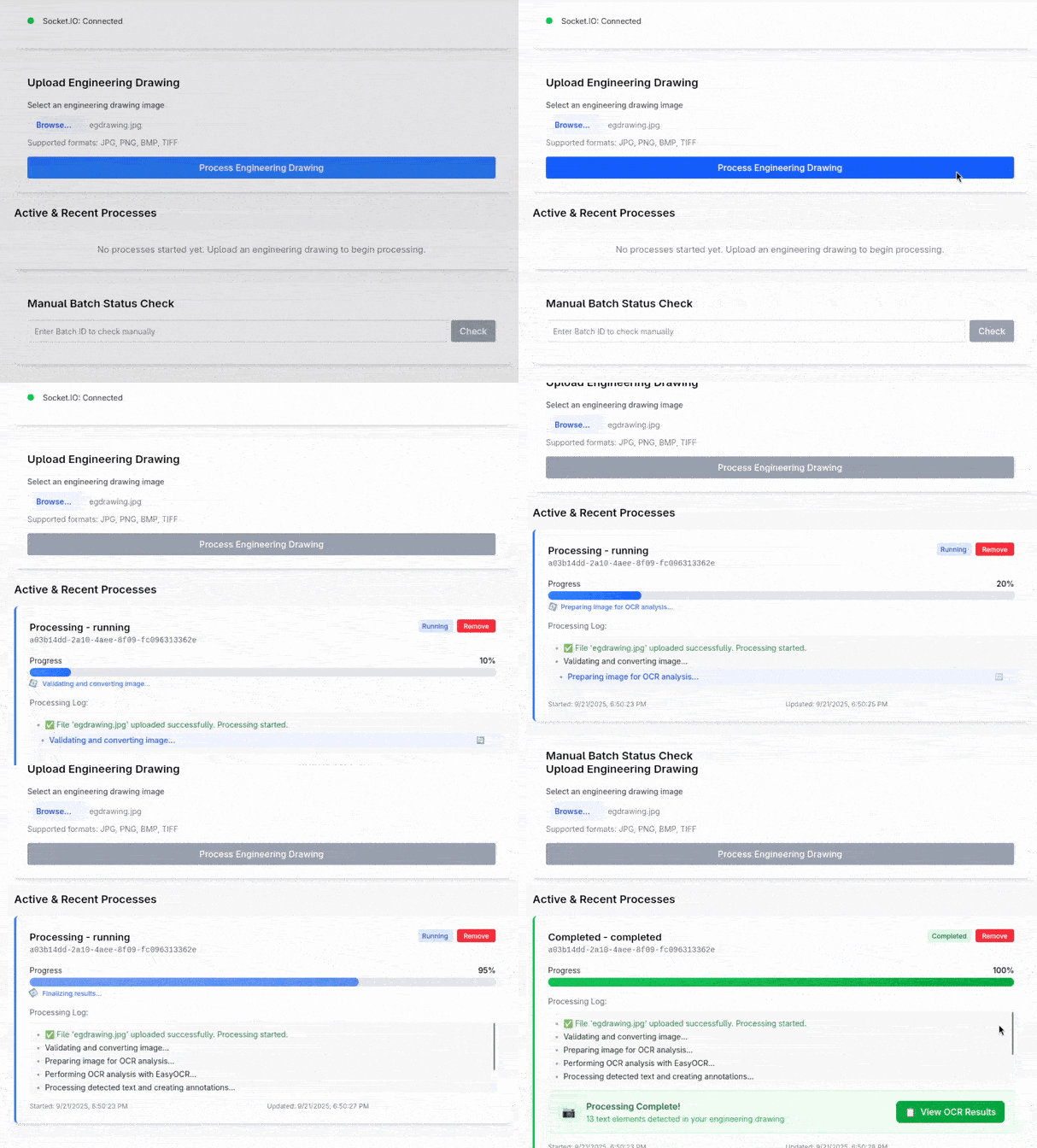
Here is the flow of the app:
Conclusion
Every model has its own pros and cons so choosing the right communication pattern will help your application feel responsive and Users get to know what happens, which increases the User Experience a lot.
In my project, I leaned on WebSockets to provide live OCR processing updates, which made the application more lively and user-friendly. When you think about your own applications, consider the use-cases and pick the model that balances responsiveness, efficiency, and complexity for your needs.
TL;DR
- Synchronous — Simple but blocks the flow
- Asynchronous — non blocking and better User experience
- Polling — Easier to setup but wastes resources
- Websockets — Persistent, instant and Realtime but needs proper setup and configuration
In order to choose the right one, ask yourself that:
Do the results need to be shown to the user immediately or eventually?
Does the user need to see the process or the just final outcome?